Нужен план выбора или покрытия для вашего проекта?
Отправьте сценарий, район и плотность клиентов; наша команда ответит предложением по конфигурации в течение 24 часов.
Отправить запросWhy does a corridor access point pass the survey and then fail at 09:00?
A school survey is usually taken in an empty building during the holidays. It measures signal strength in a room nobody is using: the corridor unit reads comfortably at the back row, the report says the floor is covered, and term starts three weeks later.
That corridor unit is now serving two or three classrooms at once. Thirty students at two devices each means sixty to ninety devices on a single cell, all opening the same cloud-synced lesson in the same minute. Nothing has failed; the airtime has simply run out. Coverage asks whether a device can hear the access point. Capacity asks how much airtime is left once everybody is talking, and in a school the second question decides the layout.
Four things make a school harder than an office, and none of them appear on the architectural drawing.
- Lessons are synchronised by the bell, so traffic arrives in bursts rather than spreading across the day
- Seating is fixed, and the far corner behind the door is the worst seat in every lesson, every day
- A full room is not transparent: thirty seated students absorb the signal the empty survey measured
- Device counts per student rose while the cabling stayed put, so older blocks have one data point per room rather than one per desk
How many wireless devices does one classroom actually generate?
Count devices rather than people, and count the ones actually transmitting. A secondary student typically carries a laptop or tablet plus a phone; the phone is associated and mostly idle, yet it still costs airtime in beacons, keep-alives and management frames. A workable planning figure is two associated devices per student, with sixty to seventy-five percent active in a lesson.
| Space | People | Devices per person | Active share | Concurrent active devices | Radios at 25 to 35 active each |
|---|---|---|---|---|---|
| Primary classroom, shared devices | 30 | 1 | 60% | about 18 | 1 radio |
| Secondary 1:1 classroom | 30 | 2 | 70% | about 42 | 2 radios |
| Exam and assessment room | 40 | 1 | 90% | about 36 | 1 to 2 radios |
| Lecture hall | 150 | 1.6 | 80% | about 192 | 6 to 8 radios |
| Staff room | 20 | 2 | 50% | about 20 | 1 radio |
| Dormitory room | 4 beds | 2 | 60% | about 5 | shared with neighbours |
Should a school run one unit per corridor or one per classroom?
Run both lines and take the larger. The coverage line is the one quoted by habit: one ceiling unit in the corridor serving two or three rooms. The capacity line divides concurrent devices by the 25 to 35 active clients one radio carries comfortably. Where the two disagree the capacity line decides, because a unit that reaches three rooms cannot also carry three rooms.
Take a 24-classroom secondary block with two devices per student and thirty students per room: about 42 concurrent active devices per room. One unit per classroom, with the two radios of a dual-band unit splitting the load, lands near 21 active clients per radio, inside the bracket. Planned as one corridor unit per three rooms, the same block puts roughly 126 devices on that unit, about 63 per radio, close to twice the design target.
Primary schools are where corridor placement survives: about 18 concurrent devices per room, three rooms per unit, roughly 27 active clients per radio. It stops working the day the school moves to one device per student, so placement follows the device plan rather than the floor plan.
| Space | Concurrent per room | Recommended placement | Reason |
|---|---|---|---|
| Primary classroom, shared devices | about 18 | Corridor ceiling, 2 to 3 rooms per unit | Capacity fits one cell and saves a drop per room |
| Secondary 1:1 classroom | about 42 | Ceiling unit inside the room | Two radios per room are needed, not per three rooms |
| Exam and assessment room | about 36 | Ceiling unit in the room at reduced power | Every device is active at once, so cells must be even |
| Lecture hall | about 192 | Several ceiling units on 20MHz channels | Capacity sets the count, not coverage |
| Dormitory room | about 5 | One in-wall panel unit per room | Small cells, per-room delivery and a wired outlet for a desk |
| Corridor and commons | light | One unit per 2 to 3 rooms or per 40m | Walking traffic only; do not size classrooms around it |
Where should the access point physically go: corridor ceiling, classroom ceiling or a wall plate?
Placement changes the shape of the cell more than the model does. The table compares the three placements that actually show up in school projects.
| Размещение | Mounting and cell | Cabling | Fits | Fails when |
|---|---|---|---|---|
| Corridor ceiling | 2.8 to 3.2m, one cell through walls to 2 to 3 rooms | One drop per 2 to 3 rooms | Primary classrooms, light device ratios, tight retrofits | 1:1 programmes, concrete or steel-framed walls, heavy fire doors |
| Classroom ceiling | One cell per room, line of sight to every seat | One drop per room | Secondary 1:1, exam rooms, computer and training rooms | Ceilings above 4.5m without a lower mounting point |
| Встраиваемая панель | 86 box at 0.3 to 1.4m, a small cell around the room | Reuses an existing wall box and data outlet | Dormitories, small offices, guest rooms, study rooms | Standard classrooms with seats spread across the floor |
What separates the models used in a classroom, a corridor and a dormitory?
Inside one classroom, two units with the same headline rate usually differ in the port behind them and the power they draw. A 3000Mbps unit on a gigabit port caps the room at roughly 940Mbps of real traffic in both directions; the same radio class behind a 2.5G port does not.
Every figure in the table comes from the product page of that model. Where a parameter is not published, such as the PoE class or the port layout on some panel units, ask for the datasheet for that model rather than inferring it.
| Модель | Тип | Rated rate | Встроенная антенна | Порты | Consumption |
|---|---|---|---|---|---|
| CF-E591AX | Потолочный | 1500Mbps | 2 x 3dBi | 1G WAN + 1G LAN | under 12W |
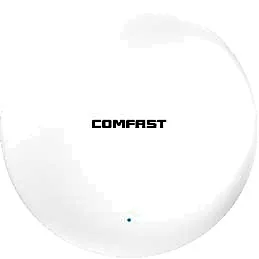
| CF-E593AX | Потолочный | 3000Mbps | 2 x 3dBi | 1G WAN + 1G LAN | under 12W |
| CF-E390AX | Потолочный | 1800Mbps | 3dBi | 1G WAN + 1G LAN | under 12W |
| CF-E373BE | Ceiling, 802.11be | 3600Mbps | 4dBi | 2.5G WAN + 2.5G LAN | under 24W |
| WA-680 | Потолочный | 1800Mbps | 2 x 2.4G + 2 x 5G | see datasheet | 48V PoE |
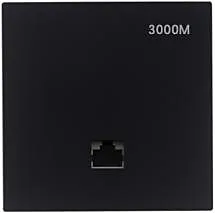
| MQ-3002G | Встраиваемая панель | 3000Mbps | see datasheet | see datasheet | see datasheet |
What has to be switched on before the first lesson?
Placement follows the device plan, but half of the perceived result is configuration. The list is ordered by priority and needs no new hardware.
- Run 20MHz channels on 5GHz across the teaching block, and 20MHz on 2.4GHz as well
- Disable the 1, 2, 5.5 and 11Mbps rates, or the cell radius inflates and clients cling to the far end
- Set a minimum RSSI or kick threshold so the far seat moves to the nearer cell
- Enable 802.11k and 802.11v where the firmware supports them, and confirm per model rather than assuming
- Turn on airtime fairness, or one strong client can take a whole lesson
- Keep to two or three SSIDs: every SSID beacons on every channel
- Give every AP one uplink with headroom; a gigabit port carries about 940Mbps in both directions
- Match each unit consumption against the switch port PoE class before ordering
How do you accept a school WiFi installation before term starts?
Accepting a school network in an empty building repeats the survey mistake. Test with a class in the room, or load the room with simulated clients; the second is cheaper and repeatable.
| Acceptance item | Target (engineering convention) | Why it is measured |
|---|---|---|
| Worst seat, 1.1m seated, 5GHz | at least -65dBm | That is where the back row actually works |
| 40 active clients in one classroom | at least 2Mbps each for 5 minutes | A lesson is concurrent, not average |
| Channel utilisation during a lesson | clearly below 50% | Above half means too few cells or too much width |
| Walk test along the block | A call or video session holds end to end | Roaming faults only show up while walking |
| PoE budget on the switch | at least 20% headroom at full AP count | Panel and 24W units are counted per port |
| Power cycle | Every AP returns without a second site visit | Getting onto a ceiling during term is expensive |
Часто задаваемые вопросы
Is one access point per classroom always the right answer?
No. It is the right answer when the room really generates thirty-odd active clients. For primary classrooms sharing devices, where a room produces about eighteen concurrent clients, one corridor unit serving two or three rooms stays inside the bracket. The deciding number is concurrent devices, not rooms.
How many students can one access point support?
At the published 25 to 35 active clients per radio bracket, a dual-band unit carries roughly 50 to 70 active clients in total, provided the devices spread evenly across both bands. With two devices per student that works out to about 25 to 35 people, and that is the ceiling for a dual-band unit.
Do classroom access points need 2.5G uplinks?
Not in every room. A gigabit port carries about 940Mbps in both directions, which is enough for a normal lesson. The 2.5G class matters in rooms doing large file transfers, video editing, or many simultaneous high-bitrate calls; that is where a unit such as CF-E373BE with 2.5G ports earns its place.
Can in-wall panel access points be used in classrooms?
In small rooms with existing wall boxes where people sit near the walls, yes. In a standard classroom with seats across the whole floor, the panel mounting height and pattern lose to a ceiling unit; dormitories and guest rooms are where panel units genuinely pay off.
Is Wi-Fi 7 needed for a school project now?
It depends on the client fleet. Most student devices are still dual-band 2.4 and 5GHz, so making the 5GHz cells dense and the channels narrow pays back sooner than a protocol change. Our ceiling range includes 802.11be models such as CF-E373BE at 3600Mbps with 2.5G ports, alongside dual-band Wi-Fi 6 units; band and protocol support follow each product page.