هل تحتاج إلى خطة اختيار أو تغطية لمشروعك؟
إرسال السيناريو والمنطقة وكثافة العميل؛ يرد فريقنا بمقترح التكوين خلال 24 ساعة.
إرسال الاستفسارWhy does a room with a full signal bar still stall when it fills up?
Because signal strength and usable capacity are two different budgets. A classroom can measure -50dBm in every seat and still collapse at nine o clock, when forty laptops open meetings at once and the airtime runs out. Coverage answers whether a device can hear the access point; capacity answers how much airtime is left once everybody talks. Meeting rooms, classrooms and training rooms are the places where the second number sets the design, and it is the number that never appears on the architectural drawing.
Airtime is a shared resource. Every frame — data, acknowledgement, beacon, retry — leaves that channel one at a time, however many antennas the access point has. More devices means more frames; once channel utilisation sits above roughly half for long stretches, retries climb, waits grow, and the whole room slows together. That explains the shape of the complaint you hear on site: not one laptop failing, but everyone lagging at the same moment.
- Coverage measures whether you are heard; capacity measures how often it is your turn
- Antenna gain and transmit power do not add airtime; they only move the energy around
- The more devices share one room, the more airtime goes to association, roaming and retries
- Mixed client capability (1x1 laptops next to 2x2 phones) drags the whole cell toward the slowest device
Should you count seats or concurrent devices first?
Run both and take the larger. The seats line is a radio-planning shortcut: how many people can sit in one cell before it stops serving them evenly. The capacity line is plain arithmetic: peak concurrent devices divided by the number of active clients one radio carries comfortably. A small meeting room is usually decided by seats; a lecture hall where everyone brings a laptop and a phone is decided by capacity, often by fifty percent.
The schedule below is illustrative arithmetic: it shows how the two lines are compared, and it is not a quotation. Substitute your own seat count, devices per seat and active share and you get your own point schedule. The published design conventions are roughly these: 25 to 35 active clients per radio as the design target, with vendor documentation treating more than 30 clients on one access point as high density, cross-checked against a radio plan of one cell per 40 to 60 seats.
| Space | Seats | Devices per seat | Peak active | Capacity line (30 per radio) | Seats line (40 to 60 per AP) | Take the larger |
|---|---|---|---|---|---|---|
| Huddle room | 8 | 2 | about 10 | وحدة واحدة | وحدة واحدة | وحدة واحدة |
| Classroom, fixed seats | 60 | 2 | about 84 | 3 units | 1 to 2 units | 3 units |
| Training room or boardroom | 30 | 2 | about 48 | 2 units | وحدة واحدة | 2 units |
| Lecture hall | 200 | 1.7 | about 170 | 6 units | 3 to 5 units | 6 units |
| Open office, by desk | 80 | 2 | about 96 | 3 to 4 units | 2 units | 3 to 4 units |
Does a faster model buy more capacity, or does the uplink decide?
This is where selection most often goes wrong. A 3000Mbps class unit and an 1800Mbps class unit on the same ceiling can deliver the same per-client experience, because what limits the room is not the headline rate but airtime and the cable behind the unit. The headline is a marketing sum of both radios, and no laptop associates to both at once. What actually caps a dense room is the switch port: a single gigabit uplink carries about 940Mbps of real traffic, in both directions, for every client in the cell.
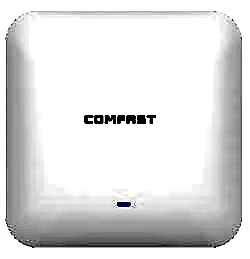
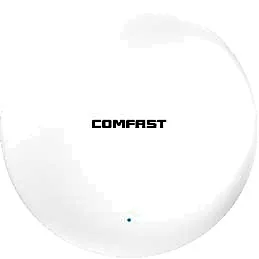
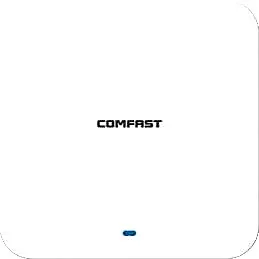
So when the planning unit is the room rather than the floor, a 2.5GbE uplink is the difference that matters. In our ceiling range, CF-E391AX publishes a 2.5G WAN port plus a 1G LAN port, 3000Mbps, built-in 4 x 3dBi antennas and under 13W; CF-E393AX and CF-E395AX publish 3000Mbps with gigabit WAN and LAN ports and under 24W. Same radio class, different throughput ceiling — when you are sizing per room, start from the CF-E391AX Wi-Fi 6 ceiling access point class. Every figure here comes from the respective product page; confirm against the datasheet per model before specifying.
| الطراز | Rated rate | هوائي مدمج | WAN port | Consumption | Housing |
|---|---|---|---|---|---|
| CF-E391AX | 3000Mbps | 4 x 3dBi | 2.5G | under 13W | IP31 |
| CF-E393AX | 3000Mbps | 3dBi | 1G | under 24W | IP31 |
| CF-E395AX | 3000Mbps | 4 x 3dBi | 1G | under 24W | IP31 |
| CF-E390AX | 1800Mbps | 3dBi | 1G | under 12W | IP31 |
Should a dense room run 20, 40 or 80MHz channels?
Use 20MHz in 5GHz, and either 20MHz in 2.4GHz or switch that radio off. Wide channels buy peak rate and spend spectrum: an 80MHz channel occupies four times the spectrum of a 20MHz one, and a classroom that needs three or four access points has no room left for reuse. Every unit in the room has to sit on a different channel, and how many 5GHz channels are usable depends on the regulatory domain and on whether DFS channels are permitted — a local licensing question, not a product parameter.
Neighbouring rooms have to be planned together, not one by one. Classroom partitions are often stud walls or glass, so the unit next door is frequently only a dozen dB weaker inside your room; two classrooms each running 80MHz simply cut each other in half. The same holds between floors: two cells stacked on the same position should sit on different channels.
- Dense rooms: fix 5GHz at 20MHz instead of letting width auto-negotiate
- Keep one 2.4GHz layer for legacy devices and shut or lower the rest
- Stagger channels between neighbouring rooms and between stacked floors
- DFS channels and transmit power follow local regulation; confirm before export
Where does the access point go when every square metre is a seat?
Overhead, above the seating, a third to half way into the depth of the room rather than against the front wall. Seen in section the pattern of a ceiling unit is a doughnut: weakest directly below, strongest off-axis. Put the unit directly over the front row and you give the least energy to the lectern and the most to the back wall; mount it against the front wall and the rear rows fall straight into the edge of the cell. Height matters as well: at 2.7 to 3.5 metres above the floor the cell covers the seats evenly, and above four or five metres the same unit leaves a weak ring around the perimeter.
Two alternatives have their place. For fixed tiered seating and exam-style rows, a unit under the seats or under the desks trades height for proximity, which makes cells smaller and reuse higher — venue vendors publish under-seat mounting guidance along these lines. In a deep room where nothing can hang in the middle, a directional unit on the rear wall aimed forward works instead. Where a small room already has wall boxes, an in-wall panel unit is an option, but its coverage is not the same as a ceiling unit: size it against the room, not the corridor.
What has to be switched on before the room fills?
Getting the device count right is only half the job; the other half lives in the configuration. The usual failure in a dense room is not too few access points but devices clinging to the corridor unit, 2.4GHz low rates inflating the cell, or eight SSIDs eating the channel. The items below are ordered by priority and all take effect without new hardware. Note that OFDMA and MU-MIMO improve efficiency; they are not a patch for missing capacity. With too few units they only make the collapse arrive a little later.
- Enable 802.11k/v and band steering so devices move while the signal is still usable
- Set a minimum RSSI and a kick threshold, or the front row never leaves the corridor unit
- Disable the 1, 2, 5.5 and 11Mbps rates so the cell radius is not inflated artificially
- Keep to two or three SSIDs: every SSID beacons on every channel
- Turn on airtime fairness so one strong client cannot take the whole cell
- Do not run 160MHz with more than two units in a room; the width eats the reuse margin
What should the acceptance sheet measure in a dense room?
Do not measure an average. Measure the worst seat, and state the height it was taken at. The working convention for meeting rooms and classrooms is: no weaker than -65dBm on 5GHz at 1.1 metres seated height in the worst seat, such as the back row against the wall; channel utilisation clearly below half during the busy hour; and, under a forty-client load test, every client still holding the floor bandwidth a video call needs. These are engineering acceptance targets, not the specification of any model, and the business case should confirm them before they go into a contract.
| Acceptance item | Target (engineering convention) | Why it is measured |
|---|---|---|
| Worst seat, 1.1 m seated, 5GHz | at least -65dBm | This is where the back row opens its laptop |
| 40 clients under concurrent load | at least 2Mbps each, sustained 5 minutes | Video meetings are the main traffic in these rooms |
| Channel utilisation in the busy hour | clearly below 50% | Above half means too few units or too much width |
| Retry rate | Re-check on a clear rise over the empty-room baseline | Retries are the early signal of interference or oversized cells |
| Association and session hold | Walk from door to seat without dropping the session | Edge clients stick to the corridor unit most often |
| PoE budget | Allow 802.3at at 30W per port | A 24W unit cannot run from an 802.3af port |
الأسئلة المتداولة
How many people can one access point serve in a meeting room?
Count concurrent devices, not people. The published design convention is 25 to 35 active clients per radio, with more than 30 treated as high density. A 16-person board meeting with two devices each at eighty percent active is about 26 concurrent clients, which two radios on one dual-band unit can carry; the same 16 people all running video calls is a case for two units.
Is one 3000Mbps access point enough for a 50-seat classroom?
Not enough. Fifty people at two devices each and seventy percent active is about 70 concurrent clients, more than twice a single radio design target, so two or three units should share the load rather than one unit turned up. More power only enlarges the cell and stops devices from moving; the symptom changes from cannot connect to connected but slow.
Does a dense room need Wi-Fi 6E or Wi-Fi 7?
First make the 5GHz cells dense and the channels narrow, then talk about bands. The value of 6GHz is clean spectrum and more channels, but it needs client support and the regulatory position differs by country; if half the laptops and phones in the room are dual-band only, the new band does nothing for them. Our ceiling range is mainly dual-band 2.4GHz and 5.8GHz, and band capability follows each product page.
Why does everyone slow down instead of a few people dropping?
Because airtime is shared. More devices means more contention and retries, longer waits per transmission, and a drop in experience across the whole cell; a device only drops when it walks out of coverage or is kicked by the threshold. Nobody drops but everybody lags is the classic signature of insufficient capacity, not a hardware fault.
Can in-wall panel APs replace ceiling units in a classroom?
They work in small rooms with existing wall boxes where people sit near the walls. In a standard classroom, with seats across the whole floor and devices in the middle, a panel unit loses on mounting height and pattern, and ceiling points are still needed. The panel advantage is cabling and per-room delivery, which suits guest rooms and apartment layouts; size it against the room area and the concurrency.