Precisa de uma seleção ou plano de cobertura para o seu projeto?
Enviar cenário, área e densidade de clientes; nossa equipe responde com uma proposta de configuração em até 24h.
Enviar consultaIs it interference, or is it coverage?
They feel identical to the user: video stalls, scanners re-connect, calls break up. The causes are not the same. Interference or congestion shows up as a client that sits close to an access point with a strong signal while the channel stays busy. A coverage failure is the reverse: the client is far away, the signal is weak, and the airtime is mostly idle. Get that wrong and you either add access points to a site that only needed two radios retuned, making congestion worse, or spend a day on channel work at a site that needed one access point moved.
A five-minute check at the complaint location separates the two. Stand there with the client the user actually carries and read two numbers at once: the client RSSI, and the channel utilisation of the radio it is on. Strong signal with high utilisation sends you down the congestion path. Weak signal with low utilisation sends you down the coverage path. Weak signal plus a busy channel means the area is short of access points for the load it carries.
- An RSSI between -50 and -67dBm means distance is not the problem; the airtime is
- Below -70dBm with low utilisation, look at coverage, mounting height and obstructions before touching channels
- Utilisation steadily above 60% with a healthy single-client signal is almost always co-channel contention or an external interferer
Which three counters settle the argument?
Channel utilisation, retry rate and noise floor. Read all three in the hour the complaints happen: a floor that idles at 20 percent at ten in the morning and hits 75 percent at two in the afternoon needs a different fix from one that stays near 25 percent all day. If those counters are not visible in the AP or controller firmware, fix that first — there is nothing to tune without them.
| Counter | Healthy | Suspicious | What it points to |
|---|---|---|---|
| 5GHz channel utilisation | under 40% | above 60% at peak | too many co-channel APs, or one AP carrying too many clients |
| Retry rate | under 10% | above 20% | hidden node, weak client uplink or an external interferer |
| 2.4GHz noise floor | -90dBm or lower | -80dBm or higher | a non-WiFi interferer, or dense neighbour APs |
| Signal-to-noise ratio | 25dB or better | under 20dB | coverage edge, where the rate ladder collapses |
| Clients per radio | below the design figure | persistently above | a capacity problem: channel work will not help, more points will |
Why does one more access point make things slower?
Because a channel is shared airtime, not a private cable. Two access points on the same channel do not add capacity; they queue behind each other, and each one beacon and management frame also consumes airtime inside the other cell. 2.4GHz has only three non-overlapping 20MHz channels, so a deployment runs out of separation long before it runs out of coverage.
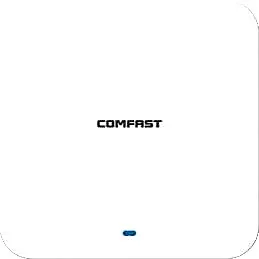
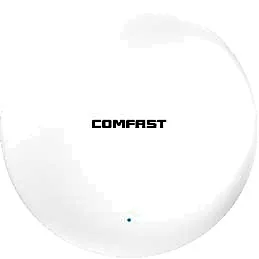
Two habits push a marginal site into a congested one: raising transmit power to patch dead spots, and mounting a new access point wherever a complaint came from. Higher power means wider cells and more overlap, and the usual target is 15 to 20 percent overlap between neighbouring cells — enough for a client to roam before the link dies, not enough for two access points to fight over the same client. A Wi-Fi 6 ceiling unit does not escape this. The CF-E390AX runs 1800Mbps over 2.4 and 5.8GHz, supports 802.11a/b/g/n/ac/ax, uses built-in 3dBi antennas and takes PoE, yet its radio still shares the same three 2.4GHz channels as everything else in the building.
Which non-WiFi devices actually interfere?
Not every 2.4GHz device deserves a design change. What matters is duty cycle and bandwidth: continuous, wideband sources sitting close to an access point are the ones worth acting on, while occasional narrowband devices can usually be ignored. The table below is ordered by how often the source turns up on site, with the band it hits.
| Source | Banda | How it shows up |
|---|---|---|
| Wireless cameras, analogue video senders | 2.4GHz, rarely 5.8GHz | wideband and continuous; a whole floor slows on 2.4GHz and the AP gets blamed |
| Microwave oven | 2.4GHz | bursts only while running; complaints cluster around lunch |
| Cordless phone base, DECT | 2.4 / 5.8GHz | a steady lift in noise floor and a slow rise in retries |
| Bluetooth peripherals | 2.4GHz | frequency hopping at low duty cycle; usually tolerable, no channel change needed |
| Cheap LED drivers, switch-mode supplies, USB 3.0 | Broadband | raises the noise floor across bands, 2.4GHz worst, and is hard to localise |
| Neighbour APs, phone hotspots | Both bands | not RF interference in the classic sense, but it eats the same airtime |
Why does 20MHz often beat a wider channel?
Because 80MHz bonds four 20MHz channels into one: if a single segment is hit by an interferer or a neighbour AP, the whole 80MHz block degrades, and there are far fewer 80MHz combinations than 20MHz channels, so bonding in a dense area multiplies co-channel collisions. Dropping to 20MHz or 40MHz in high-density areas trades single-client peak rate for more reusable channels and more predictable airtime.
There is a second factor on 5GHz that gets overlooked: DFS channels. When radar is detected on one of them the access point must vacate it, which looks like a whole floor stalling for a few seconds with no configuration change. Keeping critical areas on non-DFS channels is often steadier than choosing a wider one.
How do you locate the interferer on site?
Order matters more than tools. First establish which floor and which band, then narrow it to a room, and only then discuss removing a device. Change one variable per step and re-read the same three counters immediately, or you will never know which change did the work.
- Run a spectrum scan at the complaint point, mid-corridor and directly under the AP to see whether the noise lift is global or local
- Switch off half the 2.4GHz radios in the suspect area and watch whether the noise floor follows
- Match the clock: lunchtime bursts point at a microwave, all-day load points at cameras and video senders
- Walk the corridor slowly and log RSSI, utilisation and retry per point to map where it degrades
- Check switch port error counters to rule out cabling and ports before blaming the air
In what order should the fixes be applied?
Start with the cheapest, most reversible action and re-test after each step. Skipping the first two and buying access points is the most common way this problem gets expensive.
- Step one: close coverage gaps by moving and re-mounting access points away from metal ceilings and risers
- Step two: narrow channel width to 20MHz or 40MHz in dense areas; 160MHz is not advisable there
- Step three: redraw the channel reuse map so co-channel APs are at least two units apart
- Step four: align neighbouring power levels and lower them where needed, rather than raising one at a time
- Step five: keep 2.4GHz only where legacy clients live, and disable it elsewhere
- Step six: deal with the physical source — relocate cameras, add a dedicated point near the microwave, replace cheap supplies
- Step seven: only add access points once capacity is proven to be the limit, and place them by plan rather than by complaint
What numbers should you accept at handover?
Recording the three counters at peak hour in the acceptance pack is worth far more than a verbal all-clear. When a complaint arrives six months later, that record is the only evidence of what the air looked like on the day you signed off.
If all you have is a floor plan, a point schedule and the counters you can read today, send those three and we will come back with power, channel width and model guidance per zone — including which floors do not need another access point at all.
- Peak-hour utilisation below 60 percent and retry rate below 20 percent
- SNR of at least 25dB at the design coverage edge, and no worse than -67dBm at the worst seat
- No drop-outs during the walk test and no interrupted voice calls
- Concurrent clients per AP within the design figure
Perguntas frequentes
Does a mesh system solve interference?
No. A mesh replaces the wired backhaul with a radio link on the same airtime, so more nodes mean more co-channel contention. The fixes for interference and congestion are less co-channel overlap, lower power and staggered channels, none of which depends on how the backhaul is built.
Is 2.4GHz always worse than 5GHz?
On most sites, yes: 2.4GHz offers only three non-overlapping channels and shares them with microwaves, cameras and Bluetooth. 5GHz has its own failure mode though — plenty of channels but poor penetration, which makes co-channel clustering common. Read the same counters on both bands.
Do DFS channels count as interference?
Not interference, but it produces the same kind of interruption. When radar is detected the access point must vacate the channel immediately and clients briefly drop. For areas that cannot stall — theatres, meeting rooms, checkout lanes — staying off DFS channels matters more than using a wider one.
Does lowering power not hurt coverage?
For one cell, yes; for the floor, often the opposite. Power sets cell size and therefore the size of the overlap. In a dense design, lowering it helps clients move to the nearer AP sooner and lets co-channel APs actually defer to each other. Raising power belongs only where points are too sparse.
Can an access point report non-WiFi interference by itself?
Some access points and controllers expose an interference level or a noise-floor trace, but pinning it to a specific device still takes a spectrum scan and a switch-off comparison. Use the AP counters to establish that a problem exists, then the spectrum tool to find where it comes from.