¿Necesitas un plan de selección o cobertura para tu proyecto?
Enviar el escenario, área y densidad de clientes; nuestro equipo responde con una propuesta de configuración en 24h.
Enviar consultaWhat should you fix before you compare WiFi 6 models?
The WiFi 6 label does not decide whether a deployment works. Three things do, and all three are locked in long before anyone opens a quotation: how the AP is mounted, whether a cable can actually reach that point, and how much power the switch can deliver. In the projects we quote, the model changes late; the mounting scheme almost never does.
So start from the room, not from the model. A guest room needs a radio inside the room, not a strong radio in the corridor. An open office needs a grid on the ceiling. An outdoor yard needs a housing that survives rain. Only after that does the choice between WiFi 6 and WiFi 6E become a real question.
In-wall, ceiling or outdoor: which mounting does each space need?
The table maps the four situations we are asked about most to the models we actually ship. Rates, antenna gain and consumption are the published values on each product page, not estimates.
| Space | Montaje | Models (datasheet values) | What decides it |
|---|---|---|---|
| Hotel guest room / dormitory | In-wall panel, 48V PoE | WA-580 (1800Mbps), WA-590 (3000Mbps), built-in 2 x 2.4G + 2 x 5G antennas | One per room, radio stays inside the room |
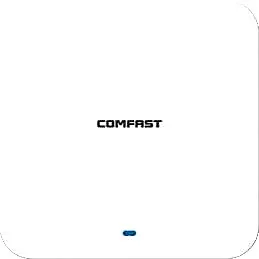
| Open office / lobby / classroom | Techo | CF-E593AX (3000Mbps, <12W), CF-E391AX (3000Mbps, 2.5G uplink, <13W) | One per 60–120 m² of open space |
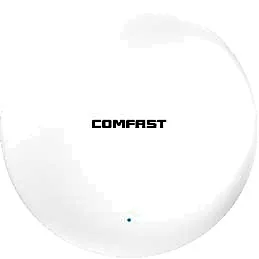
| Corridor / meeting-room cluster | Ceiling, low power | CF-E390AX (1800Mbps, built-in 3dBi, <12W) | Density, not transmit power |
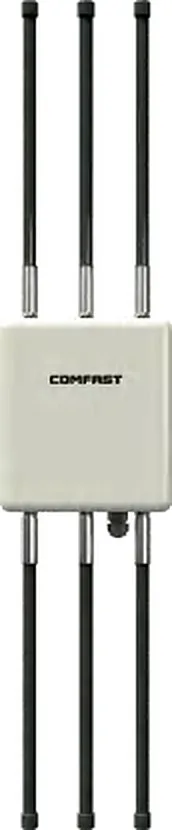
| Warehouse / yard / parking | Outdoor, IP66/IP67 | CF-WA933 (IP66, built-in 5 x 4dBi, <18W), CF-WA937 (IP67, external 6 x 8dBi, <24W) | Protection class and antenna gain set the radius |
How many access points does the space need?
Plan by cell, not by floor area. Two APs at lower power beat one AP turned up: fewer clients per cell, better channel reuse, and roaming that happens naturally instead of being forced. Full bars with a slow connection is almost always a density problem, not a power problem.
Derive the count from the traffic the room actually carries, not from a headline maximum association figure. On the same dual-band AP, web browsing, video meetings, scanners and exam halls differ by roughly an order of magnitude:
- Web and light office work: 40–60 usable clients per AP
- Video, streaming, meetings: 15–25 usable clients per AP
- Scanners, POS, PDAs: 30–50 usable clients per AP
- Classrooms and exam halls: 25–40 usable clients per AP
Where does the first number come from, and should you add one more?
At normal client density one ceiling AP covers roughly 60–120 m² of genuinely open indoor space. That shortcut only holds where the space is open: knock it down for stud partitions, and for areas separated by load-bearing walls, metal racks or glass curtain walls plan by room count rather than by area. This is why the floor plan matters more than the square-metre figure — draw the walls, the racking and the ceiling height, and the count converges on its own.
Once you have a count, run the check in reverse: multiply the number of APs by usable concurrency per AP and confirm it covers the online clients at peak. If the answer lands exactly on the boundary, design for one more AP — densifying later costs far more than pulling one extra cable during installation.
How do you budget PoE so that APs stop rebooting in a loop?
An under-powered unit reboots in a loop, and on site this is almost always misdiagnosed as a coverage or channel fault — the most expensive wrong turn in troubleshooting. The three PoE standards set the ceiling: 802.3af delivers 15.4 W at the port and about 12.95 W at the device; 802.3at (PoE+) delivers 30 W and about 25.5 W; 802.3bt delivers 60 W or 90 W and about 51 W or 71 W.
Then compare those ceilings with the datasheet consumption of the unit you are quoting. The window between af and at at the device is only 12.65 W wide, and models that land inside it are where projects break:
| Modelo | WiFi rate | Datasheet max consumption | PoE class to plan |
|---|---|---|---|
| CF-E390AX (ceiling) | 1800Mbps | <12W | 802.3af |
| CF-E593AX (ceiling) | 3000Mbps | <12W | 802.3af |
| CF-E591AX (ceiling) | 1500Mbps | <12W | 802.3af |
| CF-E391AX (ceiling, 2.5G uplink) | 3000Mbps | <13W | 802.3at (above the 12.95 W af ceiling) |
| CF-E393AX / CF-E373BE (ceiling) | 3000 / 3600Mbps | <24W | 802.3at |
| CF-WA933 (outdoor IP66) | 3000Mbps | <18W | 802.3at |
| CF-WA937 (outdoor IP67) | 3000Mbps | <24W | 802.3at |
Which channels should you assign once the APs are up?
2.4GHz has only three non-overlapping 20MHz channels — 1, 6 and 11 — and the neighbours use the same three. Treat it as a fallback band for legacy clients and keep its power and airtime share as low as practical.
On 5GHz, prefer 36–48 and 149–165. Channels 52–64 and 100–140 are DFS: a radar event forces a channel change, which the user experiences as a brief drop — avoid them where real-time traffic matters. Keep at least two differently-channelled APs between any two co-channel units.
- Scan the existing APs on site, then reserve the cleanest channels for your own
- Draw a reuse map on the floor plan instead of trusting auto channel selection
- Align power between neighbours: a large gap makes clients stick to a distant strong AP
What makes roaming work, and what quietly breaks it?
Roaming is ultimately the client decision, but the network sets the conditions: one SSID, one security type, one controller. Enable 802.11k and 802.11v so clients learn that neighbour APs exist, and 802.11r where the client fleet supports it to shorten reconnection. Where r is not supported, k and v alone already remove most handover stalls.
- Same SSID, same security, same controller — break any one and roaming degrades into reconnect
- Disable low data rates to push clients onto 5GHz
- Set a sensible minimum RSSI so clients do not cling to a weak AP
- Walk the real paths — room to corridor, ward to nursing station — during acceptance
What do you verify on the acceptance walk-through?
Acceptance is where a plan becomes a claim. Walk the site with the same client model the users carry, at the busy hour, along the real paths, and record each item:
- Coverage: measure signal at every point on the drawing and list dead spots explicitly
- Throughput: test with the business client model and leave margin above the service requirement
- Roaming: walk while running a call or video stream and count interruptions
- Power: spot-check actual draw and the remaining port budget
- Channels: record co-channel neighbours and retry rates, then fine-tune power
- Handover pack: point schedule, channel plan, IP and VLAN plan, and who holds the credentials
Preguntas frecuentes
Can WiFi 6 access points run alongside older WiFi 5 units?
Yes. Clients negotiate with each AP at their own supported rate, and a WiFi 6 AP still serves WiFi 5 clients. Keep one SSID and one security type across the mixed fleet, and still plan capacity per cell: an older cell carries noticeably fewer clients than a WiFi 6 cell of the same size.
Do WiFi 6 access points always need a 2.5G uplink switch?
Not always. The 1800Mbps-class units such as CF-E390AX have gigabit ports, which match their radio rate. For the 3000Mbps-class models with 2.5G ports (CF-E391AX, CF-E373BE) a gigabit uplink is the first thing to saturate under aggregate load, so plan the switch port for it.
Is 802.3af enough to power a WiFi 6 ceiling AP?
It depends on the model. Our <12W ceiling units run on af (about 12.95 W at the device). The <13W and <24W models exceed the device-side af ceiling and must be planned on 802.3at. Check the datasheet consumption of the exact model before ordering switches.
How many access points does a 200-room hotel need?
The starting point is one in-wall panel AP per room — 200 units — plus corridor and public-area coverage. Send the floor plan and room count and we will return a point schedule rather than an estimate.
What if a parameter I need is not published on the page?
Every figure in this article comes from the product page it describes. Where a value is not published, ask for that model datasheet — we do not fill the gap with an estimated number.