Fix the host and interface first: USB mini driver-free dongles suit laptops and STBs, while desktops and industrial PCs take USB3.0 antenna models or PCIe cards
High-rate models need USB3.0: a 1300Mbps adapter on a USB2.0 port cannot reach spec — interface and antenna matter more than headline rate
For volume orders confirm driver-free support against the target OS: Windows is plug-and-play, while Linux, industrial and embedded systems need the version stated up front
Models in this category
View all 216 models →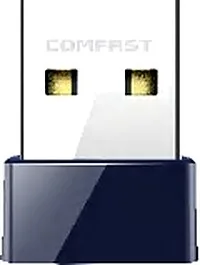
CF-723B V2
Network Adapter CF-723B V2 with 150Mbps wireless rate, 2dBi, dimensions 20*16*8mm, for adding WiFi to desktops and laptops.
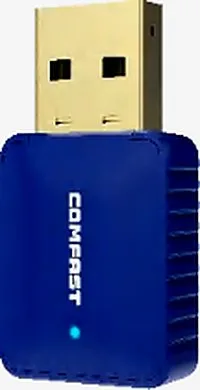
CF-726B
Network Adapter CF-726B with 650Mbps wireless rate and 2.4/5.8GHz dual-band, supports IEEE802.11a/ac/b/n/g, 2dBi, dimensions 36.3*19*9mm, for adding WiFi to desktops and laptops.
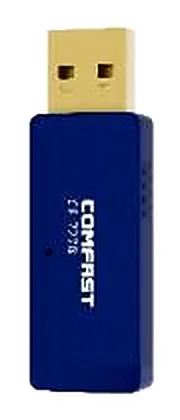
CF-727B
Network Adapter CF-727B with 1300Mbps wireless rate and 2.4/5.8GHz dual-band, supports IEEE802.11a/ac/b/n/g, 2dBi, dimensions 52.1*17*8.6mm, for adding WiFi to desktops and laptops.
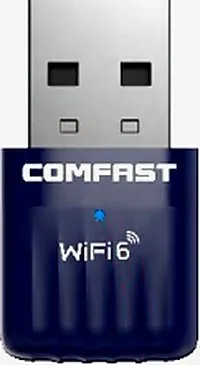
CF-731BF
Network Adapter CF-731BF with 600Mbps wireless rate, 2dBi, dimensions 31*17*8mm, for adding WiFi to desktops and laptops.
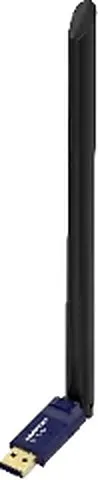
CF-733BF
Network Adapter CF-733BF with 900Mbps wireless rate, External 6dBi, dimensions 245*19*13mm, for adding WiFi to desktops and laptops.
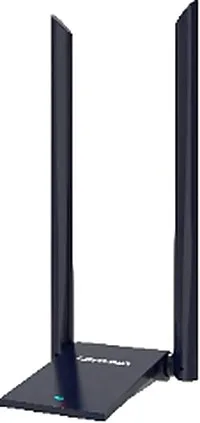
CF-735BF
Network Adapter CF-735BF with 1800Mbps wireless rate, External 2*6dBi, dimensions 90*55*198mm, for adding WiFi to desktops and laptops.
CF-759BF
Network Adapter CF-759BF with 650Mbps wireless rate and 2.4/5.8GHz dual-band, supports IEEE802.11a/ac/b/n/g, External 6dBi, dimensions 245*19*13mm, for adding WiFi to desktops and laptops.
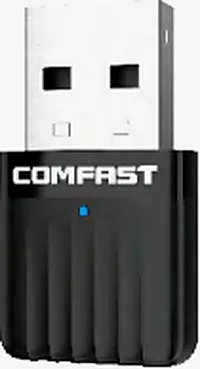
CF-811AC V3
Network Adapter CF-811AC V3 with 650Mbps wireless rate and 2.4/5.8GHz dual-band, supports IEEE802.11a/ac/b/n/g, 2dBi, dimensions 31*17*8mm, for adding WiFi to desktops and laptops.
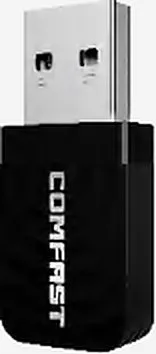
CF-812AC
Network Adapter CF-812AC with 1300Mbps wireless rate and 2.4/5.8GHz dual-band, supports IEEE802.11a/ac/b/n/g, 2*2dBi, dimensions 37.5*17*8.5mm, for adding WiFi to desktops and laptops.
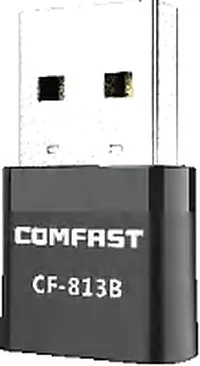
CF-813B
Network Adapter CF-813B with 650Mbps wireless rate and 2.4/5.8GHz dual-band, supports IEEE802.11a/ac/b/n/g, 2dBi, dimensions 27*16*7mm, for adding WiFi to desktops and laptops.
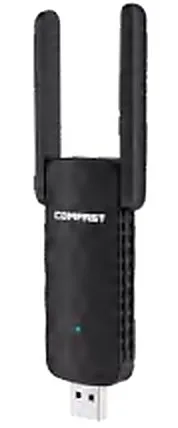
CF-822AC
Network Adapter CF-822AC with 650Mbps wireless rate and 2.4/5.8GHz dual-band, supports IEEE802.11a/ac/b/n/g, External 2*3dBi, dimensions 136*42*12mm, for adding WiFi to desktops and laptops.
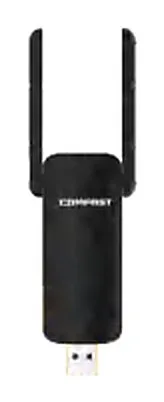
CF-827F
Network Adapter CF-827F with 300Mbps wireless rate, External 2*2dBi, dimensions 137*42*12mm, for adding WiFi to desktops and laptops.
Related pages
01 What a USB WiFi adapter is, and how the four lines split
A USB WiFi adapter is a wireless NIC that plugs into the USB port of a computer or other device, adding wireless capability the host lacks or replacing an old, failing internal module. We carry 82 models in this category across four main lines: driver-free mini USB dongles about the size of a flash drive with built-in antennas, for laptops, set-top boxes and embedded devices; USB models with one to four detachable external antennas, rated from 650Mbps up to 5400Mbps and including 2.4/5.8/6GHz tri-band WiFi 7 units; PCIe internal cards that drop into a desktop or industrial PC slot, most of them with Bluetooth as well; and accessories such as USB Bluetooth adapters, SMA antennas and USB extension cables. We also list a group of PCIe wired NICs that add a gigabit, 2.5G, 5G or 10G RJ45 port. Choosing the line from the host form factor and interface first, then settling rate and antenna, is the least painful sequence.
02 The four adapter lines side by side
| Line | Interface | Typical rate | Main use |
|---|---|---|---|
| USB mini driver-free WiFi adapter | USB2.0 / USB3.0, plug-in, internal antenna | 150Mbps to 1800Mbps | Laptops, all-in-ones, set-top boxes, embedded terminals (CF-WU815N, CF-940AX, CF-951AX) |
| USB WiFi adapter with external antennas | USB2.0 / USB3.0 / Type-C, 1–4 external antennas | 650Mbps to 5400Mbps | Desktops, long-range links, wall-penetrating setups (CF-733BF, CF-952AX V2, CF-972AX) |
| Tri-band WiFi 7 adapters | USB3.0 / Type-C | 6500Mbps (2.4/5.8/6GHz) | High bandwidth and low interference, points built to last (CF-983BE, CF-985BE, CF-988BE) |
| PCIe internal wireless card | PCIe slot, most also with Bluetooth | 300Mbps to 2100Mbps | Desktops, industrial PCs, POS and kiosk terminals (CF-WP300 V2, CF-WP1200 PRO, CF-WP2100 PRO) |
| USB Bluetooth adapter | USB plug-in | Bluetooth 5.0 / 5.3 | Adding Bluetooth to a desktop that lacks it (CF-B01, CF-B33) |
| PCIe wired NIC | PCIe slot, RJ45 port | Gigabit / 2.5G / 5G / 10G | Adding a wired port to hosts, soft routers and servers (CF-P10 V3, CF-P25 V2, CF-P100 V2) |
| Antennas and extension accessories | SMA antennas, USB extension cables | Matched to the host unit | External antenna upgrades and reaching awkward USB ports (CF-ANT2508I, CF-U315 V3) |
Interface, antenna and rate values above come from the matching model pages on this site; exact parameters follow the product page and the formal quotation.
03 Six inputs to fix before buying a USB WiFi adapter
- Interface and driver-free: check whether the host has USB2.0 or USB3.0, and whether the target OS needs a driver-free model (CF-WU815N, CF-940AX and CF-951AX are marked driver-free) so you do not discover a driver install after delivery.
- Antenna: internal antennas save space for laptops and set-top boxes, while external ones (the 6dBi on CF-733BF, the 4*5dBi on CF-966AX) suit desktops and long-range or wall-penetrating setups.
- Band: 2.4GHz single-band is enough and penetrates walls well; dual-band 2.4/5.8GHz is mainstream; tri-band 2.4/5.8/6GHz WiFi 7 units such as CF-983BE serve high-bandwidth, interference-heavy setups.
- Rate: do not read the number alone. A USB2.0 port caps high headline rates, so models rated 1300Mbps and up are best paired with a USB3.0 host (CF-922AC, CF-938AC, CF-945AX).
- Bluetooth and combined needs: some PCIe cards carry Bluetooth too (CF-WP1200 PRO at 1200Mbps+BT4.2, CF-WP2100 PRO at 2100Mbps+BT5.0), solving WiFi and Bluetooth in one card.
- Volume and form: compact mini models fit bulk shipments and embedded builds, while external-antenna models suit retail and single-unit upgrades, and the two are often ordered together.
04 Picking a USB WiFi adapter by scenario: real models
| Scenario | Recommended models | Interface & antenna | Rate |
|---|---|---|---|
| Laptop or all-in-one, everyday use | CF-940AX, CF-941AX | USB2.0, internal 2dBi | 300Mbps / 600Mbps |
| Set-top box, smart TV, embedded terminal | CF-WU815N, CF-WU816N | USB2.0, internal 2dBi | 150Mbps |
| Desktop or industrial PC, driver-free | CF-951AX, CF-945AX | USB3.0, internal 2dBi | 1800Mbps |
| Long range or through-wall use | CF-733BF, CF-966AX | USB2.0 external 6dBi / USB3.0 external 4*5dBi | 900Mbps / 1800Mbps |
| High bandwidth, replacing wired desktop access | CF-972AX, CF-975AX | USB3.0, external 2*2dBi / 4*5dBi | 5400Mbps |
| Tri-band WiFi 7, interference-heavy site | CF-983BE, CF-985BE | USB3.0 / Type-C, 2*4dBi / 4*5dBi | 6500Mbps (2.4/5.8/6GHz) |
| Internal desktop card (WiFi + Bluetooth) | CF-WP1200 PRO, CF-WP2100 PRO | PCIe internal, external 2*6dBi | 1200Mbps+BT4.2 / 2100Mbps+BT5.0 |
All models come from this site's adapter category and the rates and interfaces are taken from their model pages; exact configuration and selection are confirmed with the formal quotation.
05 Matching a USB WiFi adapter to four host types
- Laptops and all-in-ones: favour driver-free mini models with no protruding antenna for easy travel and mobile work; the CF-940AX and CF-941AX tier already covers daily office, web and video.
- Desktops: with the dongle plugged in permanently at the back, pick a USB3.0 driver-free model (CF-951AX, CF-945AX) or go straight to a PCIe internal card (CF-WP series) for steadier thermals and antenna placement.
- Industrial PCs and POS or kiosk terminals: prefer driver-free models in metal or compact housings, as port access is often restricted; confirm the USB type and the target OS in advance so a bulk delivery does not stall on a driver install.
- Set-top boxes, smart TVs and embedded terminals: space and power are both tight, so choose 150Mbps or 300Mbps mini models (CF-WU815N, CF-WU816N, CF-940AX) with friendlier draw and size.
- Long range, or antennas to be routed out of a cabinet: use external-antenna models (CF-733BF, CF-952AX V2, CF-972AX) with SMA antennas such as CF-ANT2508I or the CF-U315 V3 extension to move the antenna somewhere better.
06 When signal is bad, is the USB WiFi adapter to blame
The adapter can certainly be the bottleneck, but it is rarely the first suspect. Check three things first. Interface: a high-rated adapter on a USB2.0 port will not reach spec and shows up as full bars with slow speed. Antenna and placement: the patch antenna of a mini dongle is easily blocked by the chassis and metal, and moving an external-antenna model into the open often fixes it at once. Driver and OS: driver-free only means plug-and-play on Windows, and Linux, industrial or embedded targets need their kernel support confirmed up front, or a software gap gets misread as hardware failure. Real coverage problems — too few APs, crowded channels, walls and interference — are solved on the wireless side. A USB adapter can also run in soft AP mode, sharing a wired link as a small hotspot for a temporary office or booth, but it is bounded by driver support and host performance, with limited client counts and maintenance, so anything at scale still belongs to professional access points.
07 Five steps from requirement to delivery
-
1 ① List hosts and systems
Sort hosts into desktops, laptops, industrial PCs and set-top boxes, and note the count, USB type and target OS for each.
-
2 ② Pick the line by interface and form
Go mini driver-free where space is tight, PCIe internal where steadiness and antenna layout matter, and USB external-antenna models for long range.
-
3 ③ Fix band and rate
Everyday office work needs only 300–600Mbps, high bandwidth starts at 1800Mbps, and tri-band WiFi 7 covers future-proof or interference-heavy sites.
-
4 ④ Sample test and compatibility check
Test samples on the actual host and OS for connection, throughput and stability, and confirm the driver-free or driver plan before a volume order.
-
5 ⑤ Phased delivery and spares
Ship in batches that follow your production or project schedule, and hold a small spares pool for on-site damage and later additions.
08 Acceptance points and next steps
- Test on the host: from each batch, plug samples into the target host and OS, and confirm detection, driver-free operation, real throughput and link stability.
- Appearance and packaging: check the model printing, the interface type (USB2.0/USB3.0/Type-C), antenna count and bundled documents against the order.
- Software and docs: confirm how the driver is obtained (driver-free or bundled) and ask the supplier for install notes for your target OS.
- Compare side by side: to pair adapters with access points, see the selection comparison at /compare/best-access-point/; browse the full model list by category in /products/.
- Send us your host list and target systems and we will return an adapter model, interface and accessory (antenna or extension) configuration for the project.
Questions
Q1 Should I choose a driver-free adapter or one that needs a driver?
For Windows hosts favour a driver-free model (such as CF-WU815N or CF-951AX) for plug-and-play and easier bulk delivery; for Linux, industrial or embedded targets confirm kernel support first and pick a model with a driver where needed.
Q2 Can a 1300Mbps adapter reach full speed on a USB2.0 port?
No. USB2.0 bandwidth becomes the ceiling and the headline rate is not reached. Pair high-rated models with a USB3.0 host (such as CF-922AC or CF-938AC); real throughput follows the test and the formal quotation.
Q3 Can a USB adapter work as a soft AP hotspot?
Yes — soft AP mode shares a wired link as a small hotspot for temporary offices or booths. It is bounded by driver support and host performance with limited client counts, so coverage at scale is better served by professional access points.
Q4 Will your adapters work on an industrial PC, Linux or a set-top box?
It depends on the target OS. Driver-free mainly serves Windows; for industrial, Linux and embedded environments state the OS and kernel version before ordering and we will match a workable driver plan by model.
Q5 Do you support OEM/ODM or white-label?
Yes. Housing printing, packaging, labels and bundled documents can be tailored per project; just note your destination market's certification and document needs with the inquiry.
Send us your host list, USB port types and target systems and we will return an adapter model, interface and antenna accessory list for your project.