Repeaters and extenders backhaul wirelessly, and each hop roughly halves usable bandwidth — run cable instead of chaining when you can.
A dual-band repeater can backhaul on 5GHz and serve clients on 2.4GHz to dodge the halving — at the cost of one whole band.
For large yards and long buildings prefer wired backhaul; bridge between buildings with outdoor point-to-point CPE and cover indoors with in-wall or ceiling APs.
Models in this category
View all 216 models →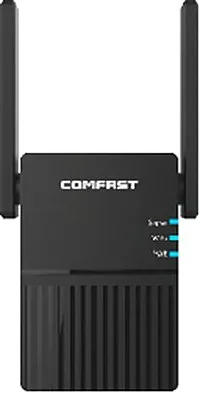
CF-AC1200
Wireless Repeater CF-AC1200 with 1200Mbps wireless rate and 2.412~2.472GHz5.180~5.825GHz dual-band, supports IEEE802.11a/b/g/n/ac, External 2*3dBi, dimensions 126*50*35mm, 100~240V,50/60Hz, for extending WiFi into dead zones in large homes and multi-floor buildings.
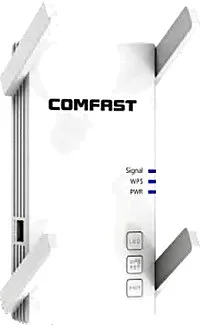
CF-AC2100
Wireless Repeater CF-AC2100 with 2100Mbps wireless rate and 2.412~2.472GHz5.180~5.825GHz dual-band, supports IEEE802.11a/b/g/n/ac, External 4*3dBi, dimensions 160*91*108mm, 100~240V,50/60Hz, for extending WiFi into dead zones in large homes and multi-floor buildings.
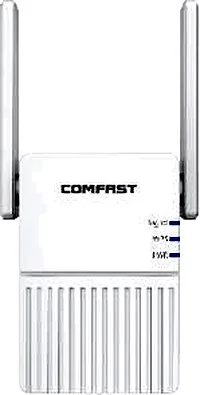
CF-N300
Wireless Repeater CF-N300 with 300Mbps wireless rate and 2.412~2.472GHz single-band, supports IEEE802.11a/b/g/n, External 2*3dBi, dimensions 126*50*35mm, 100~240V,50/60Hz, for extending WiFi into dead zones in large homes and multi-floor buildings.
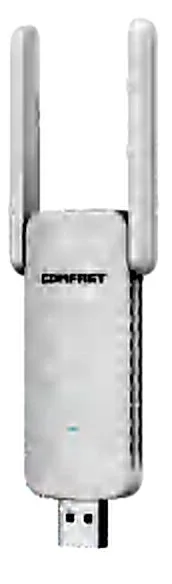
CF-WR300S
Wireless Repeater CF-WR300S with 300Mbps wireless rate and 2.412~2.472GHz single-band, supports IEEE802.11a/b/g/n, External 2*3dBi, dimensions 137*42*12mm, /, for extending WiFi into dead zones in large homes and multi-floor buildings.
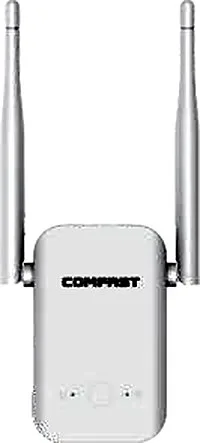
CF-WR301S V3
Wireless Repeater CF-WR301S V3 with 300Mbps wireless rate and 2.412~2.472GHz single-band, supports IEEE802.11a/b/g/n, External 2*3dBi, dimensions 156*78*43mm, 100~240V,50/60Hz, for extending WiFi into dead zones in large homes and multi-floor buildings.
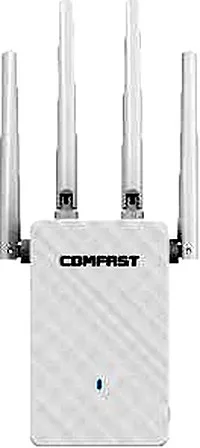
CF-WR306S V2
Wireless Repeater CF-WR306S V2 with 300Mbps wireless rate and 2.412~2.472GHz single-band, supports IEEE802.11a/b/g/n, External 4*2dBi, dimensions 197*88*27mm, 100~240V,50/60Hz, for extending WiFi into dead zones in large homes and multi-floor buildings.
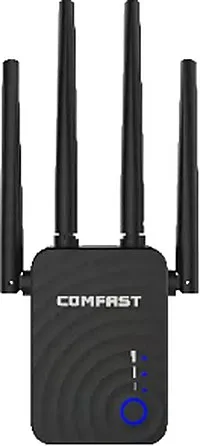
CF-WR754AC V2
Wireless Repeater CF-WR754AC V2 with 1200Mbps wireless rate and 2.412~2.472GHz5.180~5.825GHz dual-band, supports IEEE802.11a/b/g/n/ac, External 4*2dBi, dimensions 172*75*52mm, 100~240V,50/60Hz, for extending WiFi into dead zones in large homes and multi-floor buildings.
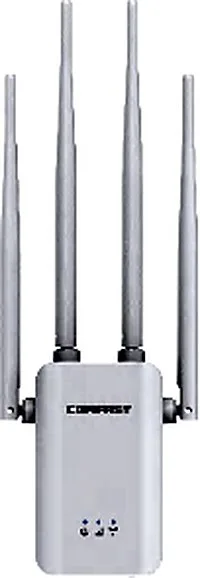
CF-WR756AC
Wireless Repeater CF-WR756AC with 1200Mbps wireless rate and 2.412~2.472GHz5.180~5.825GHz dual-band, supports IEEE802.11a/b/g/n/ac, External 4*3dBi, dimensions 247*86*48mm, 100~240V,50/60Hz, for extending WiFi into dead zones in large homes and multi-floor buildings.
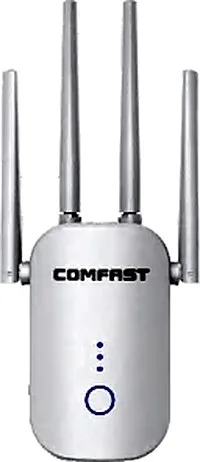
CF-WR758AC V3
Wireless Repeater CF-WR758AC V3 with 1200Mbps wireless rate and 2.412~2.472GHz5.180~5.825GHz dual-band, supports IEEE802.11a/b/g/n/ac, External 4*2dBi, dimensions 196*87*32mm, 100~240V,50/60Hz, for extending WiFi into dead zones in large homes and multi-floor buildings.
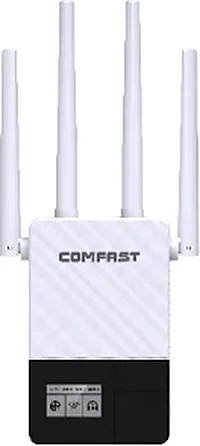
CF-WR760AC
Wireless Repeater CF-WR760AC with 1200Mbps wireless rate and 2.412~2.472GHz5.180~5.825GHz dual-band, supports IEEE802.11a/b/g/n/ac, External 4*3dBi, dimensions 197*62*60mm, 100~240V,50/60Hz, for extending WiFi into dead zones in large homes and multi-floor buildings.
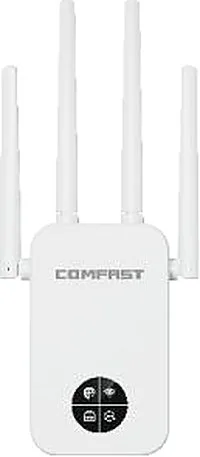
CF-WR762AC
Wireless Repeater CF-WR762AC with 1200Mbps wireless rate and 2.412~2.472GHz5.180~5.825GHz dual-band, supports IEEE802.11a/b/g/n/ac, External 4*3dBi, dimensions 197*86*45mm, 100~240V,50/60Hz, for extending WiFi into dead zones in large homes and multi-floor buildings.
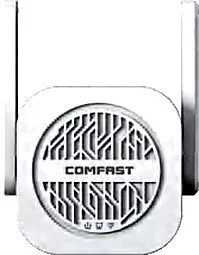
CF-WR763AC
Wireless Repeater CF-WR763AC with 1200Mbps wireless rate and 2.412~2.472GHz5.180~5.825GHz dual-band, supports IEEE802.11a/b/g/n/ac, External 2*5dBi, dimensions 129*85*50mm, 100~240V,50/60Hz, for extending WiFi into dead zones in large homes and multi-floor buildings.
Related pages
01 Repeater, extender, access point and Mesh are not the same
| Type | What it really is | Backhaul | Typical use | Management |
|---|---|---|---|---|
| Wireless repeater | Receives the upstream signal and forwards it | Wireless backhaul (same or different band) | Filling one small dead zone | Configured per unit, no system |
| Extender / range extender | Same mechanism as a repeater, usually a retail label | Wireless backhaul | Filling a point in rentals, studio flats, small homes | One-tap app pairing |
| Wireless access point | Radiates Wi-Fi only; it does not route | Usually wired backhaul (cable / PoE) | Unified coverage for offices, hotels, many rooms | Managed centrally by a gateway / controller / cloud |
| Mesh | Multiple nodes self-organise and roam | Wireless backhaul by default, some accept a cable | Multi-node, multi-floor homes | App-managed with automatic handover |
Names vary by vendor; classify by one question only — does it connect upward over the air or over a cable?
02 The only test that matters: is the backhaul wired or wireless
The same device wears different names. Products sold as signal boosters, Wi-Fi extenders or repeaters typically receive the upstream signal and forward it, relying on wireless backhaul. Products called wireless APs usually take an Ethernet run from a switch or gateway and only radiate Wi-Fi, which is wired backhaul. Mesh is multi-node self-organising Wi-Fi that also defaults to wireless backhaul, though some models accept a cable to become wired. So do not judge by the name — ask one question: does it connect upward over the air or over a cable? The first always consumes airtime and lowers throughput; the second does not. Once that test is clear, selection stops being about marketing words and returns to the site: do you have cabling to the point or not?
03 Why a repeater halves your bandwidth
- A same-channel, single-radio repeater is half-duplex: it must first receive a frame from the upstream router, then retransmit it on the same channel with the same antenna. It cannot receive and transmit at once, so usable throughput is roughly halved.
- Every extra hop halves it again: router to repeater 1 to repeater 2 leaves the client with roughly a quarter of the original throughput; beyond three hops it is barely usable.
- The classic full bars but slow speed almost always comes from here: the phone sits close to the repeater so it shows full signal, while the real bottleneck is the hop from the repeater back to the router.
- Latency climbs too: each hop queues and forwards in turn, and voice calls, video meetings and gaming are especially sensitive to that accumulated delay.
- A dual-band repeater eases it: dedicate one band to the backhaul, say 5GHz, and the other, 2.4GHz, to clients, so transmit and receive no longer compete. The cost is that clients use only one band, and the backhaul still shares airtime with neighbours. The thorough fix remains running a cable to the point for wired backhaul.
04 Wired backhaul vs wireless backhaul
| Aspect | Wireless backhaul (repeater / wireless Mesh) | Wired backhaul (cable or PoE to an AP) |
|---|---|---|
| Bandwidth cost | Roughly halved per hop | Essentially lossless, full uplink speed |
| Stability | Affected by walls, neighbours, weather | Independent of the wireless environment |
| Latency | Accumulates hop by hop | Stable and predictable |
| Cabling cost | Low — no cabling, plug and play | Needs a cable; cheapest to run it before fit-out |
| Suitable scale | One or two scattered dead zones | Many rooms, multiple floors, hotels and offices |
| Troubleshooting | Walk to each point | Check the switch or controller port first |
Bottom line: use wired backhaul whenever cable is possible; treat wireless backhaul as a fallback for when it is not.
05 Trading 2.4GHz penetration against 5GHz speed
- 2.4GHz: longer wavelength, better diffraction and wall penetration, reaches further — but only three non-overlapping channels (1 / 6 / 11) are usable, so more devices means more interference and lower real throughput.
- 5GHz: more channels, higher speed, less interference — but a shorter wavelength means heavy wall attenuation, and a single load-bearing wall can slash throughput.
- The trade-off is not either/or but both: put nearby fixed devices on 5GHz for speed and distant, wall-blocked devices and IoT on 2.4GHz for reach. Only dual-band hardware covers both.
- Do not expect a high-power wall-puncher to force through: transmit power mainly drives the downlink (AP to client), while the uplink power of phones and laptops is set by the client itself. When the two directions do not match you get signal but no working return path.
- The right way to cover across a wall: rather than pushing one unit harder, add a wired-backhaul point behind the wall — more points is far more stable than more power.
06 How to lay out large yards and long buildings
-
1 ① Long buildings: bead-string points along the axis
For narrow, elongated spaces such as corridors, workshops or rows of dormitories, place points at intervals along the long axis, each on wired backhaul, with 15%–25% signal overlap between neighbours so moving clients roam smoothly.
-
2 ② Multiple buildings: bridge between them point to point
Across a yard, link buildings with paired outdoor point-to-point bridges (CPE) as the backbone. Do not daisy-chain building to building with repeaters; a directed point-to-point link is steadier when line of sight is clear.
-
3 ③ Open yard areas: outdoor APs
Cover open yards and car parks with IP66 / IP67 outdoor APs fed by 48V PoE nearby; omnidirectional antennas cover an area, directional ones aim at a specific target.
-
4 ④ Inside each building, back to standard indoor points
Inside each building, lay out indoor APs normally — in-wall for individual rooms, ceiling for open areas — with backhaul into that building's switch, leaving the backbone load to the inter-building bridges.
-
5 ⑤ Keep wireless backhaul to at most one hop
The principle is to minimise wireless backhaul: either a single-hop inter-building bridge, or none at all. The more backhaul hops, the worse the halved bandwidth and accumulated latency become.
07 Selection checklist
| Parameter | What to check | Common trap |
|---|---|---|
| Wireless class | 300Mbps / 1200Mbps / Wi-Fi 6 / Wi-Fi 7, chosen by device count and concurrency | Reading the number but not the band — a 300M single-band unit is 2.4GHz only |
| Bands | Single-band 2.4GHz, or dual-band 2.4GHz + 5.8GHz | Only dual-band repeaters can split backhaul and clients onto different bands |
| Antenna | Built-in low-gain or external high-gain; omnidirectional or directional | Omni suits coverage and directional suits point-to-point; mixing them up wastes most of the gain |
| Backhaul option | Whether wired backhaul is supported and whether there is a spare Ethernet port | A unit with only a single WAN port cannot do wired backhaul |
| Power | Mains 100–240V, or 48V / 24V PoE | Outdoors check the IP rating and PoE; indoor repeaters mostly use a wall socket |
| Client capacity | Plan for real concurrency, not the headline maximum | Using a home repeater for commercial load buckles once devices pile up |
08 Real indoor repeater and extender models
| Model | Wireless | Bands | Antenna | Power | Best for |
|---|---|---|---|---|---|
| CF-N300 | 300Mbps | 2.4GHz | External 2×3dBi | Mains 100–240V | Single-room or small-home fill |
| CF-WR300S | 300Mbps | 2.4GHz | External 2×3dBi | Mains (compact body) | Single-point plug-in fill |
| CF-WR306S V2 | 300Mbps | 2.4GHz | External 4×2dBi | Mains 100–240V | Slightly larger single floor |
| CF-AC1200 | 1200Mbps (dual-band Wi-Fi 5) | 2.4 / 5.8GHz | External 2×3dBi | Mains 100–240V | Dual-band fill, 5GHz up close |
| CF-AC2100 | 2100Mbps (dual-band Wi-Fi 5) | 2.4 / 5.8GHz | External 4×3dBi | Mains 100–240V | Large homes, duplex floors |
| CF-WR754AC V2 | 1200Mbps (dual-band Wi-Fi 5) | 2.4 / 5.8GHz | External 4×2dBi | Mains 100–240V | Everyday dual-band repeater |
| CF-WR763AC | 1200Mbps (dual-band Wi-Fi 5) | 2.4 / 5.8GHz | External 2×5dBi | Mains 100–240V | Where wall penetration matters more |
| CF-XR181 | 1500Mbps (Wi-Fi 6) | 2.4 / 5.8GHz | External 4×4dBi | Mains 100–240V | Many devices, Wi-Fi 6 wanted |
| CF-XR187 | 2700Mbps (Wi-Fi 6) | 2.4 / 5.8GHz | External 4×5dBi | Mains 100–240V | High-concurrency homes or small offices |
| CF-XR185 V2 | 3000Mbps (Wi-Fi 6) | 2.4 / 5.8GHz | External 4×5dBi | Mains 100–240V | Premium dual-band extension |
| CF-WR773BE V2 | 3600Mbps (Wi-Fi 7 capable) | 2.4 / 5.8GHz | External 4×3dBi | Mains 100–240V | Premium clients, high bandwidth |
Figures are taken from each model's product data; confirm the exact bands, ports and power on the corresponding product page.
09 Real outdoor and building-to-building models
| Model | Type | Wireless | Bands | Antenna | Rating and power |
|---|---|---|---|---|---|
| CF-EW71 V2 | Outdoor AP | 300Mbps | 2.4GHz | External 2×5dBi | IP66, 48V PoE |
| CF-EW72 V2 | Outdoor AP | 1200Mbps (dual-band Wi-Fi 5) | 2.4 / 5.8GHz | External 2×5dBi | IP66, 48V PoE |
| CF-EW74 V3 | Outdoor AP | 1200Mbps (dual-band Wi-Fi 5) | 2.4 / 5.8GHz | External 2×5dBi | IP66, 48V PoE |
| CF-EW75 V2 | Outdoor AP | 1200Mbps (dual-band Wi-Fi 5) | 2.4 / 5.8GHz | External 2×5dBi | IP66, 24V PoE |
| CF-WA971 | Outdoor AP | 3600Mbps (Wi-Fi 7 capable) | 2.4 / 5.8GHz | Directional antenna | IP67, 48V PoE |
| HW-621G-ME-01 | Outdoor AP | 3000Mbps (Wi-Fi 6) | 2.4 / 5.8GHz | External 6×7dBi omni (fibreglass) | IP67, 48V PoE (up to 100m) |
| HW-621H-RE-01 | Outdoor AP | 3000Mbps | 2.4 / 5.8GHz | External 4×7dBi omni (fibreglass) | IP67, 48V PoE (up to 100m) |
| CF-E312A V2 | Wireless bridge | 300Mbps | 5.8GHz | Built-in 2×14dBi | IP65, 2KV surge protection |
| CF-E120A V3 | Wireless bridge | 300Mbps | 5.8GHz | Built-in 11dBi | IP65, 2KV surge protection |
| CF-E173BE | Wireless bridge | 3600Mbps (Wi-Fi 7 capable) | 2.4 / 5.8GHz | Directional 2.4G 11dBi / 5G 14dBi | IP67, 2KV surge protection |
Outdoor points need surge protection and earthing, and PoE runs must respect the 100m limit; bridges are used in pairs with clear line of sight between ends.
10 Common ways deployments go wrong
- Chaining more than two wireless repeats: the halving compounds, latency accumulates and the network becomes unusable.
- Leaving the repeater and the router on the same channel: transmit and receive interrupt each other, causing self-interference and collapsing throughput.
- Buying one high-power wall-puncher: strong downlink, weak uplink, producing the mismatch where signal is full but data cannot get back.
- Not budgeting for 5GHz wall loss: throughput drops sharply behind one load-bearing wall while coverage is still estimated in the open.
- Careless 2.4GHz channels: three or more units crammed onto one channel when only 1 / 6 / 11 are non-overlapping, so it only gets slower.
- Same SSID without roaming: the client sticks to a distant weak point and will not switch even when you walk up to a closer one.
- Using an all-in-one router as a repeater or AP without disabling DHCP: double address assignment, clients get the wrong gateway and cannot get online.
- Outdoor runs without surge protection or earthing, and PoE past 100m: ports burn in storms, or unstable power causes reboot loops.
Questions
Q1 How do I choose between a repeater and a wireless AP?
Start with whether a cable can reach the point. If it can, choose an AP — wired backhaul, full speed, centrally managed. Only use a repeater or extender when cabling is impossible and you just need to fill one or two dead zones.
Q2 Does a repeater really halve my speed?
A same-channel, single-radio repeater does: it receives and transmits on the same channel and antenna, so it cannot do both at once and usable throughput is roughly halved, and again with each extra hop. A dual-band repeater dodges most of the loss by splitting backhaul and clients onto different bands; the thorough fix is still a cable to the point for wired backhaul.
Q3 Should I use 2.4GHz or 5GHz?
Not either/or but both: put nearby fixed devices on 5GHz for speed and distant, wall-blocked devices and IoT on 2.4GHz for reach. Only dual-band hardware covers both.
Q4 Can wireless repeaters handle large yards and long buildings?
Do not chain multiple wireless hops. Bridge between buildings with outdoor point-to-point links as the backbone, use wired-backhaul indoor APs inside each building, and keep wireless backhaul to at most one hop; for long buildings lay wired points bead-string style along the axis.
Q5 Full bars but slow speed — is the device faulty?
Usually not. The client sits close to the repeater so it shows full signal, while the bottleneck is the hop back to the main router; it can also be self-interference from the repeater sharing the router's channel. Moving to wired backhaul or staggering channels generally fixes it.
Want an extension and backhaul plan based on your floor plan, yard or building layout? Send us the site conditions and point count. You can also start from the best Wi-Fi extender comparison, the access point vs extender comparison, or how to choose antenna types.