Decide form factor first: ceiling for open areas, in-wall for rooms, outdoor by IP rating
Do not over-buy speed: 1200Mbps covers guest rooms; halls and meeting rooms justify WiFi 6/7
Outdoor units need surge protection and earthing; keep PoE runs within 100 m
Browse by form factor
Models in this category
View all 216 models →
CF-E320N V2
Ceiling Wireless AP CF-E320N V2 with 300Mbps wireless rate and 2.4GHz single-band, supports IEEE802.11b/g/n, Built in 2*3dBi Internal Antennas, dimensions 200*200*18mm, Support POE Supply, for hotels, offices, malls and other high-density indoor areas.
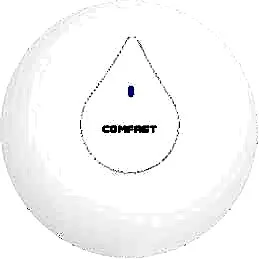
CF-E350N
Ceiling Wireless AP CF-E350N with 300Mbps wireless rate and 2.4GHz single-band, supports IEEE802.11a/b/g/n/ac, Built in 2*3dBi Internal Antennas, dimensions 200*200*18mm, Support POE Supply, for hotels, offices, malls and other high-density indoor areas.
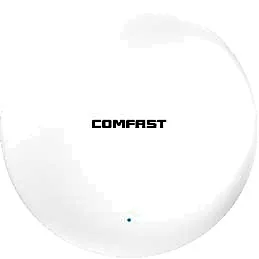
CF-E373BE
Ceiling Wireless AP CF-E373BE with 3600Mbps wireless rate and 2.4/5.8GHz dual-band, supports IEEE802.11 a/b/g/n/ac/ax/be, Built in 4dBi Internal Antennas, dimensions 228*228*43mm, Support POE Supply, for hotels, offices, malls and other high-density indoor areas.
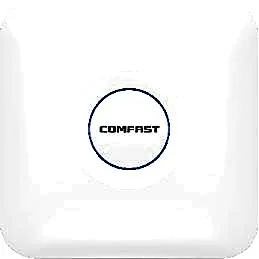
CF-E375AC V2
Ceiling Wireless AP CF-E375AC V2 with 1200Mbps wireless rate and 2.4/5.8GHz dual-band, supports IEEE802.11a/b/g/n/ac, Built in 5*3dBi Internal Antennas, dimensions 220*220*35mm, Support POE Supply, for hotels, offices, malls and other high-density indoor areas.
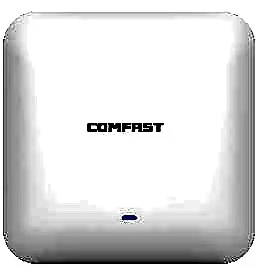
CF-E385AC
Ceiling Wireless AP CF-E385AC with 2200Mbps wireless rate and 2.4/5.8GHz dual-band, supports IEEE802.11a/b/g/n/ac, Built in 3dBi Internal Antennas, dimensions 220*220*46mm, Support POE Supply, for hotels, offices, malls and other high-density indoor areas.

CF-E390AX
Ceiling Wireless AP CF-E390AX with 1800Mbps wireless rate and 2.4/5.8GHz dual-band, supports IEEE802.11 a/b/g/n/ac/ax, Built in 3dBi Internal Antennas, dimensions 220*220*35mm, Support POE Supply, for hotels, offices, malls and other high-density indoor areas.
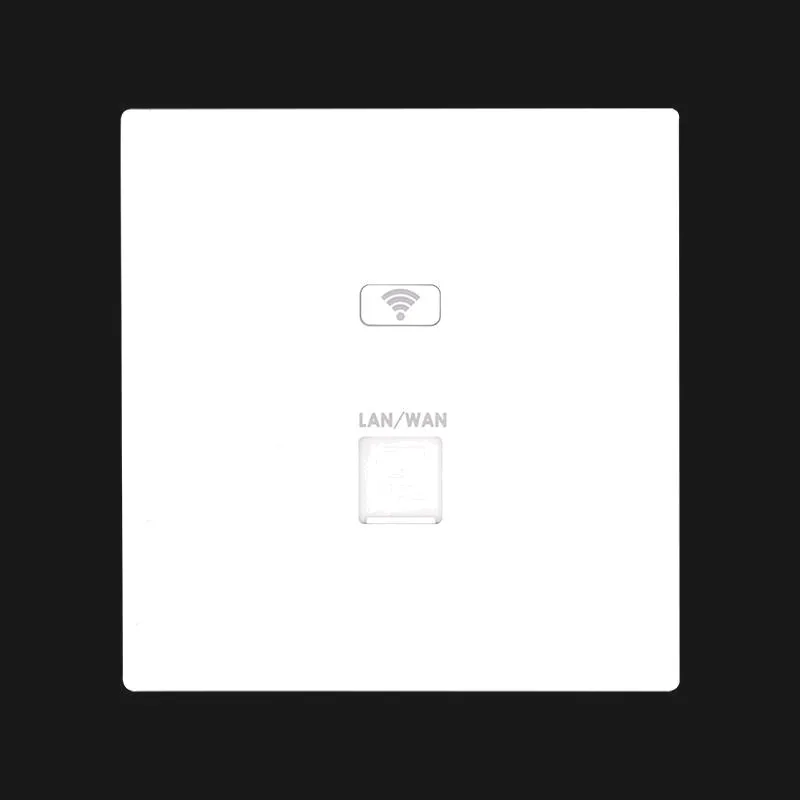
MQ-1200G
In-wall Wireless AP MQ-1200G with 1167Mbps wireless rate and 2.4G/5.8G dual-band, supports IEEE 802.11b/g/n, for hotel guest rooms, apartments and dormitories.
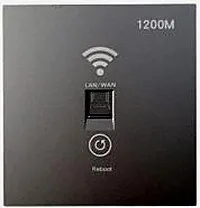
MQ-1201G
In-wall Wireless AP MQ-1201G, 48V PoE, for hotel guest rooms, apartments and dormitories.
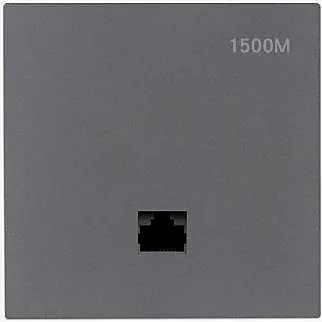
MQ-1502G
In-wall Wireless AP MQ-1502G with 1500Mbps wireless rate and 2.4G/5.8G dual-band, supports IEEE 802.11b/g/n/ac/ax, for hotel guest rooms, apartments and dormitories.
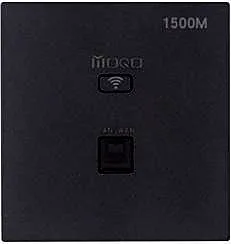
MQ-1512G
In-wall Wireless AP MQ-1512G with 1500Mbps wireless rate and 2.4G/5.8G dual-band, supports IEEE 802.11b/g/n/ac/ax, for hotel guest rooms, apartments and dormitories.
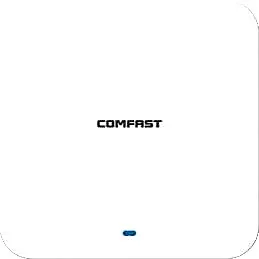
CF-E391AX
Ceiling Wireless AP CF-E391AX with 3000Mbps wireless rate and 2.4/5.8GHz dual-band, supports IEEE802.11 a/b/g/n/ac/ax, Built in 4*3dBi Internal Antennas, dimensions 220*220*29mm, Support POE Supply, for hotels, offices, malls and other high-density indoor areas.
CF-E393AX
Ceiling Wireless AP CF-E393AX with 3000Mbps wireless rate and 2.4/5.8GHz dual-band, supports IEEE802.11 a/b/g/n/ac/ax, Built in 3dBi Internal Antennas, dimensions 220*220*46mm, Support POE Supply, for hotels, offices, malls and other high-density indoor areas.
Related pages
01 What a WiFi access point is, and why form factor comes first
An access point turns a wired network into wireless coverage and is the basic unit of a hotel, school or campus WLAN. We split APs by mounting form into three lines. Ceiling models (18 SKUs) mount on the ceiling to cover lobbies, corridors and classrooms. In-wall panel models (9 SKUs) fit an 86-box wall plate, one per room, for guest rooms, apartments and dormitories. Outdoor models (23 SKUs) carry IP65–IP67 protection for campuses, plazas, factories and orchards. The form factor drives mounting, coverage radius and how easily you can expand later, and correcting a wrong choice usually costs far more than getting it right up front.
02 Choosing a WiFi access point: the three lines compared
| Aspect | Ceiling (indoor) | In-wall panel | Outdoor |
|---|---|---|---|
| Mounting | Ceiling or drop-ceiling mount | Replaces an 86-box wall plate | Pole or wall mount |
| Coverage target | Lobbies, corridors, classrooms | Single guest rooms, dorms, apartments | Campuses, plazas, factories, orchards |
| Typical rate | 300Mbps to 3600Mbps (CF-E320N V2 to CF-E373BE) | 1167Mbps to 3000Mbps (MQ-1200G to WA-590) | 300Mbps to 3600Mbps (CF-EW71 V2 to CF-WA971) |
| Bands | 2.4GHz single-band or 2.4/5.8GHz dual-band | Mainly 2.4/5.8GHz dual-band | 2.4GHz or 2.4/5.8GHz |
| IP rating | IP31–IP41 | Indoor panel, flush with the decor | IP65–IP67 |
| Power | PoE supply | PoE support (e.g. 48V PoE on MQ-1201G) | Usually a bundled 48V or 24V PoE adapter |
| Examples | CF-E390AX, CF-E593AX | MQ-1502G, WA-580 | CF-EW84, CF-WA937 |
Rates and IP ratings above come from the datasheets of the matching models on this site; exact parameters follow the product pages and the formal quotation.
03 Six inputs to fix before you buy
- Scenario and concurrency: size guest rooms and offices at roughly one unit per room or zone, and size lobbies and meeting rooms by concurrent devices rather than floor area alone.
- Band and speed: 2.4/5.8GHz dual-band is the baseline; pick WiFi 6 for high density (such as CF-E390AX or WA-680), and WiFi 7 for points meant to last several years (CF-E373BE, CF-WA971).
- Ports and uplink: check the WAN rate first. Gigabit models such as CF-E375AC V2 pair with a gigabit switch, while models with a 2.5G port (CF-E373BE, CF-E391AX) need a matching uplink or they cannot reach full speed.
- Power and cabling: indoor models mostly support PoE, while outdoor models usually ship with a 48V or 24V adapter; keep PoE runs within 100 m and leave headroom in the overall power budget.
- Mounting and protection: for outdoor units, check the IP rating and the pole or wall brackets; for in-wall APs, confirm the 86-box dimensions and depth early so the unit actually fits.
- Management and roaming: multiple APs need a single SSID, planned channels and seamless roaming, or clients keep reconnecting as they move.
04 Five steps from requirement to delivery
-
1 ① Gather points and scenarios
List point counts and uses by floor and zone: guest rooms, lobbies, corridors, outdoor, with approximate area and expected concurrency.
-
2 ② Match form and speed
Use in-wall panels for rooms, ceiling units for open areas, and pick outdoor models by IP rating; then fix single-band, dual-band, WiFi 6 or WiFi 7 by concurrency.
-
3 ③ Plan ports, power and switch
Tally AC and PoE ports, work out the switch power budget, and confirm the uplink rate and cable specification.
-
4 ④ Pilot install and confirm settings
Install one pilot room or zone first, measure signal and throughput, and lock SSID, channel and roaming settings before scaling out.
-
5 ⑤ Phased delivery and spares
Ship in batches that follow the construction schedule, and hold a small spares pool for on-site damage and later additions.
05 Common pitfalls and how to avoid them
| Symptom | Root cause | How to avoid it |
|---|---|---|
| AP reboots in a loop | PoE port or overall budget is too small | Size the switch PoE budget from the draw of each model and keep 15–20% headroom |
| Full bars in rooms, drops in corridors | In-wall APs aimed and powered conservatively | Add ceiling APs in corridors and public areas (e.g. CF-E375AC V2) |
| Outdoor unit drops in the rainy season | Waterproofing or earthing is incomplete | Choose IP66/67 models and add surge protection and earthing |
| Dual-band but still slow | Clients all crowd onto 2.4GHz | Enable 5.8GHz, plan channels and disable legacy rates |
| Frequent reconnects while moving | No central management; overlapping channels | Use one SSID with roaming tuned across linked APs |
Most "signal problems" are really power, cabling or configuration issues; run through this table before go-live.
06 Shopping list for a complete project
- Access points: order by form and point count — in-wall for rooms, ceiling for public areas, protected outdoor units outside.
- Power gear: a PoE switch or injector indoors, plus the 48V or 24V adapters that match outdoor models per the datasheet.
- Cabling: network cable, connectors and patch panels, with enough slack reserved for long runs.
- Outdoor accessories: surge arresters, earthing hardware and pole brackets, budgeted separately for every outdoor point.
- Spares: hold a small pool of whole units for on-site damage and later additions.
07 Acceptance points and next steps
At acceptance, sample the points: measure signal strength, up and down throughput and how roaming behaves while moving, and confirm the MAC, management address and firmware version of every AP are recorded. To compare specs side by side, see the selection table at /compare/best-access-point/; for WiFi 6 only, go to /access-point/wifi-6-access-point/; for PoE standards and power budgeting, see /knowledge/poe-standards/; and for a hotel-wide layout, refer to /solutions/hotel/. Put these lists together and both selection and quotation land in one pass.
Questions
Q1 Can I mix ceiling and in-wall APs?
Yes, as long as they share one SSID and consistent roaming settings. The usual pattern is in-wall for guest rooms and ceiling for corridors and public areas.
Q2 For one AP per guest room, which speed fits?
A WiFi 5 dual-band model around 1200Mbps (such as CF-E375AC V2 or MQ-1502G) is enough for a guest room; pick a WiFi 6 model if you target higher concurrency.
Q3 Can an outdoor AP connect straight to a standard PoE switch?
Check the model's power spec first. Outdoor units often ship with a 48V or 24V adapter that may not be interchangeable with a standard PoE switch, so confirm against the datasheet and the formal quotation.
Q4 Should I choose WiFi 6 or WiFi 7 now?
For most current projects WiFi 6 (such as CF-E390AX or WA-680) is enough; where budget allows and the point must last several years at high density, WiFi 7 (CF-E373BE, CF-WA971) is the fit.
Q5 Do you support OEM/ODM or white-label?
Yes. Packaging, labels and bundled documentation can be tailored per project; just note your destination market's certification and document needs with the inquiry.
Send us your point schedule or floor plan and we will return an AP model, port and PoE budget list for your scenario.