A different enclosure does not make an outdoor AP: IP rating, wide-temperature range, surge/earthing and swappable antennas are the real dividing lines.
Covering an area calls for omni antennas; linking two fixed points calls for directional antennas with a fade margin.
100 m is the hard limit for a single PoE Ethernet run; beyond it, move to fibre or local power instead of stretching the cable.
Models in this category
View all 216 models →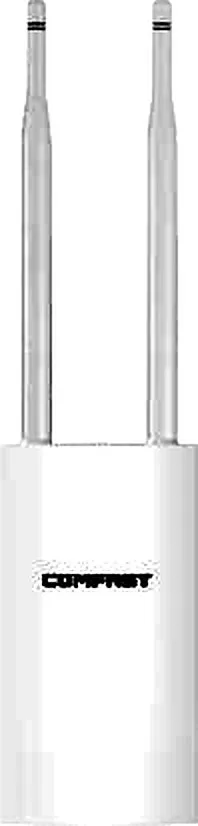
CF-EW71 V2
Outdoor Wireless AP CF-EW71 V2 with 300Mbps wireless rate and 2.4GHz single-band, supports IEEE802.11b/g/n, External 2*5dBi, dimensions 353*85*44mm, 48V 0.32A POE Power Adapter, for parks, scenic areas, industrial parks and other outdoor coverage.
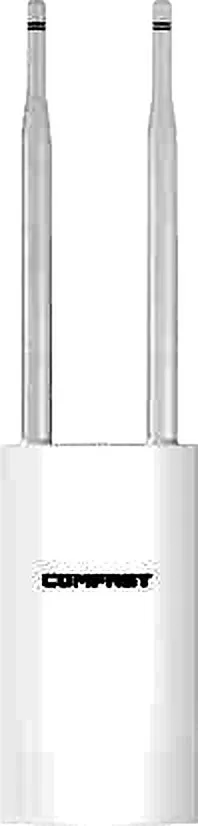
CF-EW72 V2
Outdoor Wireless AP CF-EW72 V2 with 1200Mbps wireless rate and 2.4/5.8GHz dual-band, supports IEEE802.11a/b/g/n/ac, External 2*5dBi, dimensions 353*85*44mm, 48V 0.32A POE Power Adapter, for parks, scenic areas, industrial parks and other outdoor coverage.

CF-EW74 V3
Outdoor Wireless AP CF-EW74 V3 with 1200Mbps wireless rate and 2.4/5.8GHz dual-band, supports IEEE802.11a/b/g/n/ac, External 2*5dBi, dimensions 380*54mm, 48V 0.32A POE Power Adapter, for parks, scenic areas, industrial parks and other outdoor coverage.

CF-EW75 V2
Outdoor Wireless AP CF-EW75 V2 with 1200Mbps wireless rate and 2.4/5.8GHz dual-band, supports IEEE802.11a/b/g/n/ac, External 2*5dBi, dimensions 368*57*30mm, 24V 1A POE Power Adapter, for parks, scenic areas, industrial parks and other outdoor coverage.
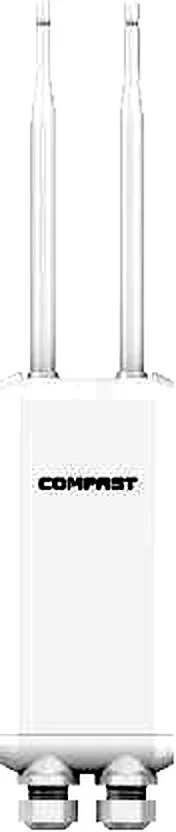
CF-EW81
Outdoor Wireless AP CF-EW81 with 300Mbps wireless rate and 2.4GHz single-band, supports IEEE802.11b/g/n, External 2*5dBi, dimensions 90*388.2mm, 24V 0.5A POE Power Adapter, for parks, scenic areas, industrial parks and other outdoor coverage.

CF-EW82
Outdoor Wireless AP CF-EW82 with 1200Mbps wireless rate and 2.4/5.8GHz dual-band, supports IEEE802.11a/b/g/n/ac, External 2*5dBi, dimensions 210*51*34mm, 48V 0.32A POE Power Adapter, for parks, scenic areas, industrial parks and other outdoor coverage.
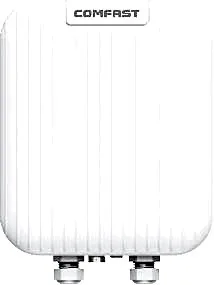
CF-WA971
Outdoor Wireless AP CF-WA971 with 3600Mbps wireless rate and 2.4/5.8GHz dual-band, supports IEEE802.11a/b/g/n/ac/ax/be, Directional Antenna, dimensions 285*215*73mm, POE (48V/0.5A), for parks, scenic areas, industrial parks and other outdoor coverage.
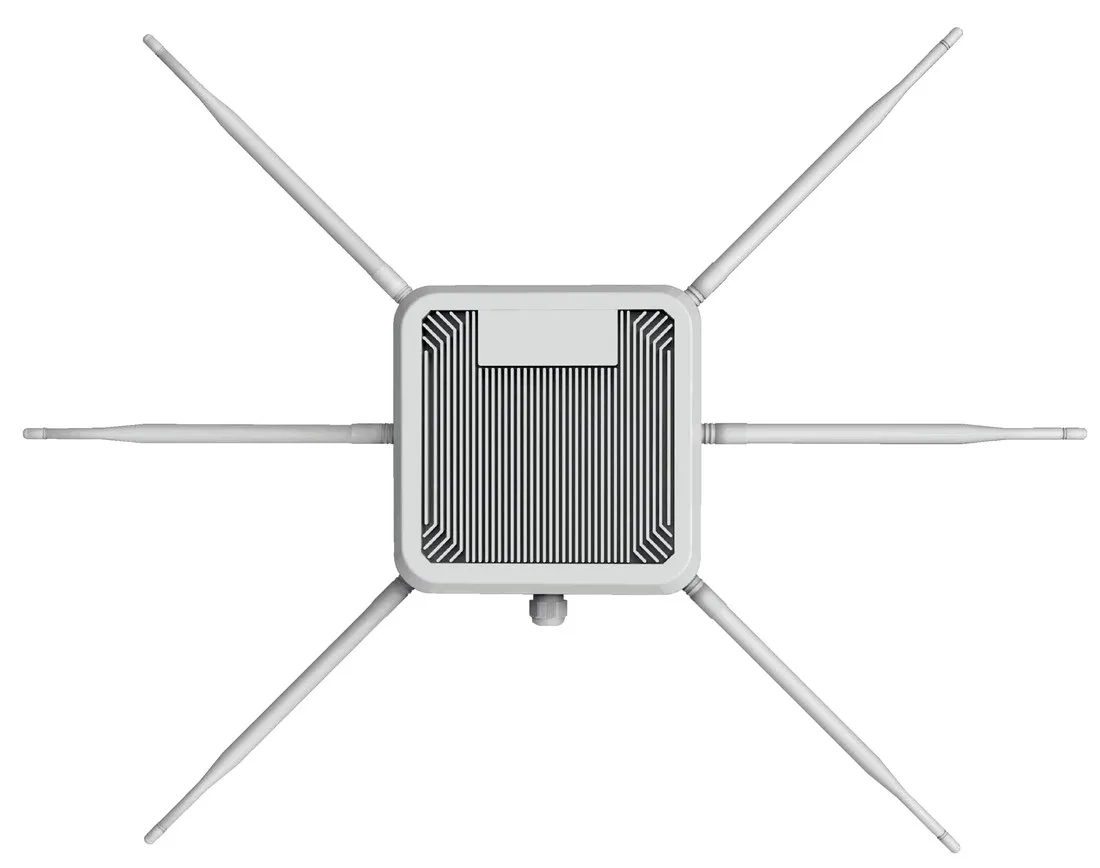
HW-621G-ME-01
Outdoor Wireless AP HW-621G-ME-01 with 3000Mbps wireless rate and 2.4GHz and 5.8GHz dual-band, supports IEEE802.11ax (Wi-Fi 6), external 6 7dbi high gain fiberglass omnidirectional antennas, dimensions Ø60*475*70mm, 48V PoE (up to 100m), for parks, scenic areas, industrial parks and other outdoor coverage.
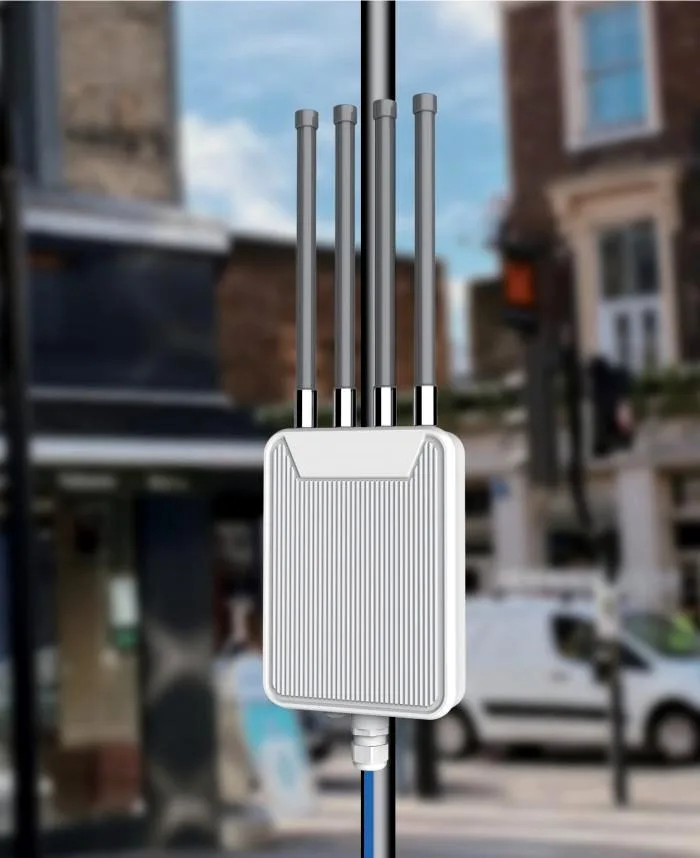
HW-621H-RE-01
Outdoor Wireless AP HW-621H-RE-01 with 3000Mbps wireless rate and 2.4GHz and 5.8GHz dual-band, external 4 7dbi high gain fiberglass omnidirectional antennas, dimensions Ø60*475*70mm, 48V PoE (up to 100m), for parks, scenic areas, industrial parks and other outdoor coverage.
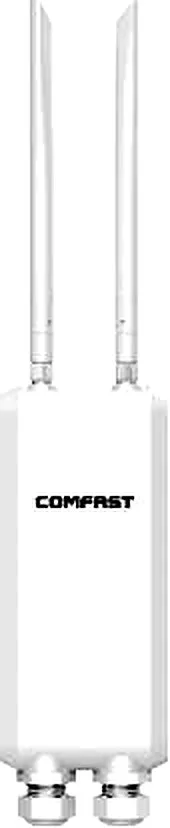
CF-EW84
Outdoor Wireless AP CF-EW84 with 1200Mbps wireless rate and 2.4/5.8GHz dual-band, supports IEEE802.11a/b/g/n/ac, External 2*5dBi, dimensions 90*405.5mm, 48V 0.32A POE Power Adapter, for parks, scenic areas, industrial parks and other outdoor coverage.
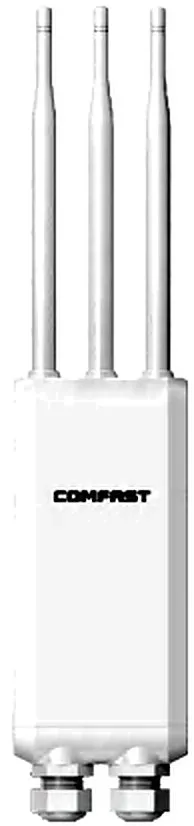
CF-EW85
Outdoor Wireless AP CF-EW85 with 1300Mbps wireless rate and 2.4/5.8GHz dual-band, supports IEEE802.11a/b/g/n/ac, External 3*5dBi, dimensions 90*388.2mm, 48V 0.5A POE Power Adapter, for parks, scenic areas, industrial parks and other outdoor coverage.
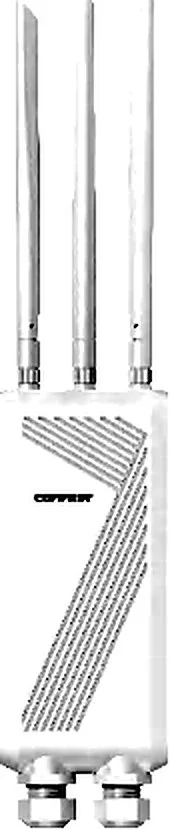
CF-EW87
Outdoor Wireless AP CF-EW87 with 3600Mbps wireless rate and 2.4/5.8GHz dual-band, supports IEEE802.11a/b/g/n/ac/ax/be, External 3*5dBi, dimensions 90*388.2mm, POE (48V/0.32A) / DC (12V/1.5A), for parks, scenic areas, industrial parks and other outdoor coverage.
Related pages
01 Four real dividing lines between outdoor and indoor APs
- Ingress protection: indoor units are typically around IP41 and only tolerate dripping, not washing; outdoor units need IP65 or higher to survive rain impact and persistent dust.
- Wide temperature: an outdoor unit must cope with a sun-heated enclosure in summer and frost in winter, so confirm the lower operating-temperature limit sits below the site's extreme low rather than trusting room-temperature lab data.
- Surge and lightning: pole- and roof-mounted units sit in the lightning induction zone, where the PoE run and RJ45 port are the main entry paths, so equipotential earthing plus surge protection devices are required — indoor models largely ignore this.
- Antennas and mounting: outdoor units commonly use external, swappable antennas with pole or wall mounting plus UV-resistant housings and waterproof connectors, whereas indoor units use ceiling or in-wall integrated antennas.
- Power: outdoor units commonly run on 48 V with a matched adapter, and passive PoE is not interchangeable with standard 802.3af/at — a wrong voltage can destroy the unit.
02 Matching IP ratings to the installation environment
| Environment | Suggested rating | Why and what to watch |
|---|---|---|
| Sheltered eave or covered walkway | IP65 or above | Handles rain spray and dust, but driving rain can still reach it — point connectors downward |
| Rooftop or fully exposed pole | IP66 / IP67 | Faces heavy rain and even brief pooling — sealing and cable entries matter most |
| Coastal or port | IP67 plus corrosion resistance | Salt fog attacks screws and connectors first, then the seals — materials matter as much as the rating |
| Dusty site or mine | High dust rating (IP6X) | The first digit covers solids; 6 is the highest dust protection |
| Extreme cold or high altitude | IP67 plus wide temperature | Seals stiffen in cold and briefly lose their seal — confirm the unit still starts in the cold |
The second digit carries the water protection; meeting a rating does not mean a correct install — connectors and cable entries are where leaks actually start.
03 Antennas: choosing between directional and omni
| Aspect | Omni antenna | Directional antenna (panel / sector / grid) |
|---|---|---|
| Coverage pattern | A 360° horizontal disc | A forward cone concentrating energy |
| Gain, same size | Lower | Higher, energy focused in one direction |
| Typical use | Plazas, camps, open-area coverage | Point-to-point, point-to-multipoint backhaul, long corridors |
| Alignment | Forgiving, just mount it upright | Needs precise aiming and on-site fine-tuning |
| Interference | Radiates in all directions, more co-channel interference | Narrow beam, interference easier to control |
04 Directional or omni: ask three questions first
- Are you covering an area, or linking two fixed points? Covering an area favours omni; linking two fixed points favours directional for better link efficiency and stability.
- Is the area obstructed or already congested? With blockers or co-channel interference, a narrow directional beam pushes energy where it is actually needed and cuts wasted radiation.
- Can the mounting point be aimed precisely? If yes, go directional for a higher SNR and usable range; if aiming is impossible, fall back to omni for reliability.
- Signals you should switch to directional: persistently low RSSI at the far end, high retries, and a long clear span between two points. Conversely, wide angular coverage with scattered users calls for omni.
05 Link budget: do the arithmetic before you commit
- The core relationship: received level = transmit power + gain of both antennas − feeder and connector loss − path loss, and the result must sit above the receiver sensitivity with margin to spare.
- Free-space loss grows with the square of distance and rises with frequency, so at the same power and antenna, usable 5 GHz range is clearly shorter than 2.4 GHz.
- Real links need roughly 10–20 dB of margin to absorb rain fade, growing foliage and signal variation — never design to the theoretical limit.
- Line of sight is a precondition: terrain, buildings and tree canopies make measured range far shorter than the paper figure, so confirm sight lines on site before choosing.
- Use the nameplate transmit power and antenna datasheet figures; countries cap EIRP by regulation, so the final design must comply with local rules.
06 Point-to-point and point-to-multipoint
| Aspect | Point-to-point (PTP) | Point-to-multipoint (PTMP) |
|---|---|---|
| Topology | One endpoint mapping to one other | One hub serving several remotes |
| Antennas | Directional at both ends, main lobes aimed at each other | Omni or sector at the hub, directional at each remote |
| Bandwidth | Dedicated and the most stable | Shared airtime — more remotes means less per station |
| Fit | Backbone links between buildings or across a campus | Access for many scattered points inside a campus |
| Risk | Aiming is critical and wind load can shift it | The hub is a single point of failure — protect it with redundancy and surge defence |
07 Power and the 100 m PoE ceiling
- Outdoor units commonly run on 48 V PoE, and a single Ethernet run is capped at 100 m — that length covers the whole path from switch or injector to the device, not the straight-line distance.
- Passive 48 V PoE and 802.3af/at are not the same thing — voltages and negotiation differ, and a mismatch can damage the unit, so check the model's rated voltage and the port power class.
- Beyond 100 m, do not force it with a longer cable: move to fibre plus a remote switch, or power locally with surge protection — usually more robust than stretching copper.
- Use outdoor-rated cable (UV- and moisture-resistant), waterproof every connector, and bond both ends to earth so the surge protection does not become a lightning attractor.
- For long runs or high-power outdoor units (multi-radio, Wi-Fi 6/7 models), confirm the port power class up front so power never becomes the cause of reboot loops.
08 Outdoor deployment acceptance checklist
- Before power-up: verify the supply voltage and power class match the model, and confirm earthing resistance and surge protection devices are in place.
- Installation: match antenna polarisation, tighten the pole mount against wind, point waterproof connectors downward, leave a drip loop, and seal cable entries with waterproof compound.
- Power-up: confirm indicator status and PoE port power, and record the management address and current firmware version for later maintenance.
- Acceptance test: measure RSSI/SNR, ping loss and throughput on site, re-testing at the most remote point and under the worst real weather conditions.
- Documentation: record antenna azimuth, downtilt, channel, negotiated rate and test results as a baseline for future troubleshooting.
- Long-term care: re-check seals and connectors before the rainy season and reassess link margin as foliage grows, so the link is not slowly eroded.
09 Real model selection table (outdoor AP category)
| Model | Rate | Band | Antenna | Power | IP rating |
|---|---|---|---|---|---|
| CF-EW71 V2 | 300Mbps | 2.4GHz | External 2×5dBi | 48V 0.32A PoE | IP66 |
| CF-EW72 V2 | 1200Mbps | 2.4/5.8GHz | External 2×5dBi | 48V 0.32A PoE | IP66 |
| CF-EW85 | 1300Mbps | 2.4/5.8GHz | External 3×5dBi | 48V 0.5A PoE | IP66 |
| CF-EW87 | 3600Mbps | 2.4/5.8GHz | External 3×5dBi | PoE 48V / DC 12V | IP67 |
| CF-WA700 | 300Mbps | 2.4GHz | External 2×8dBi | 48V 0.32A PoE | IP67 |
| CF-WA800 V3 | 1200Mbps | 2.4/5.8GHz | External 4×8dBi | 48V 0.5A PoE | IP67 |
| CF-WA971 | 3600Mbps | 2.4/5.8GHz | Directional antenna | 48V 0.5A PoE | IP67 |
| CF-WA973 | 3600Mbps | 2.4/5.8GHz | External 4×6dBi | 48V 0.5A PoE | IP67 |
| WA-1800H | 1800Mbps | 2.4/5.8GHz | External 4×8dBi omni | 48V PoE | IP67 |
| WA-3000H | 3000Mbps | 2.4/5.8GHz | External 5×8dBi omni | 48V PoE | IP67 |
| HW-621G-ME-01 | 3000Mbps | 2.4/5.8GHz | External 6×7dBi omni | 48V PoE ≤100m | IP67 |
| HW-621H-RE-01 | 3000Mbps | 2.4/5.8GHz | External 4×7dBi omni | 48V PoE ≤100m | IP67 |
Figures are taken from this site's product data and cover only link-category dimensions; for a project, defer to the unit nameplate and datasheet, and weigh range, antenna type and power class together.
Questions
Q1 Does an outdoor AP always need surge protection and earthing?
For pole- and roof-mounted units inside the lightning induction zone, strongly yes. Equipotential earthing plus surge protection devices markedly cut the risk of surge damage entering through the PoE run and RJ45 port — a watertight housing does nothing for lightning.
Q2 What actually differs between IP66 and IP67?
It is the water digit: IP66 withstands powerful water jets, and IP67 adds short-term immersion. Which you need depends on whether water pools, splashes hard or pours for long periods around the unit.
Q3 Can an outdoor AP connect to an ordinary indoor PoE switch?
Only if the standards match. Passive 48 V and 802.3af/at are not interchangeable and a mismatch can damage the unit, so check the model's rated voltage and the port power class before deciding between a switch and the supplied adapter.
Q4 How hard is it to aim a directional antenna?
A narrow beam means better SNR and longer usable range the more precisely it is aimed, so fine-tune on site against signal strength and lock it down. Wind gradually shifts loose mounts, so use a rigid bracket and re-check periodically.
Q5 What are the three most common causes of rainy-season or winter dropouts?
First, water entering connectors or cable entries and seals stiffening in the cold; second, insufficient or mismatched power causing reboot loops; third, too little link margin once rain fade or foliage consumes it. Working through these three usually finds the cause fastest.
Tell us the site conditions — mounting height, coverage or backhaul distance, obstructions, power location and local climate — and we will recommend an outdoor AP and antenna from the multi-brand range we supply. Start with the access point overview at /access-point/, compare models at /compare/best-outdoor-access-point/, and read the antenna fundamentals at /knowledge/antenna-types/.