A router does local dial-up, NAT, DHCP and Wi-Fi distribution; an AP only extends coverage and does not dial; a CPE turns an upstream (cellular or wireless link) into local access.
With an ONT or broadband line choose a wired router; without a fixed line, or for backup, choose a router with a 4G SIM slot; pick 100M, gigabit or 2.5G ports by line bandwidth and internal devices.
Size client capacity by concurrency, not the headline count; match port speed to wireless speed so a 100M port never throttles gigabit Wi-Fi.
Browse by form factor
Models in this category
View all 216 models →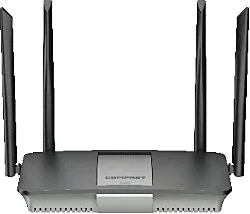
CF-AX3000
Wireless Router CF-AX3000 with 3000Mbps wireless rate and 2.4/5.8GHz dual-band, supports IEEE802.11 a/b/g/n/ac/ax, External 4*5dBi, dimensions 176*248*186mm, DC12V,1.5A Adapter, for home and small office networking.
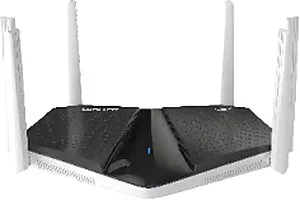
CF-BE6400
Wireless Router CF-BE6400 with 6400Mbps wireless rate and 2.4/5.8GHz dual-band, supports IEEE802.11a/b/g/n/ac/ax/be, 6*4dBi, dimensions 244*150*135mm, DC12V,1.5A Adapter, for home and small office networking.
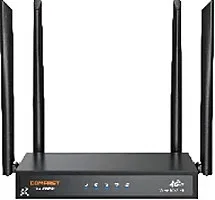
CF-E15
Wireless Router CF-E15 with 2.4GHz: 300Mbps wireless rate, External 4*5dBi antenna, dimensions 220*122*171mm, for home and small office networking.
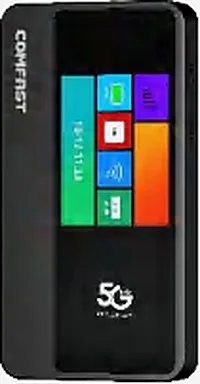
CF-E18
Wireless Router CF-E18 with 2.4GHz: 286.8Mbps 5.8GHz: 600Mbps wireless rate, Build in antenna, dimensions 131*68*17mm, for home and small office networking.
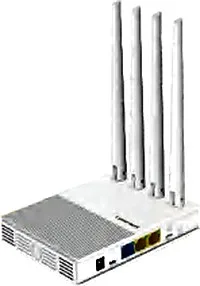
CF-E3 V3
Wireless Router CF-E3 V3 with 2.4GHz: 300Mbps wireless rate, External 4*5dBi antenna, dimensions 150*110*26mm Antenna: 175mm, for home and small office networking.
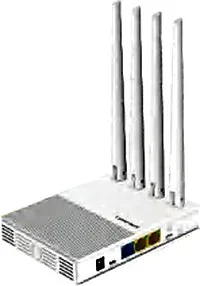
CF-E4
Wireless Router CF-E4 with 2.4GHz: 300Mbps5.8GHz: 450Mbps wireless rate, External 4*5dBi antenna, dimensions 150*110*26mm Antenna: 175mm, for home and small office networking.
CF-E5
Wireless Router CF-E5 with 2.4GHz: 300Mbps wireless rate, External 2*5dBi antenna, dimensions 353*85*44mm, for home and small office networking.
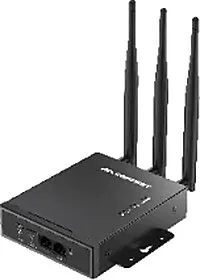
CF-E7
Wireless Router CF-E7 with 2.4GHz: 300Mbps wireless rate, External 3*5dBi antenna, dimensions 323*105*31mm, for home and small office networking.
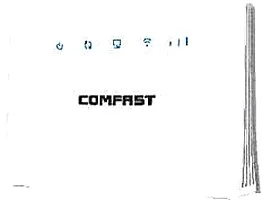
CF-ER10
Wireless Router CF-ER10 with 300Mbps wireless rate and 2.4GHz single-band, supports IEEE802.11 a/b/g/n, dimensions Size 186*110*223mm, DC5V,1A, for home and small office networking.
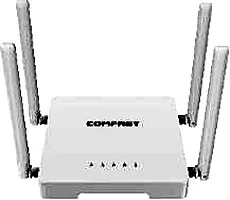
CF-N1 V2
Wireless Router CF-N1 V2 with 300Mbps wireless rate and 2.4/5.8GHz dual-band, supports IEEE802.11 a/b/g/n/ac, External 4*5dBi, dimensions 160*160*168mm, DC5V,1A Adapter, for home and small office networking.
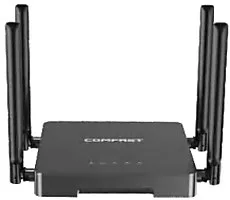
CF-N5 V2
Wireless Router CF-N5 V2 with 1200Mbps wireless rate and 2.4/5.8GHz dual-band, supports IEEE802.11 a/b/g/n/ac, External 4*5dBi, dimensions 160*160*168mm, DC12V,1A Adapter, for home and small office networking.
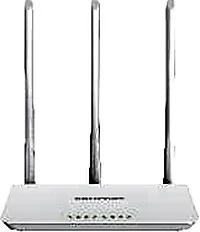
CF-WR613N V1
Wireless Router CF-WR613N V1 with 300Mbps wireless rate and 2.4GHz single-band, supports IEEE802.11 a/b/g/n, External 3*5dBi, dimensions 186*110*223mm, DC5V,1A Adapter, for home and small office networking.
Related pages
01 What a router does: telling router, access point and CPE apart
A router is the local brain of the network: it connects upward to an ONT, a broadband line or a cellular network, and handles dial-up, NAT, DHCP, routing and basic security downward, with built-in Wi-Fi to distribute the network to clients. Many projects use the words router, access point (AP) and CPE interchangeably, yet the division of labour is clear. Router: the local gateway that decides where the network comes from and how it is split. It runs PPPoE dial-up or dynamic/static IP access, performs NAT and DHCP, and usually adds a basic firewall and management of multiple uplinks (multi-WAN). Our wireless routers such as CF-WR679BE and CF-AX3000 combine dial-up, routing and Wi-Fi in one box, ready as soon as the ONT is connected. Access Point (AP): does exactly one thing — turns an existing wired network into Wi-Fi, extending coverage and concurrency. An AP generally does not dial and does not do NAT; it needs an upstream router or gateway to feed it. Our ceiling APs such as WA-670, WA-680, WA-690 and MQ-3002 belong here, serving coverage points in corridors, guest rooms and lobbies. CPE: oriented upward, turning an upstream network (cellular 4G/5G, or a remote wireless link) into a locally usable network and access. A router with a SIM slot can be read as a cellular CPE with routing built in — for example our CF-E15, CF-E3 V3 and CF-E4 (all nano SIM) and CF-E18 (SIM slot) turn 4G into local Wi-Fi and Ethernet as soon as a card is inserted. The one-line test: whoever can dial and hand out IP addresses is a router; a device that only turns wired into wireless is an AP; a device that brings an external network indoors is a CPE. The three usually run together, each doing its part.
02 Router vs access point vs CPE
| Aspect | Wireless router | Access point (AP) | CPE |
|---|---|---|---|
| Primary role | Local dial-up, NAT, DHCP, routing and Wi-Fi distribution | Turn wired into Wi-Fi, extending coverage and concurrency | Turn an upstream (cellular or wireless link) into local access |
| Dial-up and NAT | Yes — dials and translates addresses itself | Usually no — fed by an upstream gateway | Model-dependent, often includes routing and NAT |
| Upstream source | ONT, broadband port or cellular (SIM models) | Ethernet or PoE from an upstream router or gateway | SIM card (4G) or a remote wireless link |
| Typical models | CF-WR679BE / CF-AX3000 / CF-N5 V2 | WA-670 / WA-680 / WA-690 / MQ-3002 | CF-E15 / CF-E3 V3 / CF-E4 |
The three often work together: the CPE brings the network in, the router splits it, and APs spread it out.
03 Three routes: wired, 4G and gigabit routers
In any project, which router to use really starts with where the network comes from. By uplink type, routers fall into three common routes. Wired router (broadband router): the site has an ONT or a broadband line and the router runs PPPoE or dynamic-IP dial-up. This is the most common kind — our CF-N5 V2, CF-WR619AC V2 and CF-AX3000 belong here, with ports from 100M up to gigabit and 2.5G, chosen by uplink bandwidth. 4G router (SIM router): where there is no fixed line, or the network must be temporary, remote or a backup, choose a model with a SIM slot. Our CF-E15, CF-E3 V3 and CF-E4 take a nano SIM, CF-E5 and CF-E7 take a micro SIM, and CF-E18 also has a SIM slot; insert a data card and 4G becomes local Wi-Fi and Ethernet. Gigabit and 2.5G routers: when the uplink or the internal devices (NAS, switches, several APs) need higher throughput, port speed is the bottleneck. From CF-WR619AC V2, CF-WR627AX and CF-WR630AX upwards our WAN/LAN ports are gigabit; CF-WR632AX, CF-WR673BE, CF-WR675BE, CF-WR676BE and CF-WR679BE carry a 2.5G WAN port, suited to sub-gigabit-plus lines and high-speed internal networks. The order of decision: settle the uplink (wired or cellular) first, then the port speed (100M / gigabit / 2.5G), and only then the wireless specs and form factor.
04 Client capacity and wireless specs: four numbers to read first
- Wireless rate is an aggregate headline: 300M, 1200M, 3000M and 9500M add up the bands and spatial streams, and do not equal a single client's real throughput or the usable bandwidth of everyone online.
- Read the generation from the suffix: ac = Wi-Fi 5, ax = Wi-Fi 6, be = Wi-Fi 7. Newer generations handle concurrency and scheduling better, but clients must support them to gain the full benefit.
- Bands decide congestion: dual-band is 2.4GHz plus 5.8GHz, where 2.4GHz penetrates walls but has few channels and gets crowded, and 5GHz offers more channels and higher speed but poorer wall penetration; tri-band models add 6GHz (our CF-WR675BE, CF-WR676BE and CF-WR679BE), suited to dense, interference-heavy sites.
- Size by concurrency, not the headline: the vendor's maximum associated clients is a theoretical figure, and real usable concurrency depends on the traffic mix (browsing, video and scanning differ greatly); one unit is enough for a home or small office, while dense sites need several APs sharing the load rather than one unit with cranked-up power.
- Match port speed to wireless: no matter how fast the Wi-Fi is, a 100M WAN/LAN will throttle it; choose the WAN by the line bandwidth and the LAN ports by the count and speed of internal devices (NAS, switches, APs).
05 Multi-WAN, dual band and antennas: three easily missed points
| Aspect | What to check | Why it matters |
|---|---|---|
| Multi-WAN (multiple uplinks) | Whether more than one WAN is supported, or WAN/LAN can be reassigned | Enables primary/backup redundancy or line aggregation, switching over when the main line fails to cut downtime |
| Dual band or tri-band | Whether it is 2.4GHz plus 5.8GHz, or also 6GHz | More bands and channels mean clients crowd each other less at density |
| Antenna count and gain | How many external antennas, at what dBi, or built-in | External high-gain aids coverage and wall penetration but placement and angle matter; built-in is tidier |
| Port speed and count | Whether WAN / LAN is 100M, gigabit or 2.5G, and how many of each | Both the uplink and the internal devices must be fed by the ports, or the port becomes the bottleneck |
These are selection points; whichever way you decide, the router splits the network and coverage density still comes from APs.
06 Hotels and campuses: two frequent scenarios
Hotels: with many guest rooms and thick partitions between them, the worst approach is one device covering everything. The usual pattern puts a router in the comms cabinet or server room as the main entry and gateway (handling dial-up, NAT and basic access management), uses in-wall or small APs for coverage inside the rooms, and ceiling APs for corridors and the lobby. If broadband outage is a concern, add a 4G router (such as CF-E15) on the gateway side as a backup line that takes over when the main line fails, keeping door locks, front desk and POS online. Campuses: large area and scattered points call for a three-layer structure — a router as the border, APs for coverage, and CPE/bridges for remote backhaul. The border router handles multi-WAN aggregation and routing policy; ceiling or outdoor APs spread the coverage; positions where cabling is hard, such as remote buildings, tower cranes or a standalone gatehouse, are reached by CPE or wireless bridges and then distributed by local APs. Each layer does its own job, so expansion means adding devices without touching the backbone. Both scenarios share one point: the router decides how the network is split, and APs decide how far it reaches. Forcing both into one box usually manages it badly and runs out of capacity.
07 Buying checklist: confirm each item before ordering
- Uplink: is there an ONT/broadband line, or is a 4G data card needed? This decides between a wired router and a SIM-slot model.
- Port speed and count: 100M, gigabit or 2.5G WAN/LAN? How many LAN ports for switches, APs or a NAS?
- SIM slot and bands: for SIM models confirm the 4G generation, the slot type (CF-E15, CF-E3 V3 and CF-E4 take nano SIM; CF-E5 and CF-E7 take micro SIM) and whether the bands match the local carrier.
- Bands and generation: dual-band (2.4 plus 5.8) or tri-band (with 6GHz); choose Wi-Fi 5 (ac) / 6 (ax) / 7 (be) by client capability and concurrency needs.
- Client capacity and concurrency: how many clients one router must cover and how many peak simultaneously, estimated by traffic type, planning multiple APs for dense sites.
- Power and adapters: note each model's DC adapter spec (such as DC12V 1A/1.5A/2A and DC5V 1A/2A) and confirm it with the kit.
- Antenna form and mounting: external antennas aid coverage and adjustment, built-in is tidier; choose ceiling, desktop or wall mounting by the site.
- Whether Mesh is needed: for multi-point coverage, choose Mesh-capable models (such as CF-WR651AC and CF-WR655AX with Mesh) for easier expansion.
08 Selection table: match model to scenario
| Scenario | Uplink | Models | Notes |
|---|---|---|---|
| Home or small office | ONT / broadband (wired) | CF-WR619AC V2 / CF-AX3000 / CF-N5 V2 | Gigabit WAN/LAN, dual-band, plenty for browsing and office work |
| Large homes, high concurrency | ONT / broadband (wired) | CF-WR630AX / CF-WR635AX / CF-WR655AX | 3000Mbps class, Mesh-capable, steadier under many concurrent clients |
| No fixed line, temporary or backup | 4G cellular (SIM) | CF-E15 / CF-E3 V3 / CF-E4 | Nano SIM slot, ready with a data card, with local Wi-Fi |
| Portable hotspot | 4G cellular (SIM) | CF-E18 | Built-in antenna, small form factor, pocket-sized network |
| Sub-gigabit-plus line, high-speed LAN | ONT / broadband (wired, 2.5G uplink) | CF-WR632AX / CF-WR673BE / CF-WR679BE | 2.5G WAN port, gigabit LAN, feeding the LAN and several APs |
| Dense clients, heavy interference | ONT / broadband (wired) | CF-WR675BE / CF-WR676BE / CF-WR679BE | Tri-band with 6GHz, more available channels, less same-band congestion |
| Hotel or campus gateway | Broadband, with optional 4G backup | CF-WR679BE / CF-AX3000 (with CF-E15 backup) | Main entry with multi-WAN; coverage handed to ceiling or in-wall APs |
Models and figures are drawn from our product library; price and lead time are per the formal quote, and models can be customised for OEM/ODM projects.
Questions
Q1 Can a wireless router be used as an access point?
Most wireless routers offer an AP mode: disable their dial-up and DHCP, use only their Wi-Fi and switch ports, and let the upstream gateway hand out addresses. Check the specific model's documentation; if you only need extra coverage and not a local gateway, a dedicated AP is the cleaner choice.
Q2 Does a gigabit router need a gigabit line? Are 100M ports enough?
Ports are a ceiling, not a requirement. 100M-port models (such as CF-WR613N V1, CF-WR616AC V2 and CF-N1 V2) suit sub-100M lines and light internal traffic; once the line or LAN exceeds 100M, choose a gigabit-port model (CF-WR619AC V2 onwards), or the port becomes the bottleneck no matter how fast the Wi-Fi is.
Q3 What is the difference between a 4G router and a 4G CPE?
They are close in nature — both use a SIM to turn 4G into a local network — and differ in whether routing is complete and in form factor. A wireless router with a SIM slot (CF-E15, CF-E3 V3, CF-E4, CF-E18 and similar) usually includes full dial-up, NAT and Wi-Fi, i.e. routing plus cellular; a CPE emphasises bringing the upstream network in, and some models only provide access while routing is handled by a downstream gateway.
Q4 Dual-band or tri-band? Is 6GHz useful?
Dual-band (2.4GHz plus 5.8GHz) covers most cases. When clients are many, interference is heavy and the clients themselves support 6GHz, tri-band models (CF-WR675BE, CF-WR676BE, CF-WR679BE) can steer some clients onto 6GHz and relieve 5GHz congestion; if clients generally do not support 6GHz, dual-band is the better value.
Q5 How is pricing handled?
We do not publish pricing; price is per the formal quote for the specific model and configuration. Send us the model, quantity and application and we will return the matching formal quote.
Tell us your coverage goal, uplink type (wired or 4G) and internal network size and we will recommend models with a formal quote. You can also browse the 4G Router (/router/4g-router/) and Gigabit Router (/router/gigabit-router/) sub-pages by direction, or read the Access Point vs Router comparison (/compare/access-point-vs-router/).