A 100M port tests at roughly 90–94Mbps and a gigabit port near 940Mbps; above a 100M line, a 100M WAN wastes the surplus bandwidth entirely.
A wireless headline is not the port: a 1200M wireless model may still carry 100M ports, so judge gigabit by the WAN/LAN spec, not the wireless number.
The port is the ceiling and CPU/NAT forwarding decides whether you reach it; for multi-camera, NAS and multi-AP aggregation, accept with iperf, not the label.
Models in this category
View all 216 models →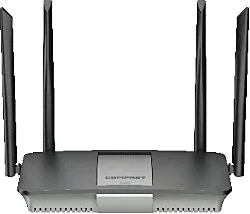
CF-AX3000
Wireless Router CF-AX3000 with 3000Mbps wireless rate and 2.4/5.8GHz dual-band, supports IEEE802.11 a/b/g/n/ac/ax, External 4*5dBi, dimensions 176*248*186mm, DC12V,1.5A Adapter, for home and small office networking.
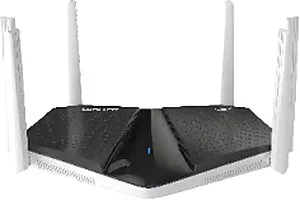
CF-BE6400
Wireless Router CF-BE6400 with 6400Mbps wireless rate and 2.4/5.8GHz dual-band, supports IEEE802.11a/b/g/n/ac/ax/be, 6*4dBi, dimensions 244*150*135mm, DC12V,1.5A Adapter, for home and small office networking.
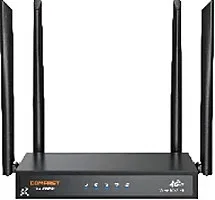
CF-E15
Wireless Router CF-E15 with 2.4GHz: 300Mbps wireless rate, External 4*5dBi antenna, dimensions 220*122*171mm, for home and small office networking.
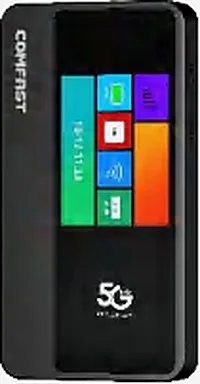
CF-E18
Wireless Router CF-E18 with 2.4GHz: 286.8Mbps 5.8GHz: 600Mbps wireless rate, Build in antenna, dimensions 131*68*17mm, for home and small office networking.
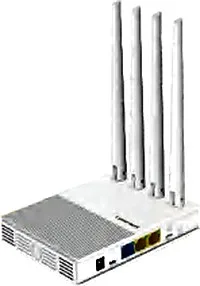
CF-E3 V3
Wireless Router CF-E3 V3 with 2.4GHz: 300Mbps wireless rate, External 4*5dBi antenna, dimensions 150*110*26mm Antenna: 175mm, for home and small office networking.
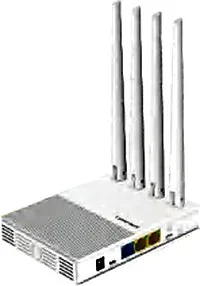
CF-E4
Wireless Router CF-E4 with 2.4GHz: 300Mbps5.8GHz: 450Mbps wireless rate, External 4*5dBi antenna, dimensions 150*110*26mm Antenna: 175mm, for home and small office networking.
CF-E5
Wireless Router CF-E5 with 2.4GHz: 300Mbps wireless rate, External 2*5dBi antenna, dimensions 353*85*44mm, for home and small office networking.
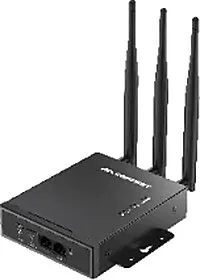
CF-E7
Wireless Router CF-E7 with 2.4GHz: 300Mbps wireless rate, External 3*5dBi antenna, dimensions 323*105*31mm, for home and small office networking.
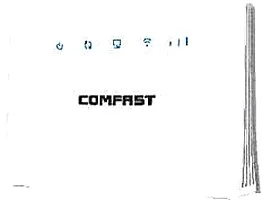
CF-ER10
Wireless Router CF-ER10 with 300Mbps wireless rate and 2.4GHz single-band, supports IEEE802.11 a/b/g/n, dimensions Size 186*110*223mm, DC5V,1A, for home and small office networking.
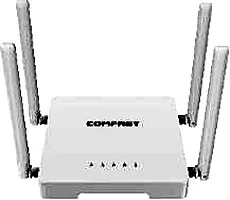
CF-N1 V2
Wireless Router CF-N1 V2 with 300Mbps wireless rate and 2.4/5.8GHz dual-band, supports IEEE802.11 a/b/g/n/ac, External 4*5dBi, dimensions 160*160*168mm, DC5V,1A Adapter, for home and small office networking.
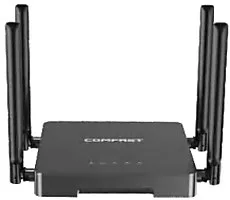
CF-N5 V2
Wireless Router CF-N5 V2 with 1200Mbps wireless rate and 2.4/5.8GHz dual-band, supports IEEE802.11 a/b/g/n/ac, External 4*5dBi, dimensions 160*160*168mm, DC12V,1A Adapter, for home and small office networking.
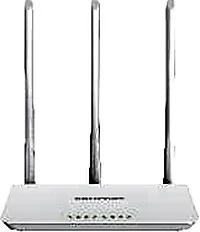
CF-WR613N V1
Wireless Router CF-WR613N V1 with 300Mbps wireless rate and 2.4GHz single-band, supports IEEE802.11 a/b/g/n, External 3*5dBi, dimensions 186*110*223mm, DC5V,1A Adapter, for home and small office networking.
Related pages
01 100M versus gigabit ports: more than a number
Port speed is at heart a question of how many bytes can move per second. A 10/100Mbps port (a 100M port) caps at 100Mbps one way and delivers roughly 90–94Mbps once protocol overhead is removed; a 10/100/1000Mbps port (a gigabit port) caps at 1000Mbps and delivers around 940Mbps. A gigabit port can therefore carry the full bandwidth of any sub-gigabit line, while a 100M port pins you at ninety-odd megabits no matter how fast the Wi-Fi claims to be. The first consequence is an unused line. On a 200M, 500M or 1000M connection, a 100M WAN port still tops out in the low nineties, so the extra bandwidth is wasted — you buy a gigabit line and use less than a tenth of it. The second is an internal bottleneck. Copying from a NAS, backing up camera footage or moving data between devices all runs at LAN-port speed: on a 100M port the ceiling is ninety-odd megabits, so large files crawl; a gigabit port cuts the same transfer to roughly a tenth of the time. Many projects that complain of fast Wi-Fi but slow file copies trace it back here. The third is easily missed: LAN port count. A router usually offers only three or four LAN ports, so feeding switches, APs, a NAS and an NVR runs short, forcing a second switch and another layer of bottleneck. When choosing a gigabit router, read the WAN and LAN speed and the LAN count together rather than a single 'gigabit' badge.
02 100M, gigabit and 2.5G ports compared
| Port class | Rated speed (one way) | Real-world range | Line it can feed | Common misfit |
|---|---|---|---|---|
| 10/100Mbps (100M port) | 100Mbps | about 90–94Mbps | Up to 100M | A 100M port on a 200M-plus line or a NAS, wasting the surplus line and LAN speed |
| 10/100/1000Mbps (gigabit port) | 1000Mbps | about 940Mbps | Up to 1000M | A gigabit WAN with a 100M LAN port to the NAS: fast browsing, slow internal transfers |
| 2.5Gbps (2.5G port) | 2500Mbps | about 2.3Gbps | Above 1000M | 2.5G ports behind all-100M or all-gigabit switches, leaving the headroom unused |
These are one-way rated figures and typical measured ranges; bidirectional load, CPU forwarding and cable quality all affect the final result.
03 Wired vs wireless: a 1200M wireless model is not a gigabit port
Wireless speed and port speed are two separate ledgers, and conflating them is the most common ordering mistake. A vendor's 1200M, 3000M or 9500M is an aggregate theoretical peak across bands and spatial streams, approached only in ideal conditions with matching clients, while real end-to-end throughput sits well below it. Port speed is different: it is a hard physical ceiling on how many bytes per second can move. The trap is treating the two as one. A router rated at 1200Mbps of wireless may still carry only 100M ports. Our CF-WR616AC V2 is exactly this case — 1200Mbps wireless with 10/100Mbps WAN and LAN, so however high its wireless figure, traffic out of the box runs at the ninety-odd megabit ceiling. By contrast, the equally 1200Mbps CF-N5 V2, CF-WR619AC V2 and CF-WR651AC carry gigabit ports and genuinely earn the name gigabit router. The test is simple: the wireless spec answers how fast the air can go, and the WAN/LAN spec answers how much the wired side can feed. What actually sets your browsing and internal transfer speed is usually the wired port. Before buying, ask one question: are the WAN and LAN 10/100 or 10/100/1000? That single question prevents most selection errors.
04 CPU and NAT forwarding: the second gate behind the port
The port is the ceiling, and whether you reach it also depends on the processor's NAT forwarding capacity. A router must open every packet, look it up, rewrite addresses and send it on, and that work falls to the CPU (or a hardware-accelerated forwarding engine). A gigabit port with insufficient forwarding capability will visibly drop in throughput once many connections, QoS or multiple WAN policies are in play. So do not stop at the word 'gigabit': confirm three things together. First, memory (RAM/Flash) — our gigabit-tier models generally start at 128MB or 256MB, leaving room for the connection table and concurrent sessions. Second, whether hardware NAT acceleration is supported, which steadies throughput under load. Third, whether WAN and LAN are balanced, avoiding a top-heavy pairing such as a gigabit WAN with 100M LAN. For hotels and campuses carrying several APs and many clients at once, forwarding capacity matters as much as port speed: the port sets the theoretical peak, and the forwarding engine decides how much of that peak survives under real load.
05 Scenarios that genuinely require gigabit
- Line above 100M: on a 200M, 500M or 1000M connection the WAN port must be gigabit, or the extra bandwidth goes entirely unused.
- Multi-camera backhaul: several IP cameras streaming to an NVR or cloud around the clock saturate a 100M port quickly, which is where stuttering, dropped frames and broken playback usually begin.
- NAS and large internal transfers: copying assets, backing up footage and moving files across the LAN all run at LAN-port speed; gigabit lifts the ceiling from ninety-odd to over nine hundred megabits.
- Several APs or switches aggregating: when multiple APs and switches hang off one router, their aggregated uplink easily exceeds 100M, and only a gigabit port avoids becoming the master bottleneck.
06 Gigabit router selection table: match ports to scenario
| Port layout | Wireless spec | Models | Suited to |
|---|---|---|---|
| 1× gigabit WAN + 3× gigabit LAN | 1200Mbps (ac, dual-band) | CF-WR619AC V2 / CF-WR651AC (Mesh) | Home and small-office gigabit entry, everyday browsing plus light internal transfers |
| 1× gigabit WAN + 4× gigabit LAN | 1200Mbps (ac, dual-band) | CF-N5 V2 | Small networks needing more LAN ports, comfortable with a NAS and switch attached |
| 1× gigabit WAN + 3× gigabit LAN | 1500Mbps (ax, dual-band, Mesh) | CF-WR653AX | Wi-Fi 6 gigabit entry and multi-point mesh with newer clients |
| 1× gigabit WAN + 2× gigabit LAN | 3000Mbps (ax, dual-band, Mesh) | CF-WR655AX | Clean built-in-antenna gigabit mesh points |
| 1× gigabit WAN + 3–4× gigabit LAN | 2700–3000Mbps (ax, dual-band) | CF-AX3000 / CF-WR627AX / CF-WR630AX / CF-WR631AX V2 / CF-WR631AX V3 / CF-WR633AX V2 / CF-WR635AX | Large homes and high-concurrency gigabit networks with mostly Wi-Fi 6 clients |
| 1× 2.5G WAN + 1× gigabit LAN | 3000Mbps (ax, dual-band) | CF-WR632AX | A compact main router for sub-gigabit-plus lines |
| 1× 2.5G WAN + 4× gigabit LAN | 3600–9500Mbps (be, some tri-band) | CF-WR673BE / CF-WR675BE / CF-WR676BE / CF-WR679BE / CF-BE6400 | Heavy sites above a gigabit line with fast internal traffic and dense clients; 2.5G uplink feeds several APs |
| 1× 2.5G WAN + 1× 2.5G LAN | 5000Mbps (be, dual-band) | CF-WR672BE | Points needing both a 2.5G uplink and a 2.5G LAN port |
Models and port figures are drawn from our product library; price and lead time follow the formal quote, and models can be customised for OEM/ODM projects.
07 Acceptance: test with iperf, not the label
- Measure wired throughput with iperf3: one PC on a LAN port as server, another on the WAN side or a second PC as client, running each direction for about 60 seconds and reading the steady figure rather than the peak.
- Compare against normal ranges: about 90–94Mbps on a 100M port and around 940Mbps on a gigabit port are healthy; if much lower, check the cable (Cat5e or better, all eight wires) and the negotiated port speed first.
- Load-test with real traffic: run camera backhaul, large NAS transfers and multi-AP uplinks together to see whether a bottleneck appears, rather than signing off on an idle test.
- Record the negotiated speed and duplex of every backbone link, confirming no device has fallen back to 100M and none is running half-duplex.
- Write the WAN/LAN port specs, measured throughput and cable models into the acceptance record so operations has something to refer to.
Questions
Q1 Is a router rated 1200M wireless automatically a gigabit router?
No. A 1200M wireless figure is an aggregate theoretical headline, while port speed is the hardware ceiling, and the two must be read separately. Our CF-WR616AC V2 carries 1200Mbps wireless but only 10/100Mbps WAN and LAN, whereas the equally 1200Mbps CF-N5 V2, CF-WR619AC V2 and CF-WR651AC have gigabit ports and count as gigabit routers. Judge by the WAN/LAN port spec.
Q2 My line is only 100M — do I need a gigabit router?
Not necessarily for internet traffic alone, but read the LAN too. If the site has a NAS, multiple cameras or several devices transferring between themselves, that traffic runs at LAN-port speed and a 100M port becomes the bottleneck — gigabit still pays off. The rule: if either the line or the internal traffic exceeds 100M, choose gigabit ports.
Q3 Will a gigabit-port model always test at a full gigabit?
Not always. The port is a ceiling, and how close you get depends on CPU/NAT forwarding, hardware acceleration, session count, cable quality and negotiated port speed; stacked camera backhaul, QoS and multi-WAN policies all lower forwarding throughput. An iperf test under real load is the reliable answer.
Q4 When is gigabit enough, and when should I go 2.5G?
Gigabit is enough for sub-gigabit lines with ordinary internal transfers and camera backhaul. When the line reaches a gigabit or beyond, or the LAN itself must run 2.5G (editing asset drives, 2.5G switches, several APs aggregating), choose a model with a 2.5G WAN — our CF-WR632AX, CF-WR673BE, CF-WR675BE, CF-WR676BE and CF-WR679BE, plus the dual-2.5G CF-WR672BE.
Tell us your line bandwidth, internal scale (whether you have a NAS, how many cameras and APs) and budget direction and we will recommend matching gigabit router models with a formal quote. You can also browse the router overview (/router/) by direction, check the Access Point vs Router comparison (/compare/access-point-vs-router/) to confirm the division of labour, or visit the 4G Router page (/router/4g-router/) for sites without a fixed line.