Ceiling for open public areas, in-wall for individual rooms — correcting a wrong form factor later costs the most.
Higher ceilings and more metal shrink coverage; above roughly 4 m, plan denser access point placement.
Standing the AP off the ceiling panel and away from cable trays and ducts improves coverage more than raising transmit power.
Models in this category
View all 216 models →
CF-E320N V2
Ceiling Wireless AP CF-E320N V2 with 300Mbps wireless rate and 2.4GHz single-band, supports IEEE802.11b/g/n, Built in 2*3dBi Internal Antennas, dimensions 200*200*18mm, Support POE Supply, for hotels, offices, malls and other high-density indoor areas.
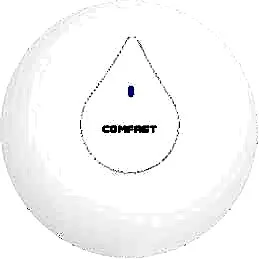
CF-E350N
Ceiling Wireless AP CF-E350N with 300Mbps wireless rate and 2.4GHz single-band, supports IEEE802.11a/b/g/n/ac, Built in 2*3dBi Internal Antennas, dimensions 200*200*18mm, Support POE Supply, for hotels, offices, malls and other high-density indoor areas.
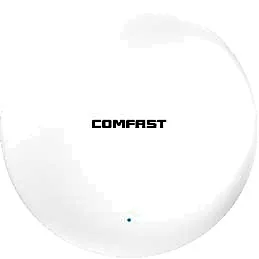
CF-E373BE
Ceiling Wireless AP CF-E373BE with 3600Mbps wireless rate and 2.4/5.8GHz dual-band, supports IEEE802.11 a/b/g/n/ac/ax/be, Built in 4dBi Internal Antennas, dimensions 228*228*43mm, Support POE Supply, for hotels, offices, malls and other high-density indoor areas.
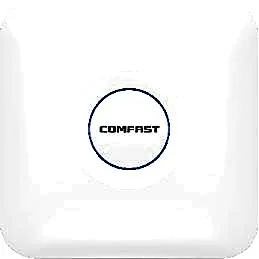
CF-E375AC V2
Ceiling Wireless AP CF-E375AC V2 with 1200Mbps wireless rate and 2.4/5.8GHz dual-band, supports IEEE802.11a/b/g/n/ac, Built in 5*3dBi Internal Antennas, dimensions 220*220*35mm, Support POE Supply, for hotels, offices, malls and other high-density indoor areas.
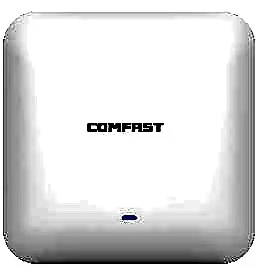
CF-E385AC
Ceiling Wireless AP CF-E385AC with 2200Mbps wireless rate and 2.4/5.8GHz dual-band, supports IEEE802.11a/b/g/n/ac, Built in 3dBi Internal Antennas, dimensions 220*220*46mm, Support POE Supply, for hotels, offices, malls and other high-density indoor areas.

CF-E390AX
Ceiling Wireless AP CF-E390AX with 1800Mbps wireless rate and 2.4/5.8GHz dual-band, supports IEEE802.11 a/b/g/n/ac/ax, Built in 3dBi Internal Antennas, dimensions 220*220*35mm, Support POE Supply, for hotels, offices, malls and other high-density indoor areas.
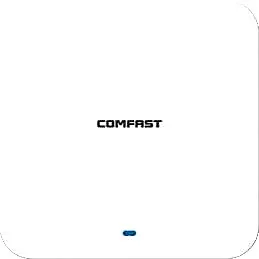
CF-E391AX
Ceiling Wireless AP CF-E391AX with 3000Mbps wireless rate and 2.4/5.8GHz dual-band, supports IEEE802.11 a/b/g/n/ac/ax, Built in 4*3dBi Internal Antennas, dimensions 220*220*29mm, Support POE Supply, for hotels, offices, malls and other high-density indoor areas.
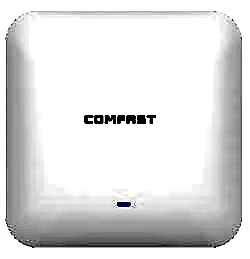
CF-E393AX
Ceiling Wireless AP CF-E393AX with 3000Mbps wireless rate and 2.4/5.8GHz dual-band, supports IEEE802.11 a/b/g/n/ac/ax, Built in 3dBi Internal Antennas, dimensions 220*220*46mm, Support POE Supply, for hotels, offices, malls and other high-density indoor areas.
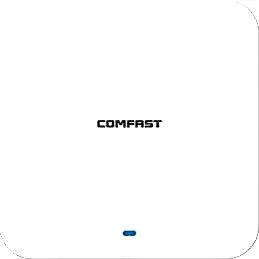
CF-E395AX
Ceiling Wireless AP CF-E395AX with 3000Mbps wireless rate and 2.4/5.8GHz dual-band, supports IEEE802.11 a/b/g/n/ac/ax, Built in 4*3dBi Internal Antennas, dimensions 220*220*29mm, Support POE Supply, for hotels, offices, malls and other high-density indoor areas.
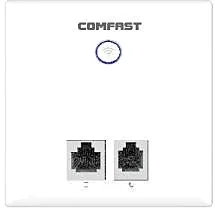
CF-E537AC
Ceiling Wireless AP CF-E537AC with 750Mbps wireless rate and 2.4/5.8GHz dual-band, supports IEEE802.11 a/b/g/n/ac, Built in 2*2.4G 1*5.8G Antenna, dimensions 86*86*33mm, Support POE Supply, for hotels, offices, malls and other high-density indoor areas.
CF-E538AC V2
Ceiling Wireless AP CF-E538AC V2 with 1200Mbps wireless rate and 2.4/5.8GHz dual-band, supports IEEE802.11 a/b/g/n/ac, Built in 2*2dBi Internal Antennas, dimensions 86*86*33mm, Support POE Supply, for hotels, offices, malls and other high-density indoor areas.
CF-E550AC
Ceiling Wireless AP CF-E550AC with 1200Mbps wireless rate and 2.4/5.8GHz dual-band, supports IEEE802.11 a/b/g/n/ac, Built in 2*2.4G 1*5.8G Antenna, dimensions 86*86*33mm, Support POE Supply, for hotels, offices, malls and other high-density indoor areas.
Related pages
01 Where ceiling mounting works — and where it does not
A ceiling AP sits at the centre of the grid and radiates broadly downward, so a single unit lights up a wide open area — the classic ceiling access point use case. It suits lobbies, corridors and lift lobbies, restaurants and ballrooms, open-plan offices, classrooms, retail floors and hospital waiting areas, in other words large spaces with no or few partitions. In a mixed deployment it is also the usual way to fill corridors, stairwells and shared service areas so people stay connected while moving. It does not suit room-by-room spaces such as guest rooms, dormitories and apartments, where coverage degrades quickly across each wall and one in-wall (86-box) AP per room is far more reliable. Nor does it suit tall factory or warehouse spaces over about 5 m where the unit cannot be dropped lower, metal-panel or metal-heavy ceilings, or plenums packed with ducts and cable trays that block and reflect radio. Where there is no ceiling at all and drilling is not allowed (some heritage buildings, finished rental space), a wall-mount bracket or in-wall panel AP is the realistic answer. The test is simple: ceiling mounting is for lighting up one open area downward — not for punching through walls into every room.
02 Ceiling type and how mountable it is
| Ceiling type | Ceiling AP possible | Fixing method | Watch out for |
|---|---|---|---|
| Mineral fibre or plasterboard on T-grid | Yes — the most common case | Grid clips or a mounting bracket on the panel/grid | Check grid and panel load; run cable above the panel and keep an access panel nearby |
| Sealed plasterboard ceiling | Yes, but access panels are mandatory | Pre-installed drop rods or a mounting base | Provide an access hatch and cable at each point before closing the ceiling |
| Metal tile or linear aluminium ceiling | Possible but not ideal | Dedicated clamps or cut-out brackets | Metal tiles and grid block and reflect 5GHz — keep a gap between AP and metal |
| Exposed concrete soffit, no ceiling | Yes | Expansion bolts with an extension bracket | Drop the AP to about 2.5–3 m with an extension arm, or floor-level coverage thins out |
| No ceiling possible / drilling not allowed | Not recommended | Switch to a wall bracket or an 86-box in-wall AP | For finished, leased or protected space, prefer non-destructive mounting |
These are common-practice rules of thumb; the final call follows the actual structure and site conditions.
03 How ceiling height and plenum space change coverage per AP
| Mounting height | Coverage per unit | Effect | Recommendation |
|---|---|---|---|
| 2.6–3.2 m (typical office, hotel) | About 60–100 m² unobstructed | The downward radiation pattern is most complete; edge rates stay steady | Use this as the baseline height for estimating point count |
| 3.2–4.5 m (lobby, showroom) | About 50–70 m² | Field strength at floor level drops and far-end rates fall noticeably | Use an extension bracket to bring the AP down to about 3 m |
| Above 5 m (factory, warehouse, gym) | About 30–50 m² | The effective footprint per unit shrinks sharply | Plan a denser point grid, or switch to an adjustable tilt bracket |
| Plenum under 150 mm | — | Not enough room to dress cable; connectors deform under heat | Add a local junction box, pick a shallower model, or route cable to the side |
| Plenum 300 mm or more | — | Comfortable for cable routing, dressing and later service | Fix cable tray above the panel and keep one access hatch per zone |
Coverage figures are planning rules of thumb for open space; partitions, metal, height and furniture all discount them further — always confirm with a pilot.
04 Installation and cabling: PoE runs, access hatches and load
- Run the cable through tray or conduit above the panel, keep each run within 100 m and use Cat5e or Cat6; the same PoE cable carries data and power, so no local mains feed is needed.
- Leave 30–50 cm of slack at every point for mounting, service and later replacement — never pull the cable to exact length.
- On sealed ceilings, provide an access hatch in each zone close to the AP and its connector, or future maintenance means removing panels.
- Confirm the load the grid and panel can take, and hang the AP from its own drop rod or structure rather than relying on a thin panel.
- Mount the unit in the orientation the maker intends, usually with the antenna biased downward; fitting it upside down or facing up visibly weakens coverage.
- Keep the AP away from metal ducts, cable trays, sprinkler pipes and large metal racking — half a metre or more where possible — to avoid uneven coverage from reflection and absorption.
- Do not block or crowd sprinklers, smoke detectors and light fittings above the ceiling; keep the clearances fire and facilities rules require.
- Size the PoE standard and budget from the label (indoor ceiling models typically draw 8–24 W); keep af and at ports straight to avoid under-power reboot loops.
- Number and label every point against its switch port and hand over a point plan, so faults can be found without climbing up at each unit.
- Pilot one or two units to measure real coverage and throughput, then roll out once spacing and height are confirmed.
05 Choosing between ceiling and in-wall APs
- Open space with no or light partitions: ceiling. Room-by-room space where each room needs guaranteed speed: in-wall (86 box).
- Ceiling strengths: a large footprint per unit, hidden in the grid, no wall space used, fewer units overall; the trade-off is dependence on a ceiling and limited wall penetration.
- In-wall strengths: one per room, walls separate rooms so they do not compete for airtime, and existing boxes and cable are reused; the trade-off is a smaller radius that furniture and partitions easily block.
- The mixed deployment is both commonest and most robust: in-wall units in guest rooms and private offices, ceiling units filling corridors, lobbies, restaurants and meeting rooms, all managed by one controller or gateway.
- If there is no usable ceiling and you would rather not touch the walls, either wall-mount a ceiling model on a bracket or go straight to in-wall APs; do not force a ceiling unit into a low, awkward void.
06 Common deployment mistakes, from placement to power
- Flat against the ceiling panel or clamped straight onto metal grid: the metal shields the antenna and distorts the pattern, with 5GHz hit hardest. Stand the AP off the panel with a bracket.
- Fitting the AP inside the plenum above the panel: that turns the ceiling into a box around the radio and visibly hurts coverage and throughput — mount it below the panel, facing the user area.
- Fitting it upside down or upward: most ceiling models bias the antenna downward, so reversing it aims the useful energy at the ceiling.
- Sitting too close to metal ducts, trays, sprinkler pipes or large racking: reflection and absorption make coverage very uneven — full bars nearby, nothing around the corner.
- Mounted in a corner or hard against a column: the unit covers roughly a quarter of the space, so two units are paid for and one unit's worth is delivered.
- Expecting one ceiling unit to cover a whole floor or reach into several guest rooms: coverage falls away across walls, and far-end experience collapses under load.
- Skipping access hatches and cable slack: replacing one AP later means tearing the ceiling open, at far higher cost than the provisions made up front.
- Under-budgeting PoE: enough ports is not enough power, and under-supplied APs reboot in a loop while being misdiagnosed as a coverage problem.
- Neighbouring APs on the same channel at full power: co-channel interference rises and clients stick to weak units — stagger channels and cap power and concurrency per unit.
07 Real model selection table (ceiling)
| Model | Wireless | Bands | Ports / power | Draw | Best for |
|---|---|---|---|---|---|
| CF-E320N V2 | 300Mbps | 2.4GHz | 100M WAN/LAN, PoE supported | <8W | Basic guest rooms, dorms, small retail |
| CF-E350N | 300Mbps | 2.4GHz | 100M WAN/LAN, PoE supported | <8W | Economy coverage in public areas |
| CF-E375AC V2 | 1200Mbps (dual-band Wi-Fi 5) | 2.4/5.8GHz | Gigabit WAN/LAN, PoE supported | <13W | Small offices, cafés, guest-floor corridors |
| CF-E385AC | 2200Mbps (dual-band Wi-Fi 5) | 2.4/5.8GHz | Gigabit WAN/LAN, PoE supported | <24W | Open offices and lobbies with heavier traffic |
| CF-E390AX | 1800Mbps (Wi-Fi 6) | 2.4/5.8GHz | Gigabit WAN/LAN, PoE supported | <12W | General offices, hotels, supermarkets, KTV |
| CF-E391AX | 3000Mbps (Wi-Fi 6) | 2.4/5.8GHz | 2.5G WAN + gigabit LAN, PoE supported | <13W | Meeting rooms and lecture halls, medium-to-high density |
| CF-E373BE | 3600Mbps (Wi-Fi 7) | 2.4/5.8GHz | 2.5G WAN/LAN, PoE supported | <24W | High-bandwidth venues, dense offices and showrooms |
| WA-680 | 1800Mbps (Wi-Fi 6) | 2.4/5.8GHz | 48V PoE | — | Hotel and office public areas |
| WA-670 | 3000Mbps | 2.4/5.8GHz | 48V PoE | — | Open offices and restaurants, medium-to-high density |
| WA-690 | 3000Mbps (Wi-Fi 6) | 2.4/5GHz | 48V PoE | — | Lobbies and ballrooms with high concurrency |
Models and figures are taken from the individual product data; confirm the exact port layout, PoE standard and mounting accessories on the product page and the unit label.
Questions
Q1 Our office has a mineral-fibre grid ceiling — can we mount ceiling APs directly?
Yes — this is the most common setup. Fix the AP to the panel or grid with grid clips or a mounting bracket, run cable above the panel and keep an access hatch nearby; check the load the grid and panel can take rather than hanging everything on a thin panel.
Q2 The ceiling is very high and we cannot drop the AP lower — what then?
Do not simply wind up the power. The higher the ceiling, the smaller the effective footprint per unit, so add points, drop the AP to about 3 m with an extension bracket, or use a tilt bracket in key areas to aim energy at the user plane; running one unit at full power only adds co-channel interference.
Q3 Can one ceiling AP cover several rooms next door?
Not recommended. Every wall costs signal, badly so for load-bearing walls, metal and glazed screens, and far rooms end up slow and unstable. For room-by-room spaces such as guest rooms, dorms and apartments, use one in-wall AP per room and let ceiling units handle corridors and lobbies only.
Q4 Does a ceiling AP need its own mains cable?
No. Indoor ceiling models generally support PoE, so one cable carries both data and power and no mains feed is needed above the ceiling; just confirm the switch or injector supplies the right PoE standard with enough total budget — most of these units draw 8–24 W.
Q5 The plenum above the ceiling is very shallow — can we still mount there?
It depends on the plenum height and the unit's depth. Under about 150 mm, cable routing and dressing get very tight and connectors can deform in the heat, so add a nearby junction box, pick a shallower model or route cable to the side — and keep an access hatch, or any later service means taking panels down.
Want a ceiling access point selection and placement proposal based on your drawings, ceiling height and room count? Send us the floor plan and scenario. You can also start from the indoor access point guide, the hotel Wi-Fi solution, or our guide to clients and concurrency per access point.