One cable carries power and data, so an AP point needs no separate mains run.
Pick the powering method by point count: injectors or DC adapters for one to three scattered points, a PoE switch from four up.
Copper-clad-aluminium cable and an over-stretched power budget are the two classic failure causes — check these first.
Models in this category
View all 216 models →
CF-E320N V2
Ceiling Wireless AP CF-E320N V2 with 300Mbps wireless rate and 2.4GHz single-band, supports IEEE802.11b/g/n, Built in 2*3dBi Internal Antennas, dimensions 200*200*18mm, Support POE Supply, for hotels, offices, malls and other high-density indoor areas.
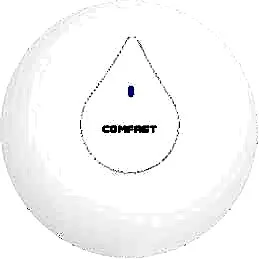
CF-E350N
Ceiling Wireless AP CF-E350N with 300Mbps wireless rate and 2.4GHz single-band, supports IEEE802.11a/b/g/n/ac, Built in 2*3dBi Internal Antennas, dimensions 200*200*18mm, Support POE Supply, for hotels, offices, malls and other high-density indoor areas.
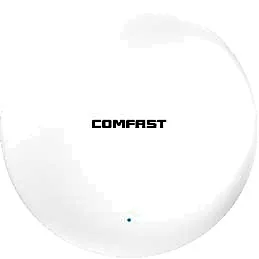
CF-E373BE
Ceiling Wireless AP CF-E373BE with 3600Mbps wireless rate and 2.4/5.8GHz dual-band, supports IEEE802.11 a/b/g/n/ac/ax/be, Built in 4dBi Internal Antennas, dimensions 228*228*43mm, Support POE Supply, for hotels, offices, malls and other high-density indoor areas.
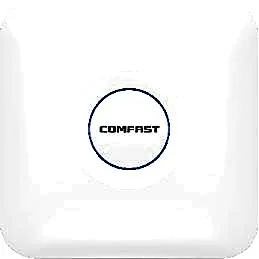
CF-E375AC V2
Ceiling Wireless AP CF-E375AC V2 with 1200Mbps wireless rate and 2.4/5.8GHz dual-band, supports IEEE802.11a/b/g/n/ac, Built in 5*3dBi Internal Antennas, dimensions 220*220*35mm, Support POE Supply, for hotels, offices, malls and other high-density indoor areas.
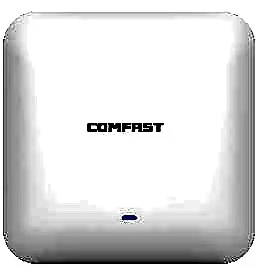
CF-E385AC
Ceiling Wireless AP CF-E385AC with 2200Mbps wireless rate and 2.4/5.8GHz dual-band, supports IEEE802.11a/b/g/n/ac, Built in 3dBi Internal Antennas, dimensions 220*220*46mm, Support POE Supply, for hotels, offices, malls and other high-density indoor areas.

CF-E390AX
Ceiling Wireless AP CF-E390AX with 1800Mbps wireless rate and 2.4/5.8GHz dual-band, supports IEEE802.11 a/b/g/n/ac/ax, Built in 3dBi Internal Antennas, dimensions 220*220*35mm, Support POE Supply, for hotels, offices, malls and other high-density indoor areas.
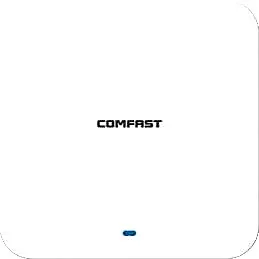
CF-E391AX
Ceiling Wireless AP CF-E391AX with 3000Mbps wireless rate and 2.4/5.8GHz dual-band, supports IEEE802.11 a/b/g/n/ac/ax, Built in 4*3dBi Internal Antennas, dimensions 220*220*29mm, Support POE Supply, for hotels, offices, malls and other high-density indoor areas.
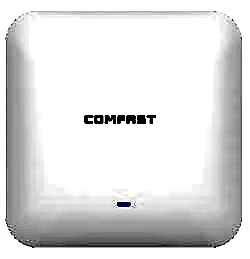
CF-E393AX
Ceiling Wireless AP CF-E393AX with 3000Mbps wireless rate and 2.4/5.8GHz dual-band, supports IEEE802.11 a/b/g/n/ac/ax, Built in 3dBi Internal Antennas, dimensions 220*220*46mm, Support POE Supply, for hotels, offices, malls and other high-density indoor areas.
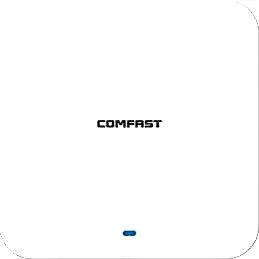
CF-E395AX
Ceiling Wireless AP CF-E395AX with 3000Mbps wireless rate and 2.4/5.8GHz dual-band, supports IEEE802.11 a/b/g/n/ac/ax, Built in 4*3dBi Internal Antennas, dimensions 220*220*29mm, Support POE Supply, for hotels, offices, malls and other high-density indoor areas.
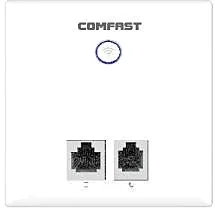
CF-E537AC
Ceiling Wireless AP CF-E537AC with 750Mbps wireless rate and 2.4/5.8GHz dual-band, supports IEEE802.11 a/b/g/n/ac, Built in 2*2.4G 1*5.8G Antenna, dimensions 86*86*33mm, Support POE Supply, for hotels, offices, malls and other high-density indoor areas.
CF-E538AC V2
Ceiling Wireless AP CF-E538AC V2 with 1200Mbps wireless rate and 2.4/5.8GHz dual-band, supports IEEE802.11 a/b/g/n/ac, Built in 2*2dBi Internal Antennas, dimensions 86*86*33mm, Support POE Supply, for hotels, offices, malls and other high-density indoor areas.
CF-E550AC
Ceiling Wireless AP CF-E550AC with 1200Mbps wireless rate and 2.4/5.8GHz dual-band, supports IEEE802.11 a/b/g/n/ac, Built in 2*2.4G 1*5.8G Antenna, dimensions 86*86*33mm, Support POE Supply, for hotels, offices, malls and other high-density indoor areas.
Related pages
01 What a PoE access point is, and what it removes
A PoE (Power over Ethernet) access point lets one standard Ethernet cable do two jobs at once: carry data and deliver power. The AP usually keeps a single RJ45 port (some models add a DC jack as an alternative), and both power-up and networking happen from the switch or injector end. Compared with an AP that needs its own DC adapter, a PoE AP removes the mains socket or power drop above every position, the adapter left dangling in the ceiling void, and the repeated trips up a ladder to unplug and replug power when a unit is swapped, reset or repositioned. In hotels, schools and offices with many points, high ceilings and finished interiors, what you save is not electricity but low-voltage installation work and maintenance time.
02 Choosing a powering method: PoE switch / injector / DC adapter
| Method | Where power comes from | Best for | Strengths | Limitations |
|---|---|---|---|---|
| PoE switch | Cabinet or comms room | Four or more, centrally deployed | One cable run; port status and power visible centrally; VLANs configured on the switch | Higher device cost once; needs a cabinet location |
| PoE injector | A nearby socket at the point | One to three scattered additions | Cheapest per point, no new chase back to the room | Points are independent, no central management; outdoor points need surge protection and earthing |
| DC power adapter | A socket at the AP | A single point with no PoE-capable link | Most direct; works with any AP that has a DC jack | A socket per point; a power drop for ceiling points and a ladder for maintenance |
Decide between injector and switch on point count, central management and whether you need multiple VLANs; a side-by-side is on /knowledge/poe-injector-vs-switch/.
03 How cable material and length affect delivery (beware CCA)
| Cable | Conductor | Effect on DC delivery | Recommendation |
|---|---|---|---|
| Cat5e, solid copper | Oxygen-free copper | Normal; DC drop over 100 m is acceptable | The default for standard runs |
| Cat5e copper-clad aluminium (CCA) | Aluminium core, copper-plated | Noticeably higher resistance than copper; large drop and dropouts on long or high-power runs | Not advised for PoE — the savings are lost to rework and call-outs |
| Cat6, solid copper | Oxygen-free copper, thicker gauge | Lower resistance; more headroom for long runs and higher power | Preferred where there are many points or high power |
| Thin patch cable (26AWG and finer) | Common in cheap pre-made leads | Fine over very short spans; almost no power headroom beyond that | Do not use as permanent cabling |
Length matters too: the 100 m PoE limit is the effective span for data and power together — the further the point from the switch, the less power headroom reaches the device. Poorly crimped or oxidised connectors add further drop on the power path.
04 How to budget PoE switch power
- Start from the real draw on the AP side, not the headline maximum. Figures you can pull from our own models: CF-E320N V2 and CF-E350N around <8W, CF-E390AX about <12W, CF-E375AC V2 about <13W, CF-E373BE and CF-E385AC about <24W.
- Then look at the switch's total power budget, not its port count. Enough ports is not enough power: a switch with many ports but a modest budget handles low-draw models fine, yet a few 24W models can exhaust it.
- Reserve 15–20% headroom — part for inrush at power-up, part for later additions.
- Add the per-point AP draw and apply the headroom — that is the minimum basis for the switch. For example, 20 units of CF-E390AX at roughly 12W each is about 240W, so size the switch at a 300W-class budget once headroom is added.
- Spread high-draw models across port groups so a group starting together does not exceed the unit or group limit.
- The power classes (af 12.95W / at 25.5W / bt 51–71W) and the fuller budgeting maths are on /knowledge/poe-standards/; here we only apply them to real points.
05 Symptoms of under-powering, and the order to check
| Symptom | Likely cause | What to do |
|---|---|---|
| AP reboots in a loop, up then down | Insufficient power, or an af port feeding a higher-draw model | Move it to an at/bt port or use a DC adapter first, then look at channels |
| Powers up but the rate is oddly low, or only one band appears | Power is marginal, or cable drop is too large | Shorten the run, switch to solid copper, verify the port standard |
| One port will not carry an AP, another works | The power budget for that port group is already spent | Move the AP to a free group, or reduce high-draw models in that group |
| Outdoor unit drops intermittently in winter | Power spec does not match the actual draw, leaving no margin | Give outdoor units their own correctly-specified port, with surge protection and earthing |
| A near-100 m point is unstable | Cable resistance plus connector drop stacking up | Prefer 23AWG solid copper; past the limit use fibre plus local power |
A quick test: move the AP to another free PoE port, or power it temporarily from a DC adapter. If the fault disappears, the problem is almost certainly on the power path, not in the wireless settings.
06 Pick by scenario: real, quotable models
| Scenario | Models | Rate / bands | Power spec | Draw |
|---|---|---|---|---|
| Hotel guest rooms / apartment in-wall | MQ-300AP, MQ-301AP | 2.4G single-band (IEEE802.11n), 100M port | In-wall mounting; power locally per the model's requirement | Short runs, low draw |
| Corridor / lobby ceiling (value tier) | CF-E320N V2, CF-E350N | 300Mbps, 2.4GHz single-band | PoE powered | <8W |
| Standard indoor dual-band | CF-E375AC V2, CF-E390AX | 1200Mbps / 1800Mbps, 2.4/5.8GHz | PoE powered | <13W / <12W |
| High-density indoor / flagship | CF-E385AC, CF-E373BE | 2200Mbps (Wi-Fi 5) / 3600Mbps (Wi-Fi 7), 2.4/5.8GHz | PoE powered | <24W / <24W |
| Outdoor campus / scenic area | CF-EW74 V3, CF-WA800 V3, WA-3000H | 1200Mbps / 3000Mbps, IP66 / IP67 | Often ships with a 48V passive PoE adapter; confirm per model whether it works with standard af/at | <12W / <24W |
The full model list sits on /access-point/. Outdoor models often ship with a 48V passive PoE adapter that will not necessarily negotiate with a standard af/at switch port — confirm per model rather than assuming any PoE port will do.
07 Deployment checklist: from pulling cable to power-up
- Set the points before the switch: fix the port count from the ceiling and wall positions, and the total power budget from the maths above, so neither end is short.
- Run one dedicated cable per point back to the cabinet, all solid copper with properly crimped connectors, leaving 30–50 cm of slack for future moves.
- Route outdoor points separately, add a surge arrester and earthing, and make the joints waterproof.
- Power the switch first and read its PoE status and per-port power, then connect APs one by one; if a port faults, reduce that port's load before swapping the AP.
- Once connected, verify the power standard and measured draw fall within the model's requirement before configuring SSIDs and channels.
- Leave a generous ceiling access panel: a later model may move from af to at/bt, so do not pin the cable tight against the framing.
Questions
Q1 Does a PoE access point always need a PoE switch?
No. One to three scattered points are cheaper with an injector or DC adapter; only centralised multi-point rollouts gain from a switch. Decide on point count, central management and multiple VLANs — see /knowledge/poe-injector-vs-switch/.
Q2 If the switch has enough ports, can I run every AP from it?
No. Enough ports is not enough power — the total budget decides. A switch with many ports but a modest budget handles low-draw models, yet a few 24W models can exhaust it, leaving a port dead or an AP rebooting in a loop.
Q3 Can I save money with copper-clad-aluminium (CCA) cable for PoE?
Not advised. CCA has noticeably higher resistance than copper, so on long or high-power runs the drop is large and dropouts follow; the cable saving is usually lost to rework and call-outs. Use solid-copper Cat5e/Cat6 for permanent runs, and prefer 23AWG when the run is long or the load high.
Q4 Outdoor models ship with a 48V passive PoE adapter — can they plug straight into a standard af/at switch?
Not necessarily — confirm per model. Passive 48V and standard af/at negotiate differently, and some models are not suited to a standard switch port. Check the power spec together with the actual draw rather than assuming every PoE port is compatible.
Q5 An AP keeps rebooting — how do I tell whether it is power?
Isolate the power path first: move the AP to another free PoE port, or power it temporarily from a DC adapter. If the fault clears, it is almost certainly the power path — insufficient budget, an af port feeding a high-draw model, or cable drop — not channels or wireless settings. Only look at signal and channels once power is ruled out.
Send us your point count, floor plan and expected concurrency, and we will return a PoE port and power budget built the same way, with real model recommendations.