The gain is airtime efficiency with many clients, not one laptop's peak speed: OFDMA plus MU-MIMO in both directions.
Upgrade signals: one AP regularly carries thirty to forty-plus clients, classrooms or meetings stutter, or the site is new or being refurbished.
The client is the bottleneck: an old phone on a WiFi 6 AP still runs at WiFi 5/4 rates — do not expect free speed.
Models in this category
View all 216 models →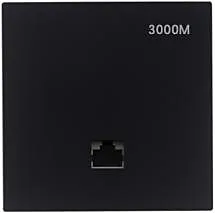
MQ-3002
Ceiling Wireless AP MQ-3002 with 2.4G single-band, supports IEEE802.11ax (Wi-Fi 6), for hotels, offices, malls and other high-density indoor areas.
WA-680
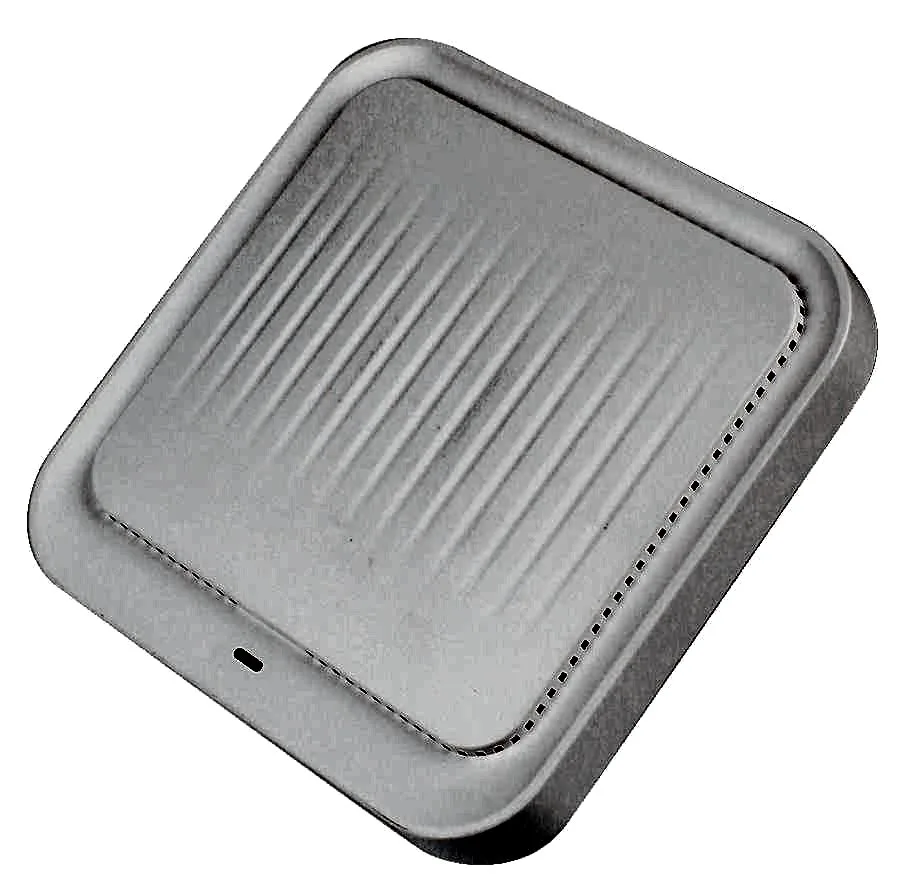
Ceiling Wireless AP WA-680 with 1800Mbps wireless rate and 2.4G and 5.8GHz dual-band, supports IEEE802.11ax (Wi-Fi 6), Built-in 2 x 2.4G + 2 x 5G antennas, dimensions 184*184*38mm, 48V PoE, for hotels, offices, malls and other high-density indoor areas.
WA-690
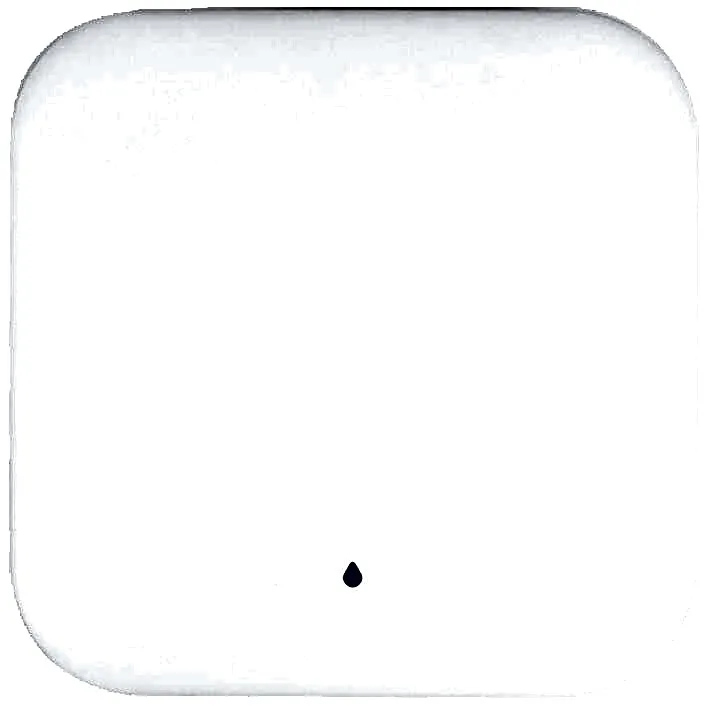
Ceiling Wireless AP WA-690 with 3000Mbps wireless rate and 2.4G and 5GHz dual-band, supports IEEE802.11ax (Wi-Fi 6), Built-in 2 x 2.4G + 2 x 5G antennas, dimensions 196*196*40mm, 48V PoE, for hotels, offices, malls and other high-density indoor areas.
WA-1800H
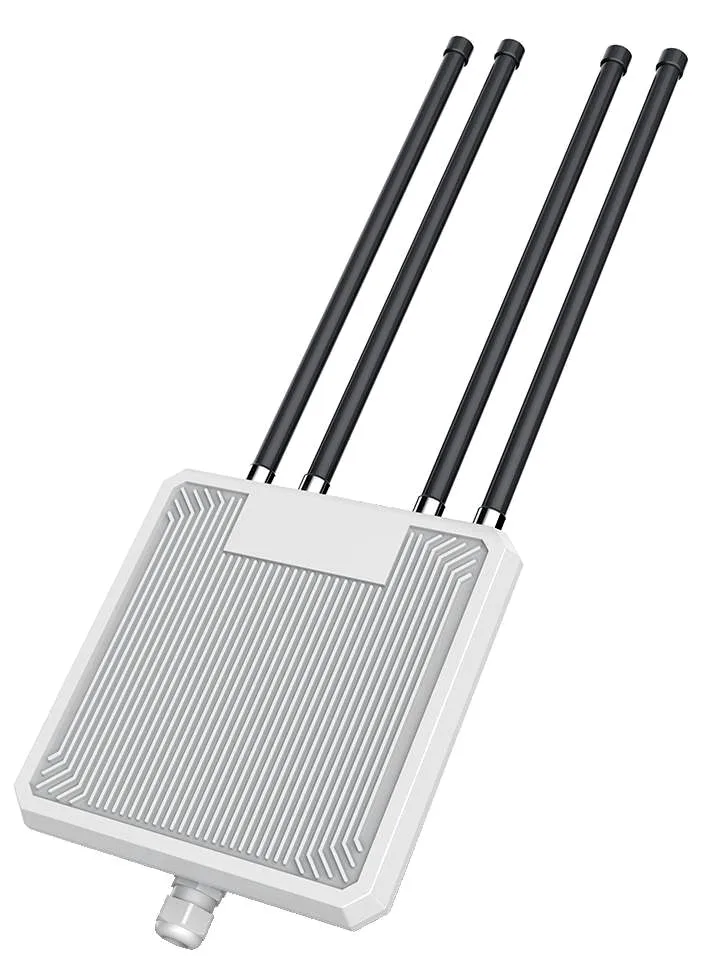
Outdoor Wireless AP WA-1800H with 1800Mbps wireless rate and 2.4G and 5.8GHz dual-band, supports IEEE802.11ax (Wi-Fi 6), External 4 x 8dBi fibreglass omni antennas, dimensions 241*36*640mm, 48V PoE, for parks, scenic areas, industrial parks and other outdoor coverage.
WA-3000H
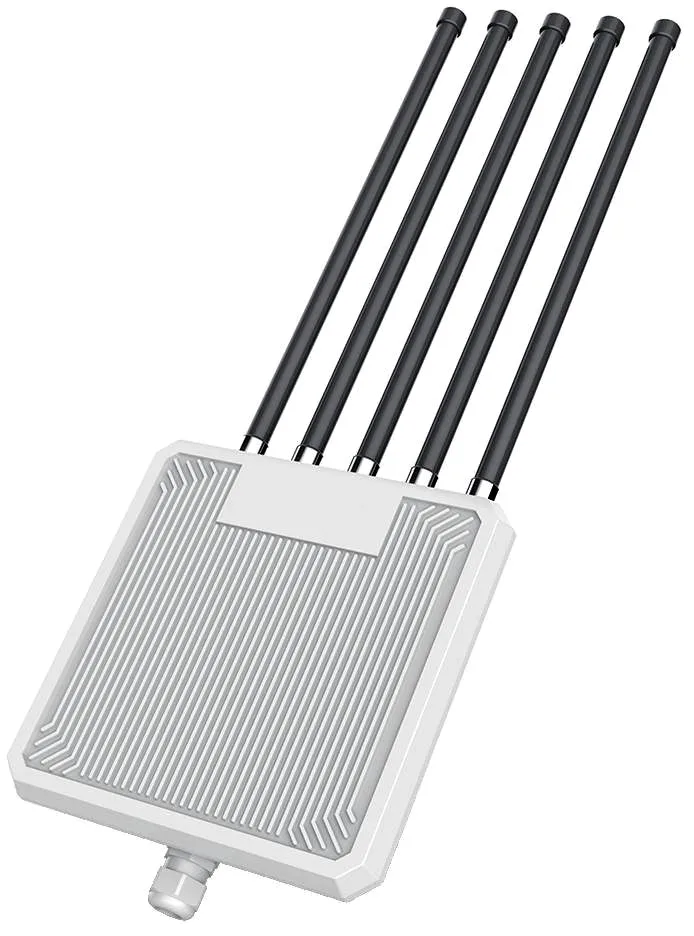
Outdoor Wireless AP WA-3000H with 3000Mbps wireless rate and 2.4GHz and 5.8GHz dual-band, supports IEEE802.11ax (Wi-Fi 6), External 5 x 8dBi fibreglass omni antennas, dimensions 241*36*640mm, 48V PoE, for parks, scenic areas, industrial parks and other outdoor coverage.
WA-580
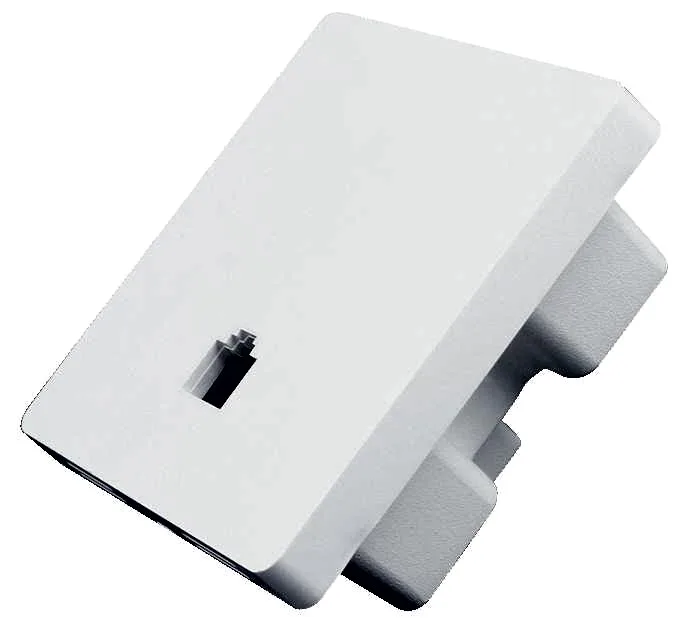
In-wall Wireless AP WA-580 with 1800Mbps wireless rate and 2.4G and 5.8GHz dual-band, supports IEEE802.11ax (Wi-Fi 6), Built-in 2 x 2.4G + 2 x 5G antennas, dimensions 86*86*40mm, 48V PoE, for hotel guest rooms, apartments and dormitories.
CF-E320N V2
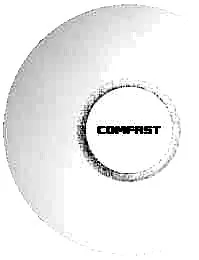
Ceiling Wireless AP CF-E320N V2 with 300Mbps wireless rate and 2.4GHz single-band, supports IEEE802.11b/g/n, Built in 2*3dBi Internal Antennas, dimensions 200*200*18mm, Support POE Supply, for hotels, offices, malls and other high-density indoor areas.
CF-E350N
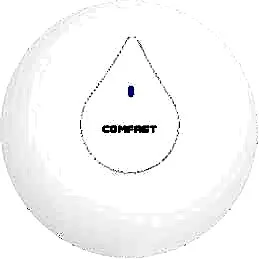
Ceiling Wireless AP CF-E350N with 300Mbps wireless rate and 2.4GHz single-band, supports IEEE802.11a/b/g/n/ac, Built in 2*3dBi Internal Antennas, dimensions 200*200*18mm, Support POE Supply, for hotels, offices, malls and other high-density indoor areas.
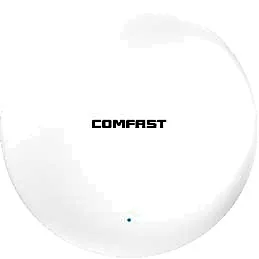
CF-E373BE
Ceiling Wireless AP CF-E373BE with 3600Mbps wireless rate and 2.4/5.8GHz dual-band, supports IEEE802.11 a/b/g/n/ac/ax/be, Built in 4dBi Internal Antennas, dimensions 228*228*43mm, Support POE Supply, for hotels, offices, malls and other high-density indoor areas.
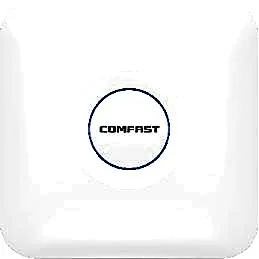
CF-E375AC V2
Ceiling Wireless AP CF-E375AC V2 with 1200Mbps wireless rate and 2.4/5.8GHz dual-band, supports IEEE802.11a/b/g/n/ac, Built in 5*3dBi Internal Antennas, dimensions 220*220*35mm, Support POE Supply, for hotels, offices, malls and other high-density indoor areas.
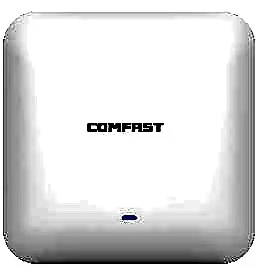
CF-E385AC
Ceiling Wireless AP CF-E385AC with 2200Mbps wireless rate and 2.4/5.8GHz dual-band, supports IEEE802.11a/b/g/n/ac, Built in 3dBi Internal Antennas, dimensions 220*220*46mm, Support POE Supply, for hotels, offices, malls and other high-density indoor areas.

CF-E390AX
Ceiling Wireless AP CF-E390AX with 1800Mbps wireless rate and 2.4/5.8GHz dual-band, supports IEEE802.11 a/b/g/n/ac/ax, Built in 3dBi Internal Antennas, dimensions 220*220*35mm, Support POE Supply, for hotels, offices, malls and other high-density indoor areas.
Related pages
01 First, a correction: WiFi 6 is not simply faster WiFi
Reading WiFi 6 as “WiFi 5 with a bigger number” is the most common selection mistake. What 802.11ax really changes is that one transmission serves several clients instead of one: OFDMA splits the channel into smaller resource units so a single send can feed multiple devices at once; MU-MIMO lets the AP transmit to and receive from several clients in parallel (WiFi 5 was essentially downlink only); BSS Coloring tags neighbouring AP traffic so dense deployments fight less over the same air; and TWT lets IoT devices wake on schedule, saving battery and airtime. Peak rates did rise too (1024-QAM, wider channels), but that only shows with one device close to the AP. The real payoff is where people are: offices, classrooms, hotels, dormitories and waiting halls, where dozens of clients are online at once and each wants a slice of bandwidth. In short, WiFi 6 sells order under load, not speed when alone.
02 WiFi 5 vs WiFi 6: what actually differs
| Aspect | WiFi 5 (802.11ac) | WiFi 6 (802.11ax) |
|---|---|---|
| Modulation | 256-QAM | 1024-QAM (higher near-field single-client rate) |
| Bands | Mainly 5GHz; 2.4GHz still on 11n | Both 2.4GHz and 5GHz run ax |
| Multiple access | OFDM: one transmission, one client | OFDMA: one transmission, several clients |
| MU-MIMO | Essentially downlink only | Downlink and uplink |
| Dense interference | No dedicated mechanism | BSS Coloring reduces same-channel contention |
| Power saving | None | TWT scheduled wake-up, useful for IoT |
| Best at | Few clients, maximising one client's throughput | Many concurrent clients, high-density coverage |
WiFi 6 APs still differ by form factor and band; do not order on the protocol name alone.
03 When an upgrade from WiFi 5 to WiFi 6 is worth it
Three situations justify the move. First, density has outgrown WiFi 5's comfort zone: an AP that permanently carries thirty to forty-plus clients, stutters at peak hours or in class, and has nowhere good left to add another unit — WiFi 6 lets the same hardware schedule airtime more efficiently, often cheaper than piling on more APs. Second, a procurement milestone: a new build, a full refurbishment, or aging units nearing warranty or end of life, where the price gap between WiFi 5 and WiFi 6 is now narrow and buying ax is the safer long-term call. Third, the client mix has already changed: staff phones, laptops and tablets from recent years support ax and are only held back by older APs. Conversely, with sparse points, three to five clients all day and a workload of tills and barcode scanning, WiFi 5 is entirely adequate — upgrading for a prettier spec sheet rarely shows up on the bill. The test is always concurrent clients times bandwidth per client, not how new the model number is.
04 Sizing APs by client count: a four-step method
- Count concurrent clients, not people: a 30-person meeting may show 10 online devices, a 50-seat classroom may hold two or three per person. Size on active devices.
- Give every client a bandwidth tier: documents, scanning and IoT are light; video conferencing, live classes and video surveillance are heavy and need more airtime reserved.
- Divide by usable clients per AP rather than by floor area: dense rooms need enough APs for the client count first, coverage second.
- Reserve 20–30% headroom and plan channels: devices only multiply, and adjacent APs must be spread across channels or adding more makes things slower.
05 Sizing reference for typical scenarios
| Scenario | Concurrent clients per point | Suggested form factor | Note |
|---|---|---|---|
| Hotel guest room | 2–4 | Wall/panel, one per room | One AP per room beats corridor units through walls, and eases per-room service |
| Open-plan office | 20–40 | Ceiling | Add points by desk count and meeting rooms; as desks grow, size by clients not area |
| Classroom (~50 seats) | 40–60 | Start with 2 ceiling APs | Front and back rows must both qualify; one unit near the podium is badly uneven |
| Meeting / training room | 10–20 | Ceiling, video-first | Video conferencing is heavy even with few people; reserve airtime |
| Dormitory / outdoor plaza | High-density clusters | Outdoor omni or zoned | Zone by footfall so everyone is not on one unit |
The ranges above are engineering guidance, not guaranteed product figures; verify against on-site active clients and traffic type.
06 WiFi 6, WiFi 6E and WiFi 7: which to buy now
The three are generations, not replacements. WiFi 6E opens an extra, clean 6GHz band on top of WiFi 6: more channels, almost no legacy devices, and noticeably less congestion in dense sites — at the cost of needing 6E-capable clients, or that band is wasted. WiFi 7 (802.11be) adds wider channels and multi-link operation for projects with extreme latency and throughput demands and a client fleet that will refresh quickly. For the large majority of hotel, classroom and office projects the best answer today is still dual-band WiFi 6: mature hardware, the widest client compatibility, and the same PoE and mounting as existing work, so a future move to 6E or 7 means swapping APs without touching cabling. The order of decision is plain — count how many of your clients support 6E or 7, check whether the workload truly needs it, and only then look at budget. Paying extra for bands and features no one can use is the most common waste in projects like these.
07 Client-side limits: the gain is decided by the client
- An old client on a WiFi 6 AP still negotiates ac or n; its speed does not rise because the AP was upgraded.
- OFDMA and MU-MIMO need both AP and client to support them; in a mixed fleet, experience is set by the weakest majority.
- A single-antenna or single-stream client is capped by its own radio; the best AP cannot break that ceiling.
- Legacy WiFi 5 clients do benefit indirectly from a WiFi 6 AP's scheduling and airtime efficiency, but far less than new clients.
- The 6GHz band (6E) only helps clients that support it; otherwise those devices cannot use it.
- Inventorying client models and their share before upgrading is the single most effective step to avoid paying for what you cannot use.
08 Quotable WiFi 6 models by form factor
| Model | Form factor | Bands | Rate | Power | Typical use |
|---|---|---|---|---|---|
| WA-580 | Wall / panel | 2.4G + 5.8G | 1800Mbps | 48V PoE | Hotel rooms, office desks |
| WA-590 | Wall / panel | 2.4G + 5G | 3000Mbps | 48V PoE | Premium rooms, meeting-room panels |
| WA-680 | Ceiling | 2.4G + 5.8G | 1800Mbps | 48V PoE | Offices, restaurants, corridors |
| WA-690 | Ceiling | 2.4G + 5G | 3000Mbps | 48V PoE | High-density open areas, classrooms |
| WA-1800H | Outdoor | 2.4G + 5.8G | 1800Mbps | 48V PoE | Campuses, outdoor dormitory coverage |
| WA-3000H | Outdoor | 2.4G + 5.8G | 3000Mbps | 48V PoE | High-density plazas and gathering areas |
| MQ-3002 | Ceiling | 2.4GHz only | 802.11ax | See product page | Single-band fill-in, IoT access |
Specifications follow the product page and final quotation; 48V PoE must be matched by the switch or injector.
09 Putting high-density sites (hotels, classrooms) together
- Survey and draw the point plan before fixing quantities: counting concurrent clients beats guessing from floor area.
- One in-wall AP per room with corridor ceiling units as fill-in; wall loss is the classic hotel trap.
- Seed classroom points by seat count and qualify both front and back rows, not just signal near the podium.
- Stagger channels across neighbours, stay on 1/6/11 for 2.4GHz, and trade off capacity against coverage on 5GHz.
- Put dense clients and IoT on separate VLANs and keep SSIDs and roaming policy consistent, so devices do not cling to the old AP next door.
- Do not max transmit power; enough coverage is better, since over-driving drags in distant clients it cannot serve.
10 Where to compare next
- To see which models are worth quoting at each price band, read our best WiFi 6 access point round-up. (/compare/best-wifi-6-access-point/)
- Still weighing the upgrade? Read the point-by-point WiFi 5 vs WiFi 6 comparison. (/compare/wifi-5-vs-wifi-6/)
- Already set on WiFi 6 and choosing between models? Read the WiFi 6 access point comparison. (/compare/wifi-6-access-point-comparison/)
Questions
Q1 Will my old phone get faster on a WiFi 6 AP?
Not its own speed. An old client negotiates at the protocol it supports (ac or n); it benefits only indirectly, because WiFi 6 clients around it consume less airtime so the whole network feels smoother.
Q2 How do I choose between WiFi 6, 6E and 7?
Count your clients first. For the large majority of hotel, classroom and office projects dual-band WiFi 6 offers the best value and widest compatibility; 6E or 7 only pays off when a meaningful share of clients already supports 6E, or the workload demands extreme latency and throughput.
Q3 How many clients can one WiFi 6 AP carry?
There is no universal figure — it depends on active concurrent clients and bandwidth per client. Light workloads (scanning, documents, IoT) fit many; video conferencing and live classes need heavy discounting, so keep 20–30% headroom.
Q4 Do I have to replace an existing WiFi 5 network entirely?
No. Replace the high-density or most-complained-about areas first and keep older APs where clients are sparse and workloads simple; run them mixed and phase the rest out at end of life for more controllable spend.
Q5 Is swapping the APs enough for high-density hotels or classrooms?
Usually not. Point count, channel plan, power settings, VLAN separation and upstream bandwidth all matter; new APs with too few points or colliding channels still perform poorly.
Send us your floor plan, client list and usage profile and we will return a WiFi 6 AP count, model recommendation and quotation — or start from our WiFi 6 round-up and the WiFi 5 vs WiFi 6 comparison.