Need a selection or coverage plan for your project?
Send the scenario, area and client density; our team replies with a configuration proposal within 24h.
Send InquiryWhy does warehouse WiFi fail when the office next door is fine?
Because the radio path is different. Racking is a metal grid loaded with stock, and what it blocks is not the signal but the aisle next to the one you aimed at. Ceilings sit at six to twelve metres, and the devices that matter are scanners and forklift terminals working at 1.2 to 1.5 metres, often shielded by a steel mast. Scale an office layout up to a warehouse and the energy lands on the roof rather than the pick face.
So the planning unit in a warehouse is the aisle, not the square metre. Area only works on genuinely open floor: once stock reaches the top of the racking, the usable radius is decided less by antenna gain than by how full that row of racking happens to be.
- Rack height and how full the pallets are: this decides whether each aisle needs its own point
- Aisle width and length: narrow aisles of 1.2 to 2.0 m are planned per aisle, wide ones can be serviced across
- What is stored: liquids, metal parts and foil packs attenuate far more than dry cartons
- Device height: scanners at the waist, forklift terminals in the cab, AGVs 0.3 m off the floor
How much signal does one rack row actually take?
One loaded rack row attenuates 5GHz less predictably than a brick wall of the same thickness, because it depends on what the stock is and how it is stacked. Engineering practice does not model it as a wall but as a loss per metre of racking depth, which is what goes into the planning tool. The table below is a common starting point for a first draft; acceptance still comes from a walk test.
| Storage condition | Modelling loss per rack row (planning input) | Effect on the aisle behind |
|---|---|---|
| Dry cartons, racking partly full | 3 to 5 dB | Signal arrives, but rate and stability drop |
| Dry goods stacked to the top | 6 to 10 dB | The next aisle should be treated as its own cell |
| Liquids, metal parts, foil packaging | 10 dB and above | Plan every aisle separately; do not count on cross-aisle penetration |
| Mesh decking and steel frames | Mostly reflection and shadowing, not plain loss | Aim down the aisle, never across it |
Should the access point go above the racking or down in the aisle?
Both schemes work; rack height decides which. Below three to four metres you can hang an omni unit under the ceiling and cover two aisles at a time. At eight metres and above, the vertical pattern of a ceiling omni puts most of its energy onto the rack tops and above the aisle, leaving the floor as the dark spot. Either drop the unit to rack height or at the aisle end, or switch to a directional unit aimed down the aisle.
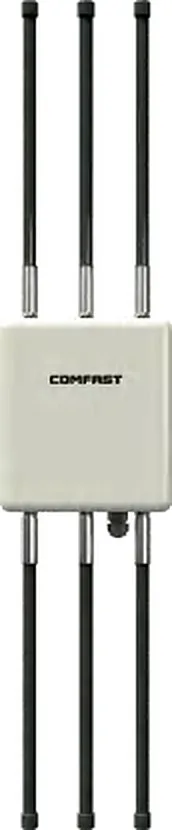
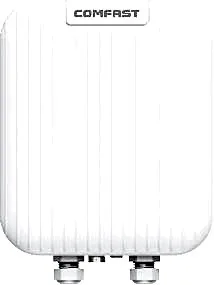
Directional units pay off in long aisles. Fed from one end of a 120 m aisle, the energy stays on the aisle axis, so the same coverage needs less transmit power and produces less co-channel overlap with the neighbouring aisle. In our outdoor range, CF-WA971 publishes a directional antenna, IP67, 3600Mbps and under 24W; CF-WA933 publishes built-in 5 × 4dBi antennas, IP66, 3000Mbps and under 18W, which suits mid-height racking. Figures follow each product page; bracket and tilt are confirmed per site.
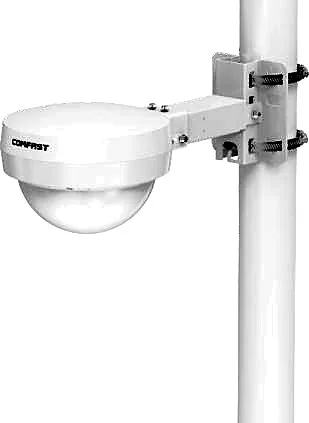
| Mounting scheme | When it works | How it usually fails | Models on our site (published values) |
|---|---|---|---|
| Omni under the ceiling, covering two aisles | Racking under 3 to 4 m, aisles wider than 2 m | Racking raised or filled, and the second aisle fades first | CF-WA933: built-in 5 × 4dBi, IP66, 3000Mbps, under 18W |
| Rack top or aisle end, directional down the aisle | Racking over 6 m, aisles longer than 60 m | Misalignment sends the lobe into the upper rack faces | CF-WA971: directional antenna, IP67, 3600Mbps, under 24W |
| High mast or roof, looking down into open space | Open zones between tall racking, dock aprons | The dark spot under the unit returns: weakest directly below | CF-WA937: external 6 × 8 dBi, IP67, 3000Mbps, under 24W |
Can you put an ordinary indoor ceiling access point in a warehouse?
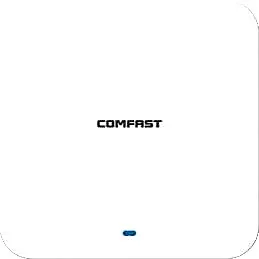
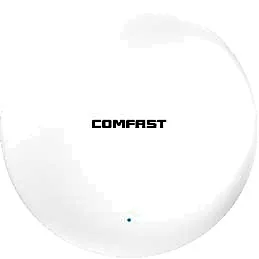
Usually not, and the reason is on the product pages: our indoor ceiling units publish IP31, and CF-E390AX publishes an operating range of 0 to 40 degrees Celsius. A warehouse is a semi-outdoor environment — roller doors stand open, there is no heating in winter, roof voids run far hotter than the room in summer, and forklift dust arrives with the wash-down hose. Once condensation and grit are inside the housing, the failure is not a link that dies today but one that drops at random six months later, at a diagnostic cost far above the price difference at selection time.
Common practice is to use outdoor-housing units indoors: IP66 or IP67, wide temperature range, external antennas that can be aimed. The cost is a heavier housing and a bracket; the benefit is a product designed for exactly this environment. Note that not every model on our site publishes its operating temperature — the table below only shows published values. Where a figure is absent, ask for the datasheet rather than inferring it from the IP number.
| Model | Rate / bands | Antennas | Housing | Consumption | Published temperature |
|---|---|---|---|---|---|
| CF-E390AX (indoor ceiling) | 1800Mbps, 2.4/5.8GHz | Built-in 3dBi | IP31 | under 12W | 0 to 40 C |
| CF-E391AX (indoor ceiling) | 3000Mbps, 2.4/5.8GHz | Built-in 4 × 3dBi | IP31 | under 13W | Not published, ask for the datasheet |
| CF-WA933 (outdoor housing) | 3000Mbps, 2.4/5.8GHz | Built-in 5 × 4dBi | IP66 | under 18W | Not published, ask for the datasheet |
| CF-WA937 (outdoor housing) | 3000Mbps, 2.4/5.8GHz | External 6 × 8 dBi | IP67 | under 24W | -10 to 55 C |
How many access points does a 10,000 m2 warehouse need?
Count aisles first, then units. The working spacing baseline is 50 to 65 metres between omni units along the same aisle, and 40 to 50 metres for directional units at moderate ceiling height; aisles do not share points unless the racking is below three metres. That bracket is an engineering planning range, and the outcome depends on ceiling height, how full the racking is and what the devices do — it is not a promise.
The schedule below is an illustrative 10,000 square metre site with ten 120 metre aisles and nine metre racking. The numbers exist to show the arithmetic: substitute your own aisle count, length and ceiling height and you get your own point schedule.
| Zone | Basis | Illustrative count |
|---|---|---|
| Ten 120 m aisles, 9 m racking | Two to three units per aisle, directional from both ends and the middle | 20 to 30 units |
| Inbound and outbound docks | By door count and apron area, one unit per two to three doors | 4 to 6 units |
| Sorting and packing (dense staff) | By concurrent devices, not area | 3 to 5 units |
| Office, mezzanine and break area | By desk count; indoor units are fine | 2 to 4 units |
| Cold store and freezer | Separate point per aisle or compartment; confirm low-temperature capability | 2 to 4 units |
Why do scanners and forklift terminals drop at the aisle entrance?
Roaming failures in a warehouse are almost never a lack of hardware. They come from oversized cells: to reach the far end of an aisle the power gets turned all the way up, every cell becomes large, and devices refuse to move until they walk into a dead spot and reconnect from scratch. The fix is to make cells deliberately small and dense so handovers happen while the signal is still usable.
- Level the power between neighbours instead of making one unit cover three aisles
- Disable the 1, 2, 5.5 and 11Mbps low rates so the apparent radius is not inflated
- Enable 802.11k/v/r: a device that does not know its neighbours can only switch by failing first
- Many scanners are 2.4GHz-only, so the 2.4GHz layer needs its own power and channel pass
- A forklift mast and cab cost several dB, so acceptance is measured on a forklift, not on an empty floor
What belongs on the warehouse acceptance sheet?
Do not accept an average. Accept the worst point, and state the height it was measured at. The working convention is: 5GHz no weaker than -65dBm at the centre of the main aisle at device height (1.2 to 1.5 m), no weaker than -70dBm at the worst point such as an aisle end or behind full racking, and no weaker than -72dBm with no interruption along AGV routes. These are engineering acceptance targets, not the specification of any model.
| Acceptance item | Target (engineering convention) | Why it is measured |
|---|---|---|
| Main aisle centre, 1.2 to 1.5 m, 5GHz | at least -65dBm | The real working height of scanners and handhelds |
| Aisle end / behind full racking | at least -70dBm | Complaints and failed transactions come from the worst point |
| AGV route | at least -72dBm, uninterrupted | An AGV cannot judge for itself: a drop is a stopped line |
| Retry rate during pick peak | Against the tool baseline; a clear rise means re-check | High retries point to co-channel interference or oversized cells |
| Roaming interruption | Walk the path; the WMS session must survive | Business sees the session, not the bars |
Frequently Asked Questions
Does every aisle need its own access point?
Below three to four metres of racking, with wide aisles and partial stock, one omni unit can serve two aisles. At six metres and above, or with the racking full, plan per aisle and split long aisles every 40 to 65 metres. The deciding evidence is the measured signal in the aisle behind, not the drawing.
Can a repeater or mesh replace the cable down an aisle?
Not as the primary path. A repeated hop roughly halves throughput, and metal racking is no kinder to the backhaul than to clients. A standard Ethernet channel is 100 metres, so long aisles need local power at the mid-point, or fibre with local power. PoE standards and distance are covered in our knowledge base; confirm the cabling and power plan against your run lengths.
Which unit suits a freezer at minus 25 degrees?
The lowest published operating range on our site is -10 to 55 degrees Celsius on CF-WA937, which is a general-purpose range. Below that you need a low-temperature model and a freezer-grade penetration detail; we do not publish low-temperature figures for such models, so request the datasheet rather than inferring temperature capability from the IP rating.
Should a warehouse move to 6 GHz?
Start with the devices. Warehouse traffic is mostly scanners, handhelds and forklift terminals, many of which are 2.4GHz-only or dual-band, so 6 GHz does nothing for them and, with higher path loss and weaker diffraction, creates dark spots between racks more easily. Our outdoor range is mainly dual-band 2.4GHz and 5.8GHz, with 802.11be published for CF-EW87; band capability and power follow that datasheet.
How many scanners can one access point carry?
Judge airtime, not a client-count ceiling. Scanner traffic is small per transaction but has to be reliable, so the real limit is channel utilisation and retries; the more devices share one radio, the more airtime goes to association and roaming. Our knowledge base gives planning conventions for per-AP concurrency — for scanning, size the count against measured channel utilisation on site.